77VQT1R00
Editing motion pictures and still pictures
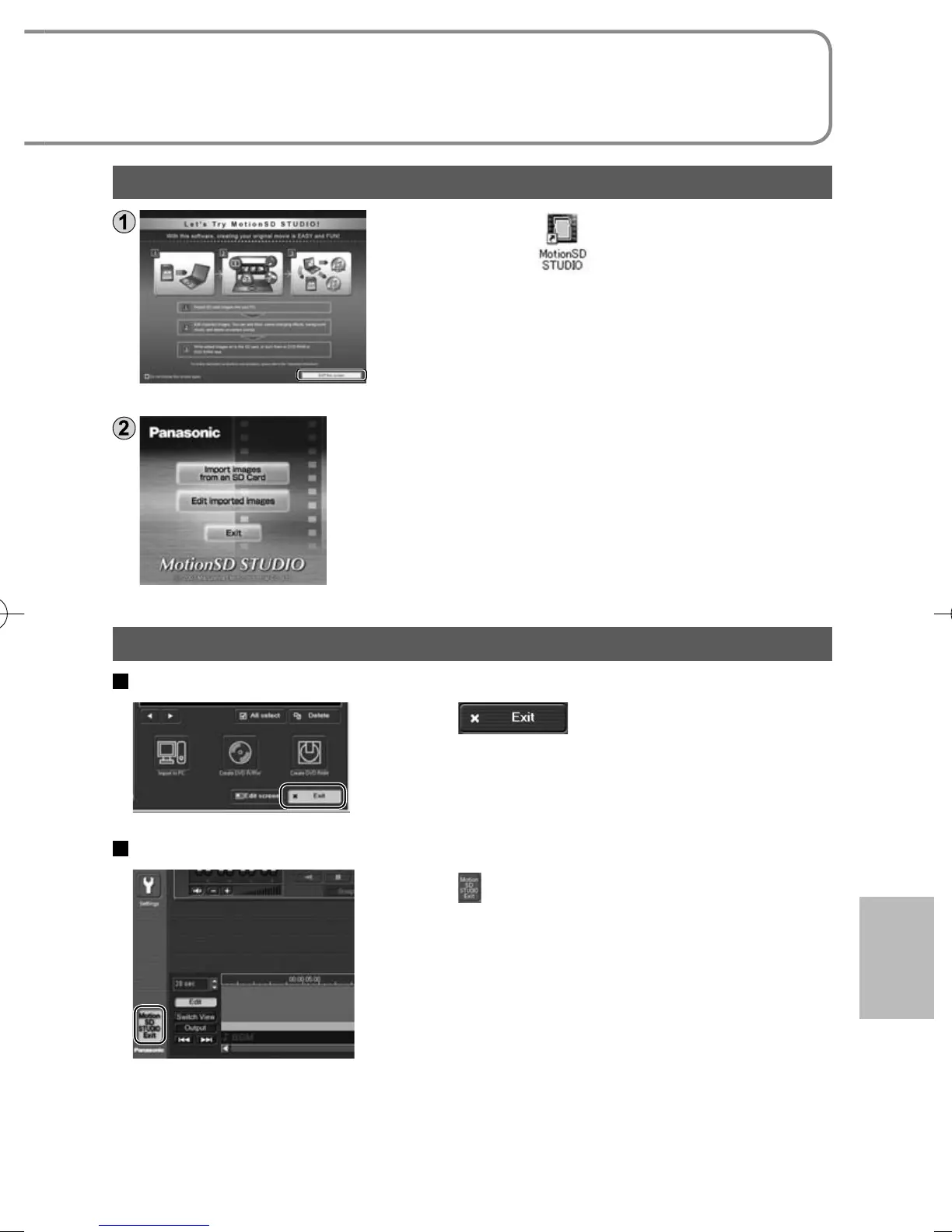
Double-click the icon on the desktop.
The window at left appears.
• If the icon does not appear on the desktop,
select [All Programs (or [Programs])] →
[Panasonic] → [MotionSD STUDIO 1.3E] →
[MotionSD STUDIO] from the start menu.
Click [EXIT this screen].
The startup window appears.
Closing MotionSD STUDIO
From the [SD Browser] screen
Click in the lower right-
hand corner of the screen.
From the [Edit Screen] screen
Click in the lower left-hand corner
of the screen.
Or, select [Exit] from the [File] menu.
For a detailed explanation on how to use the software, see the MotionSD
STUDIO operating instructions (PDF file). (P.75)





 To Next Page