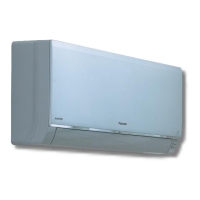
This document provides operating instructions for a Panasonic commercial air conditioner indoor unit, specifically a ceiling-type (Type T3) model. It covers various aspects of the device, including its function, technical specifications, usage, and maintenance.
Function Description
The Panasonic commercial air conditioner is designed to provide comfortable room conditions. It incorporates a biocidal product that generates ionized air to deactivate bacteria and viruses in the air and on surfaces, and to inhibit mold growth. The active substances are free radicals generated in situ from ambient air or water. The unit offers both cooling and heating capabilities, with specific operation modes like "DRY" for humidity control. A notable feature is the "nanoe™ X" function, which generates negative ions to improve air freshness, reduce odors, and constrain the propagation of mold and bacteria. This function operates automatically upon purchase but can be set to OFF via the remote controller.
Important Technical Specifications
The manual details specifications for several indoor and outdoor unit models, categorized by refrigerant type (R32) and power source (Europe/Oceania, 1-phase/3-phase).
Indoor Unit (Ceiling Type T3) - S-3650PT3E, S-6071PT3E, S-1014PT3E Series:
- Power Source: 220-230-240 V~ 50 Hz (Europe), 230-240 V~ 50 Hz (Oceania).
- Cooling Capacity: Ranges from 3.5 kW (11,900 BTU/h) to 13.4 kW (45,700 BTU/h), with sensible and latent components specified.
- Heating Capacity: Ranges from 4.0 kW (13,600 BTU/h) to 16.0 kW (54,600 BTU/h).
- Cooling/Heating Electric Power Input (nanoe™ X "OFF"): Ranges from 0.035 kW to 0.120 kW.
- Sound Pressure Level (High/Medium/Low): Ranges from 36/32/28 dB(A) to 47/41/36 dB(A) for S-1014PT3E.
- Sound Power Level (High/Medium/Low): Ranges from 54/50/46 dB(A) to 65/59/54 dB(A) for S-1014PT3E.
- Unit Dimensions (H×W×D): 235×960×690 mm for smaller models, 235×1,275×690 mm for mid-range, and 235×1,590×690 mm for larger models.
- Net Weight: Ranges from 26 kg to 40 kg.
- Operation Condition Temperature Range: Cooling mode: 18°C~32°C DB; Heating mode: 16°C~30°C DB.
Outdoor Unit (Single Split Outdoor Unit R32):
Multiple models are listed, including U-36PZH2E5, U-50PZH2E5, U-60PZH2E5, U-71PZH2E5, U-100PZH2E5, U-125PZH2E5, U-140PZH2E5, and their 3-phase counterparts (e.g., U-71PZH2E8).
- Power Source: 220-230-240 V~ 50 Hz (1-phase) or 380-400-415 V 3N~ 50 Hz (3-phase).
- Cooling Capacity: Ranges from 3.5 kW (11,900 BTU/h) to 14.0 kW (47,800 BTU/h).
- Heating Capacity: Ranges from 4.0 kW (13,600 BTU/h) to 16.0 kW (54,600 BTU/h).
- Sound Pressure Level (Cooling/Heating): Ranges from 43/44 dB(A) to 56/56 dB(A).
- Sound Power Level (Cooling/Heating): Ranges from 62/64 dB(A) to 74/74 dB(A).
- Unit Dimensions (H×W×D): Smaller units are 695×875×320 mm; larger units are 996×940×340 mm or 1,416×940×340 mm.
- Net Weight: Ranges from 32 kg to 99 kg.
- Operation Condition Temperature Range: Cooling mode: -10°C~46°C DB (or -15°C~46°C DB for some types, with -20°C possible in computer rooms with specific piping length); Heating mode: -15°C~24°C DB (or -20°C~24°C DB).
Usage Features
- Remote Control: The unit can be operated using various optional remote controllers: Wireless Remote Controller (CZ-RWS3), Timer Remote Controller (CZ-RTC4), High-spec Wired Remote Controller (CZ-RTC5B), and Wired Remote Controller (CZ-RTC6).
- Airflow Direction: Airflow direction can be adjusted via the remote controller.
- Power-On Procedure: Turn the power mains on 5 hours before the start of operation for warm-up.
- Energy Saving Tips: Avoid blocking air intake/outlet, use sunshades/blinds during cooling, keep windows/doors closed to prevent conditioned air from escaping.
- Defrosting Operation: The unit automatically initiates defrosting to melt frost on the outdoor unit. During this, the indoor fan may stop or run slowly, and "STANDBY" will be displayed. Heating resumes after several minutes.
- "DRY" Operation: In this mode, the outdoor unit cycles on/off to maintain the set room temperature, and fan speed adjusts to "breeze" when the room temperature approaches the set level.
- Power Failure Recovery: The unit automatically resumes operation with previous settings after a power failure.
Maintenance Features
- Air Filter Maintenance: The air filter should be kept clean to ensure optimal performance. Users should consult their dealer or service center when the "Filter" indicator appears on the wired remote controller display.
- Internal Coil and Components: The internal coil and other components of the outdoor unit must be cleaned periodically by a dealer or service center.
- General Cleaning: Wipe plastic parts with a soft cloth, moistened with water if very dirty. Avoid solvents, harsh chemicals, or very hot water. Exercise caution around sharp metal edges and fins.
- Professional Cleaning: Do not clean inside the indoor and outdoor units yourself; engage authorized dealers or specialists.
- Troubleshooting: The manual provides a comprehensive troubleshooting guide for common issues like noise, odors, water accumulation, fog, fan operation, and no operation, along with recommended actions. It also advises contacting the dealer for issues indicated by specific error codes on the remote controller.
- Safety Precautions: Emphasizes disconnecting power before cleaning or servicing, avoiding pouring water on the indoor unit, and not modifying or disassembling the unit.


 To Next Page
 General