EasyManua.ls Logo

Panasonic TH-43JX600Z - User Manual

Panasonic TH-43JX600Z
25 pages
Print Icon
To Next Page IconTo Next Page
Loading...
LED TV
Operating Instructions
English
Thank you for purchasing this Panasonic product.
Please read these instructions carefully before operating
this product and retain them for future reference.
Illustrations shown may be different between models
and countries.
The images shown in this manual are for illustrative
purposes only.
Some illustrations are presented as conceptual images
and may be different from the actual products.
The illustrations for 50-inch model is used in this
manual unless otherwise mentioned.
Transport only in upright position
Model No.
TH-43JX600Z
TH-50JX600Z
TH-55JX600Z
TH-65JX600Z
TH-75JX600Z
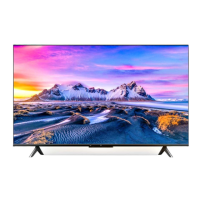
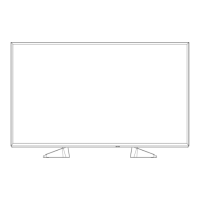
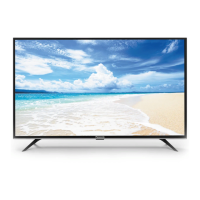
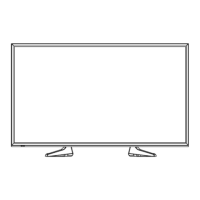
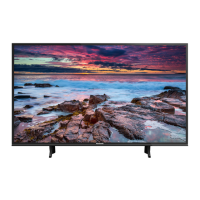
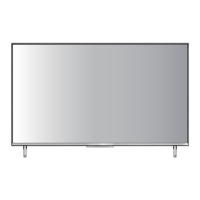
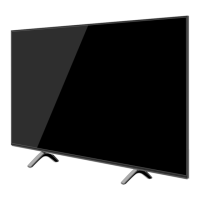
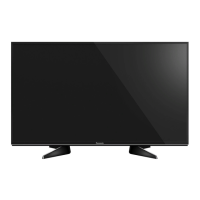
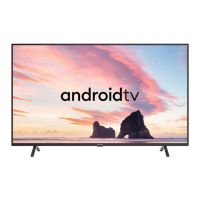
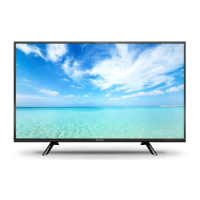
43-inch model 50-inch model
55-inch model
65-inch model
75-inch model
Question and Answer IconNeed help?

Do you have a question about the Panasonic TH-43JX600Z and is the answer not in the manual?

Summary

Important Notice

Safety Precautions

Mains Plug and Lead Safety

Guidance on safe handling and connection of the TV's power plug and cable.

General Operational Cautions

General warnings and cautions for safe operation and preventing damage to the TV.

Child Safety Warning

Warning regarding small parts that could be a choking hazard for children.

Pedestal Installation Safety

Instructions and warnings related to the safe installation and use of the TV pedestal.

Ventilation and Heat Management

Ensuring adequate airflow around the TV to prevent overheating and component failure.

Setting Up Your Panasonic TV

Included Accessories Overview

List and identification of accessories provided with the TV for setup and operation.

Remote Control and Batteries

Details on the remote control model and the required batteries for operation.

Power and Audio;Video Cables

Identification of the Mains Lead and Mini Jack Adapter included with the TV.

Pedestal Assembly Instructions

Description and assembly instructions for the TV pedestal, including screw types.

Pedestal Attachment and Removal

Steps for assembling and safely removing the TV pedestal.

Wall Mounting Preparation and Safety

Information and warnings related to optional wall mounting of the TV.

Inserting Remote Control Batteries

Instructions on how to insert batteries into the remote control, noting polarity.

Connecting External Devices

TV Terminal Identification

Diagram and list of all input/output terminals on the rear of the TV.

Aerial Connection Guide

Guidance on connecting an aerial for TV reception, including cable requirements.

Connecting Media Players and Consoles

Instructions for connecting Blu-Ray players, set-top boxes, and game consoles.

Audio System and Amplifier Connections

Methods for connecting audio systems, amplifiers, and soundbars via HDMI or optical cables.

Initial TV Setup Process

Initial Setup Wizard and Language

Wizard for initial TV setup, guiding through language and device pairing.

Wi-Fi Network Configuration

Step to connect the TV to a wireless network for internet access.

Google Service and Privacy Settings

Acceptance of Google's terms of service, privacy policy, location, and usage data sharing.

Environment and Region Selection

Selecting TV environment mode and country/region for localized settings.

Terms & Conditions and Channel Setup

Reviewing terms, accepting conditions, and configuring channel installation.

Final Settings Review

Reviewing and confirming all initial setup configurations before completion.

Operating Your TV with the Remote

Remote Control Button Functions

Detailed explanation of each button on the TV remote control and its function.

Pairing the Bluetooth Remote

Step-by-step guide for pairing the Bluetooth remote control with the TV.

TV Unit Controls Overview

Overview of the physical TV controls located on the unit itself and their functions.

Selecting External Input Sources

Steps to connect external devices and select the input source on the TV.

Using the Homepage and Apps

Homepage Navigation and Features

How to display the homepage and navigate through icons for Google Assistant, Apps, etc.

Accessing TV Applications

Accessing and managing applications available on the TV's homepage, including custom channels.

Navigating TV Menu Functions

Quick Access Menu Guide

Navigating and using the quick access menu for TV settings.

TV Settings Menu Structure

Exploring the main TV settings menu for configuration options.

Picture and Sound Adjustment

Adjusting picture and sound related settings through the menu system.

Channel and Reception Setup

Configuring TV tuner settings for analog/digital channels and cable/antenna.

External Input and HDMI Settings

Managing HDMI CEC, device auto power, and HDMI mode settings.

Picture Display and Screen Settings

Detailed picture adjustments, screen mode, and overscan settings.

Sound Mode and Volume Control

Optimizing sound quality, volume, and audio output settings.

System and Network Configuration

Configuring language, environment, power, network, and sleep timer settings.

Using the Media Player

USB Flash Memory Management

Instructions for correctly inserting and removing USB flash memory devices.

Media Player File Mode Selection

How to select and access media files (Video, Photo, Music, Disk) via the Media Player.

Playing Media Content

Detailed guides for playing Video, Photo, Music, and Disk files within the Media Player.

Additional Information

Automatic Standby Feature

Explanation of the TV's automatic standby function based on inactivity or sleep timer.

Supported HDMI Input Signals

Table listing supported HDMI input signals and resolutions for optimal viewing.

USB Flash Memory Usage Guidelines

Guidelines and limitations for using USB flash memory devices with the TV.

HDMI Connection Technology Explained

Information on HDMI technology, applicable features, and signal compatibility.

Media File Playback Limitations

Details on supported file types, formats, and potential compatibility issues for media playback.

Supported Video File Formats

Technical specifications for supported video codecs, resolutions, and bitrates.

Supported Audio Decoders and Formats

List of audio codecs, containers, and their corresponding file extensions supported by the TV.

Supported Image File Types

Supported image file types and their data types (e.g., JPEG, PNG, GIF).

Troubleshooting Common Issues

Resolving Screen Display Problems

Solutions for screen problems like spots, noise, or no image display.

Troubleshooting Audio Output

Troubleshooting steps for no sound, low level, or distorted audio output.

General TV Operational Fixes

Resolving common issues like standby mode, remote control malfunction, and overheating.

Error Message and USB Port Issues

Guidance on responding to overcurrent error messages and checking USB connections.

TV Maintenance and Cleaning

Routine Cleaning Procedures

Routine cleaning instructions for the TV's display panel, cabinet, and mains plug.

Stubborn Dirt Removal Techniques

Methods for cleaning persistent dirt from the TV surfaces using mild detergent.

Product Specifications

Model, Power, and Dimensions

Details on model numbers, power source, consumption, dimensions, and weight of the TV.

Display Panel and Resolution

Information on screen size, resolution, and panel technology.

Connection Terminals and Speaker Output

Listing of available terminals, their specifications, and speaker output power.

Receiving System and Aerial Details

Information on supported broadcast systems, aerial input types, and operating conditions.

Channel Reception and Band Information

Details on channel ranges for VHF/UHF bands and digital TV standards.

Open Source Software License

Warranty and Product Information

New Zealand Warranty Terms

Terms and conditions of the warranty provided for Panasonic TVs in New Zealand.

Disposal and Customer Record Keeping

Guidance on product disposal and a section to record TV identification details.
Summary

Important Notice

Safety Precautions

Mains Plug and Lead Safety

Guidance on safe handling and connection of the TV's power plug and cable.

General Operational Cautions

General warnings and cautions for safe operation and preventing damage to the TV.

Child Safety Warning

Warning regarding small parts that could be a choking hazard for children.

Pedestal Installation Safety

Instructions and warnings related to the safe installation and use of the TV pedestal.

Ventilation and Heat Management

Ensuring adequate airflow around the TV to prevent overheating and component failure.

Setting Up Your Panasonic TV

Included Accessories Overview

List and identification of accessories provided with the TV for setup and operation.

Remote Control and Batteries

Details on the remote control model and the required batteries for operation.

Power and Audio;Video Cables

Identification of the Mains Lead and Mini Jack Adapter included with the TV.

Pedestal Assembly Instructions

Description and assembly instructions for the TV pedestal, including screw types.

Pedestal Attachment and Removal

Steps for assembling and safely removing the TV pedestal.

Wall Mounting Preparation and Safety

Information and warnings related to optional wall mounting of the TV.

Inserting Remote Control Batteries

Instructions on how to insert batteries into the remote control, noting polarity.

Connecting External Devices

TV Terminal Identification

Diagram and list of all input/output terminals on the rear of the TV.

Aerial Connection Guide

Guidance on connecting an aerial for TV reception, including cable requirements.

Connecting Media Players and Consoles

Instructions for connecting Blu-Ray players, set-top boxes, and game consoles.

Audio System and Amplifier Connections

Methods for connecting audio systems, amplifiers, and soundbars via HDMI or optical cables.

Initial TV Setup Process

Initial Setup Wizard and Language

Wizard for initial TV setup, guiding through language and device pairing.

Wi-Fi Network Configuration

Step to connect the TV to a wireless network for internet access.

Google Service and Privacy Settings

Acceptance of Google's terms of service, privacy policy, location, and usage data sharing.

Environment and Region Selection

Selecting TV environment mode and country/region for localized settings.

Terms & Conditions and Channel Setup

Reviewing terms, accepting conditions, and configuring channel installation.

Final Settings Review

Reviewing and confirming all initial setup configurations before completion.

Operating Your TV with the Remote

Remote Control Button Functions

Detailed explanation of each button on the TV remote control and its function.

Pairing the Bluetooth Remote

Step-by-step guide for pairing the Bluetooth remote control with the TV.

TV Unit Controls Overview

Overview of the physical TV controls located on the unit itself and their functions.

Selecting External Input Sources

Steps to connect external devices and select the input source on the TV.

Using the Homepage and Apps

Homepage Navigation and Features

How to display the homepage and navigate through icons for Google Assistant, Apps, etc.

Accessing TV Applications

Accessing and managing applications available on the TV's homepage, including custom channels.

Navigating TV Menu Functions

Quick Access Menu Guide

Navigating and using the quick access menu for TV settings.

TV Settings Menu Structure

Exploring the main TV settings menu for configuration options.

Picture and Sound Adjustment

Adjusting picture and sound related settings through the menu system.

Channel and Reception Setup

Configuring TV tuner settings for analog/digital channels and cable/antenna.

External Input and HDMI Settings

Managing HDMI CEC, device auto power, and HDMI mode settings.

Picture Display and Screen Settings

Detailed picture adjustments, screen mode, and overscan settings.

Sound Mode and Volume Control

Optimizing sound quality, volume, and audio output settings.

System and Network Configuration

Configuring language, environment, power, network, and sleep timer settings.

Using the Media Player

USB Flash Memory Management

Instructions for correctly inserting and removing USB flash memory devices.

Media Player File Mode Selection

How to select and access media files (Video, Photo, Music, Disk) via the Media Player.

Playing Media Content

Detailed guides for playing Video, Photo, Music, and Disk files within the Media Player.

Additional Information

Automatic Standby Feature

Explanation of the TV's automatic standby function based on inactivity or sleep timer.

Supported HDMI Input Signals

Table listing supported HDMI input signals and resolutions for optimal viewing.

USB Flash Memory Usage Guidelines

Guidelines and limitations for using USB flash memory devices with the TV.

HDMI Connection Technology Explained

Information on HDMI technology, applicable features, and signal compatibility.

Media File Playback Limitations

Details on supported file types, formats, and potential compatibility issues for media playback.

Supported Video File Formats

Technical specifications for supported video codecs, resolutions, and bitrates.

Supported Audio Decoders and Formats

List of audio codecs, containers, and their corresponding file extensions supported by the TV.

Supported Image File Types

Supported image file types and their data types (e.g., JPEG, PNG, GIF).

Troubleshooting Common Issues

Resolving Screen Display Problems

Solutions for screen problems like spots, noise, or no image display.

Troubleshooting Audio Output

Troubleshooting steps for no sound, low level, or distorted audio output.

General TV Operational Fixes

Resolving common issues like standby mode, remote control malfunction, and overheating.

Error Message and USB Port Issues

Guidance on responding to overcurrent error messages and checking USB connections.

TV Maintenance and Cleaning

Routine Cleaning Procedures

Routine cleaning instructions for the TV's display panel, cabinet, and mains plug.

Stubborn Dirt Removal Techniques

Methods for cleaning persistent dirt from the TV surfaces using mild detergent.

Product Specifications

Model, Power, and Dimensions

Details on model numbers, power source, consumption, dimensions, and weight of the TV.

Display Panel and Resolution

Information on screen size, resolution, and panel technology.

Connection Terminals and Speaker Output

Listing of available terminals, their specifications, and speaker output power.

Receiving System and Aerial Details

Information on supported broadcast systems, aerial input types, and operating conditions.

Channel Reception and Band Information

Details on channel ranges for VHF/UHF bands and digital TV standards.

Open Source Software License

Warranty and Product Information

New Zealand Warranty Terms

Terms and conditions of the warranty provided for Panasonic TVs in New Zealand.

Disposal and Customer Record Keeping

Guidance on product disposal and a section to record TV identification details.
Panasonic TH-43JX600Z Specifications

General IconGeneral
BrandPanasonic
ModelTH-43JX600Z
CategoryLED TV
LanguageEnglish

Related product manuals