EasyManua.ls Logo

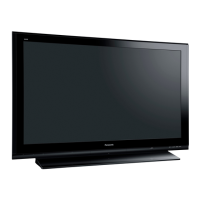
Panasonic TH-47LFX6 - User Manual

Panasonic TH-47LFX6
71 pages
Print Icon
To Next Page IconTo Next Page
Loading...
h
TH-47LFX6U
TH-47LFX6W
Operating Instructions (Details)
FULL HD LCD Display
Model No.
English
Please read these instructions before operating your set
and retain them for future reference.

Table of Contents

Other manuals for Panasonic TH-47LFX6

Questions and Answers

  • J
    jonesshannonJul 30, 2025
    What to do if my Panasonic Flat Panel TV has no picture?
    • M
      Michelle EricksonJul 30, 2025
      If your Panasonic Flat Panel TV shows no picture, verify that it is plugged into the AC outlet and switched on. You can check this by pressing the power switch or the stand-by button on the remote control. Also, check the Picture and Brightness/Volume settings.
  • C
    Courtney PetersonAug 4, 2025
    How to fix Panasonic Flat Panel TV remote control when it is not working?
    • K
      Kirk HowardAug 4, 2025
      If the remote control for your Panasonic Flat Panel TV isn't working, first check the batteries to ensure they haven't completely discharged and are inserted correctly. Also, make sure the remote control sensor isn't exposed to direct outdoor light or strong fluorescent light. Finally, verify that you are using the correct remote control designed for your unit.
  • E
    Emily SanchezAug 9, 2025
    Why does my Panasonic Flat Panel TV power off automatically?
    • J
      Joshua LutzAug 9, 2025
      If your Panasonic Flat Panel TV turns off unexpectedly, check the settings for “No signal power off”, “PC Power management”, “DVI-D Power management” and “No activity power off”. One of these settings may be enabled.
  • R
    renee04Aug 14, 2025
    What to do if Panasonic Flat Panel TV has no sound?
    • B
      Brian CaseAug 15, 2025
      If there is no sound on your Panasonic Flat Panel TV, check whether the mute function has been activated on the remote control.
  • Y
    ycookAug 19, 2025
    Why is there no picture or sound from the DIGITAL LINK terminal on my Panasonic Flat Panel TV?
    • J
      Jessica MillerAug 19, 2025
      If you're not getting picture or sound from the DIGITAL LINK terminal on your Panasonic Flat Panel TV, verify that the connection between the video (output) equipment and the twisted pair cable transmitter, as well as between the transmitter and the TV, is properly made. Also, check that “DIGITAL LINK mode” is set to “Auto” or “DIGITAL LINK” instead of “Ethernet”.
  • P
    peterfuentesAug 25, 2025
    What to do if my Panasonic Flat Panel TV sometimes has no picture or sound?
    • J
      Johnny WeissAug 25, 2025
      If your Panasonic Flat Panel TV sometimes displays no picture or outputs no sound, and you are using a selector or distributor, the problem might be that it does not support normal output. Try turning the power off and on again, or replacing the selector or distributor.

Summary

Installation Precautions

Terminal Cover Sealing

Details on sealing the terminal cover for dust and water resistance protection.

Important Safety Instructions

Electric Shock Prevention

Critical warnings and instructions to prevent electric shock and ensure user safety.

General Safe Operation Practices

Covers ventilation, heat, cord protection, accessory use, and unplugging advice.

Important Safety Notices

Covers fire hazards, electric shock, electromagnetic fields, and general safety advice.

Accessories and Connections

Included Accessories and Power Cord

Lists supplied accessories and information on selecting the correct power supply cord.

Connection Guides

Instructions for connecting AC power, video, audio, HDMI, DVI, PC, and serial inputs.

Basic Operation and Settings

Power Management and Initial Setup

Steps for powering on/off and initial setup procedures.

Picture, Sound, and Menu Settings

Adjustments for aspect ratio, picture quality, sound, and on-screen menus.

Advanced Features and Network Setup

Timer, Screensaver, and ECO Modes

Setup for timers, screensavers, ECO modes, and power saving features.

Network Setup and Control

Configures network settings and enables remote control.

Troubleshooting and Specifications

Troubleshooting Common Issues

Guide to diagnose and resolve common picture, sound, and operational problems.

Product Specifications

Technical details including power, screen size, dimensions, and connection types.

Panasonic TH-47LFX6 Specifications

General IconGeneral
Screen Size47 inches
Panel TypeIPS
Display TechnologyLCD
Viewing Angle178°
VESA Mounting400 x 400 mm
Aspect Ratio16:9
Refresh Rate60 Hz
USB Ports1
Built-in Wi-FiNo
Smart TVNo
Resolution1920 x 1080 (Full HD)
ConnectivityHDMI
Output ConnectorsDigital Audio Out

Related product manuals