EasyManua.ls Logo

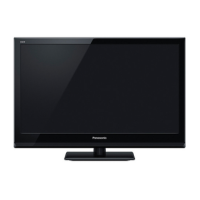
Panasonic Viera TC-L24X5 - User Manual

Panasonic Viera TC-L24X5
28 pages
Print Icon
To Next Page IconTo Next Page
Loading...
Pa-aso-iC
Model No.
TC-L24X5
TC-L24X5X
J English J
I Es o o,I
Thank you for purchasing this Panasonic product.
Please read these instructions before operating your set and retain them for future
reference. The images shown in this manual are for illustrative purposes only.
Gracias por su decisi6n de comprar este producto marca Panasonic.
Lea estas instrucciones antes de utilizar su televisor y gu&rdelas para consultarlas en
el futuro. Las im&genes mostradas en este manual tienen solamente fines ilustrativos.

Questions and Answers

  • G
    George BondJul 31, 2025
    What to do if my Panasonic LCD TV has no power?
    • L
      Lance GrayJul 31, 2025
      If your Panasonic LCD TV has no power, first, ensure it is properly plugged into the AC outlet. Then, press the POWER button on the side control or on the Remote Control to turn it on. Check the POWER Indicator; if it's not lit, the TV may have a problem.
  • C
    Cheryl PaulAug 6, 2025
    What to do if my Panasonic LCD TV has no image?
    • Z
      zweberAug 6, 2025
      If your Panasonic LCD TV shows no image, begin by checking the connection between the external equipment and the TV. Remember that when turning the TV on, it may take a few seconds for the image to appear. Verify that the selected system corresponds with the external or video equipment. Ensure the ambient temperature is within the operating range of 32 °F - 95 °F (0 °C - 35 °C). If problems persist, try turning the power off and then on again to restart the TV.
  • W
    wandaallenAug 12, 2025
    Why is my Panasonic LCD TV remote control not working?
    • E
      Elizabeth HallAug 12, 2025
      If the remote control for your Panasonic LCD TV isn't working, start by checking the batteries. Ensure there are no obstructions between the remote receiver and the remote control. Make sure you are within the maximum operating range (7m and a 30-degree angle from the front of the TV). Also, check if direct sunlight or strong artificial light is shining on the TV’s Infrared Remote Receiver; if so, eliminate the light. Finally, confirm that you are using the dedicated remote control for this model, as remotes from other brands or even other Panasonic models may not be compatible.
  • E
    Erin DayAug 18, 2025
    How to adjust abnormal color of image on Panasonic LCD TV?
    • A
      Alexa LopezAug 18, 2025
      If the image on your Panasonic LCD TV has abnormal color, try adjusting the color value in the settings.
  • G
    glennunezAug 25, 2025
    How to fix no sound on Panasonic LCD TV?
    • T
      thomaspaulAug 25, 2025
      If your Panasonic LCD TV has no sound, check the audio cable connection from the audio input source. Try adjusting the sound system settings and press the VOLUME (+) button to increase the volume. Also, make sure the MUTE button is not activated.

Summary

SAFETY PRECAUTIONS

CATV System Grounding Guidance

Guidelines for proper grounding of cable TV systems and connection to the building's grounding system.

Secure Ventilation Requirements

Ensures proper operation and prevents overheating by maintaining adequate space around the TV.

TV Safety Instructions

Essential guidelines for safe operation, installation, and usage of the LCD TV.

FCC STATEMENT

FCC Compliance Warning

Modifications not approved by Panasonic may void user's authority to operate the device.

Cable Connection Standards

Requirement for using shielded cables with metallic RF/EMI connector hoods for compliance.

Canadian Digital Apparatus Notice

Statement regarding compliance of the digital apparatus with Canadian standards.

CHILD SAFETY NOTICES

Standard Included Accessories

Lists the items included in the package for standard setup and operation.

Pedestal Attachment Guide

Instructions and warnings for safely attaching the TV's pedestal base.

Pedestal Installation Steps

Step-by-step guide for physically attaching the TV pedestal to the unit.

Pedestal Removal Procedure

Procedure for safely removing the TV pedestal from the unit.

Wall-Hanging Installation (Not Supplied)

Guidance on wall mounting, including VESA interface and optional bracket information.

PART NAMES AND FUNCTIONS

TV Controls and Indicators

Identifies and describes the physical buttons and indicator lights on the TV.

TV Side and Back Ports

Details the various input/output ports and connectors located on the TV's sides and back.

External Device Connections

Explains how to connect external devices like computers and video equipment to the TV.

Computer Connectivity

Steps and notes for connecting a PC to the TV using HDMI or VGA.

Video Equipment Connectivity

Guidance for connecting video sources like DVD players or VCRs using Component or Composite cables.

AC Power Cord Connection

Instructions for safely connecting the TV's power cord to an AC outlet.

Antenna;Cable Connection

Information on connecting an antenna or cable TV service to the TV.

Remote Battery Installation

Steps for correctly inserting batteries into the remote control.

Remote Control Operation

Diagram and explanation of each button on the remote control.

Turning TV On;Off

Procedure for powering the TV on and off, and entering standby mode.

Selecting Input Source

How to choose the active input signal (TV, Video, HDMI, PC, USB) for the display.

Aspect Ratio Adjustment

Adjusts the screen size and aspect ratio of the displayed image.

First-Time TV Setup

Initial setup steps for language, viewing mode, and tuner configuration.

On-Screen Display Menus

Overview of the TV's on-screen menus and settings.

Picture Settings

Settings for adjusting image quality like brightness, contrast, and color.

Audio Settings

Settings for adjusting sound output, including bass, treble, and balance.

Parental Control & Lock

Features for parental controls, channel locking, and input locking.

TV Tuning & Input Labels

Settings related to TV tuning, channel management, and input labeling.

System Setup Options

General TV settings including OSD language, HDMI control, and system reset.

Media Player Usage

Instructions for using the TV's media player to view photos, music, and videos from USB.

TROUBLESHOOTING

No Image Issues

Common causes and solutions for the TV not displaying an image.

No Sound Issues

Troubleshooting steps for when the TV is not producing any audio output.

Pixel Characteristics

Explanation of pixel characteristics that are normal and not a defect.

Image Color Adjustment

Guidance on adjusting color settings to resolve image color issues.

SPECIFICATIONS

Input Signal Compatibility

Details compatible signal names, horizontal, and vertical frequencies for PC inputs.

Component & HDMI Inputs

Specifies compatible input signals and formats for Component and HDMI connections.

PC Input Compatibility

Lists compatible resolutions and frequencies for PC input via D-sub and HDMI.

Multimedia File Support

Information on supported file formats for photos, music, and videos.

Supported Photo Formats

Details supported JPEG formats, resolutions, and restrictions for photo playback.

Supported Music Formats

Specifies supported codecs and file extensions for MP3 music playback.

Supported Video Formats

Information on supported video containers, codecs, and audio codecs.

LICENSE INFORMATION

Dolby Technology License

Information regarding Dolby digital audio technology licensing and trademarks.

HDMI Technology License

Details on HDMI logo usage and High-Definition Multimedia Interface trademarks.

Energy Star Program Details

Information about Energy Star certification for energy efficiency.

HD TV Logo Trademark

Details on the HD TV logo as a trademark of DIGITALEUROPE.

U.S.A. & Puerto Rico Limited Warranty

Warranty Coverage Terms

Explains the terms of repair, replacement, or refund for product defects.

Service Options and Contacts

How to obtain service, including contact numbers and procedures for on-site or carry-in.

Mail-In Service Guidelines

Instructions for shipping the product for repair or replacement.

Warranty Exclusions List

Specifies what damages and failures are NOT covered by the limited warranty.

Canada Limited Warranty

Canadian Warranty Service

Provides contact information for product operation assistance and repairs in Canada.

Customer Services Directory (USA;PR)

Product Information and Support

Websites and phone numbers for obtaining product support and information.

Parts and Accessory Purchases

Information on purchasing parts, accessories, and manuals online or by phone.

Mexico Customer Service

Mexico Contact Information

Contact details for obtaining information and service for products in Mexico.

Customers Record

Record Model and Serial Numbers

Section to record model and serial numbers for identification and warranty purposes.

Panasonic Viera TC-L24X5 Specifications

General IconGeneral
BrandPanasonic
ModelViera TC-L24X5
CategoryFlat Panel TV
LanguageEnglish

Related product manuals