EasyManua.ls Logo

Panasonic TH-58PZ800U - User Manual

Panasonic TH-58PZ800U
149 pages
Print Icon
To Next Page IconTo Next Page
Loading...
© 2008 Matsushita Electric Industrial Co., Ltd. All
rights reserved. Unauthorized copying and distribu-
tion is a violation of law.
ORDER NO. MTNC080746CE
B34 Canada: B07
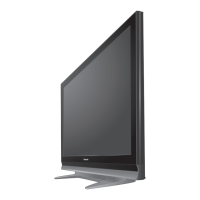
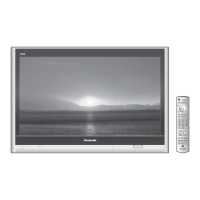
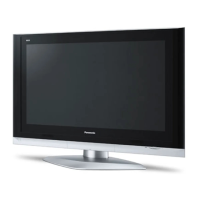
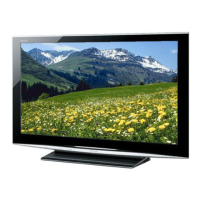
58 inch Class 1080p Plasma HDTV
Model No. TH-58PZ800U
GPF11DU Chassis
Question and Answer IconNeed help?

Do you have a question about the Panasonic TH-58PZ800U and is the answer not in the manual?

Summary

Safety Precautions

Leakage Current Cold Check

Method to test leakage current with the unit unplugged.

Leakage Current Hot Check

Method to test leakage current with the unit powered on.

Warning

Prevention of Electrostatic Discharge (ESD) to Electrostatically Sensitive (ES) Devices

Measures to prevent damage to sensitive electronic components from static electricity.

Service Mode

How to Enter Service Mode

Step-by-step guide to access the service mode using the remote control and unit buttons.

Key Command

Explanation of how to use remote control buttons to navigate service menus.

Service Mode Adjustment Contents

Contents of Adjustment Mode

Lists adjustable parameters, sample data, and remarks for service adjustments.

How to Exit

Instructions on turning off the unit to exit the service mode.

Service Tool Mode

How to Access

Steps to enter the service tool mode from the main service mode.

Exit

Procedure for exiting the service tool mode by disconnecting power.

Hotel Mode

2. Access Command to Hotel Mode

Command sequence required to enter the hotel mode setup menu.

3. To Exit Hotel Mode

Instructions for exiting the hotel mode setup menu by disconnecting power.

4. Explain Hotel Mode Menu

Detailed description of each setting available in the hotel mode menu.

Troubleshooting Guide

6.1. Check of the IIC Bus Lines

Procedures for testing the IIC bus lines for communication issues.

6.1.1. How to Access

Steps to initiate the self-check for IIC bus line status.

6.1.2. Exit

Method to exit the IIC bus line check procedure.

6.1.4. Check Point

Identifies specific parts to inspect if an NG (No Good) indication appears.

Power LED Blinking Timing Chart

6.2. Power LED Blinking Timing Chart

Chart correlating power LED blink patterns to specific fault conditions.

No Power Troubleshooting

6.3. No Power

Troubleshooting steps for the scenario where the unit fails to power on.

No Picture Troubleshooting

6.4. No Picture

Troubleshooting steps for when the screen displays no image or a blank screen.

Local Screen Failure

6.5. Local Screen Failure

Analysis of local screen failures and identification of related circuit boards.

Disassembly and Assembly Instructions

Remove P-Board

7.5. Remove the P-Board

Detailed procedure for removing the P-Board, including safety warnings.

Panel and Bracket Removal

7.23. Remove the Plasma Panel Section from the Cabinet Assy (Glass)

Procedure for safely detaching and removing the plasma panel assembly from the cabinet.

Board Removal (Continued)

7.26. Replace the Plasma Panel (Finished)

Instructions for installing a new plasma panel and reconnecting associated boards.

Measurements and Adjustments

8.1. Adjustment Procedure

General overview of the steps involved in adjusting the unit's settings.

8.1.1. Driver Set-up

Preparation steps for setting up the driver circuits prior to adjustment.

8.1.1.2. Adjustments

Voltage adjustment values for driver sections, referring to panel data.

8.1.2. Initialization Pulse Adjust

Procedure for initializing pulses using an oscilloscope for proper operation.

8.1.3. P.C.B. (Printed Circuit Board) Exchange

Important cautions and procedures for replacing circuit boards.

8.1.3.1. Caution

Safety warnings regarding discharging capacitors before PCB removal.

8.1.3.2. Quick Adjustment After P.C.B. Exchange

Essential adjustments to perform immediately after replacing a PCB.

Adjustment Procedures

8.2.1. White Balance Adjustment

Detailed steps for calibrating the white balance using a color analyzer.

P(SUS)-Board Schematic Diagram

11.2. P(SUS)-Board Schematic Diagram

Electrical schematic for the Power Supply (Suspension) Board.

P(MULTI)-Board Schematic Diagram

11.3. P(MULTI)-Board Schematic Diagram

Electrical schematic for the Power Supply (Multi) Board.

PB-Board Schematic Diagram

11.4. PB-Board Schematic Diagram

Electrical schematic diagram for the PB-Board, which controls fan functions.

A-Board Schematic Diagrams (Pages 1-12)

11.7. A-Board (1;12) Schematic Diagram

First part of the A-Board schematic, covering initial functional blocks.

11.8. A-Board (2;12) Schematic Diagram

Second part of the A-Board schematic, detailing DDR memory interface.

11.9. A-Board (3;12) Schematic Diagram

Third part of the A-Board schematic, covering digital interfaces and processing.

11.10. A-Board (4;12) Schematic Diagram

Fourth part of the A-Board schematic, showing power supply and DC-DC converter circuits.

11.11. A-Board (5;12) Schematic Diagram

Fifth part of the A-Board schematic, detailing AV/SW and connector interfaces.

11.12. A-Board (6;12) Schematic Diagram

Sixth part of the A-Board schematic, illustrating audio amplifier and processing circuits.

11.13. A-Board (7;12) Schematic Diagram

Seventh part of the A-Board schematic, covering EEPROM and various I/O interfaces.

11.14. A-Board (4;12) Schematic Diagram

Fourth part of the A-Board schematic, showing HDMI equalizer and switch functions.

11.15. A-Board (9;12) Schematic Diagram

Ninth part of the A-Board schematic, detailing HDMI input and signal processing.

11.16. A-Board (10;12) Schematic Diagram

Tenth part of the A-Board schematic, showing HDMI interface and signal routing.

11.17. A-Board (11;12) Schematic Diagram

Eleventh part of the A-Board schematic, illustrating front end tuner and signal processing.
D-Board Schematic Diagrams (Pages 1-6)

C1-Board Schematic Diagrams (Pages 1-2)

C2-Board Schematic Diagrams (Pages 1-2)

C3-Board Schematic Diagrams (Pages 1-2)

SC-Board Schematic Diagrams (Pages 1-3)

SU-Board Schematic Diagrams (Pages 1-3)

SD-Board Schematic Diagrams (Pages 1-3)

SS-Board Schematic Diagrams (Pages 1-2)

Exploded View and Replacement Parts List

Electrical Replacement Parts List

Electrical Replacement Parts List (Continued)

Summary

Safety Precautions

Leakage Current Cold Check

Method to test leakage current with the unit unplugged.

Leakage Current Hot Check

Method to test leakage current with the unit powered on.

Warning

Prevention of Electrostatic Discharge (ESD) to Electrostatically Sensitive (ES) Devices

Measures to prevent damage to sensitive electronic components from static electricity.

Service Mode

How to Enter Service Mode

Step-by-step guide to access the service mode using the remote control and unit buttons.

Key Command

Explanation of how to use remote control buttons to navigate service menus.

Service Mode Adjustment Contents

Contents of Adjustment Mode

Lists adjustable parameters, sample data, and remarks for service adjustments.

How to Exit

Instructions on turning off the unit to exit the service mode.

Service Tool Mode

How to Access

Steps to enter the service tool mode from the main service mode.

Exit

Procedure for exiting the service tool mode by disconnecting power.

Hotel Mode

2. Access Command to Hotel Mode

Command sequence required to enter the hotel mode setup menu.

3. To Exit Hotel Mode

Instructions for exiting the hotel mode setup menu by disconnecting power.

4. Explain Hotel Mode Menu

Detailed description of each setting available in the hotel mode menu.

Troubleshooting Guide

6.1. Check of the IIC Bus Lines

Procedures for testing the IIC bus lines for communication issues.

6.1.1. How to Access

Steps to initiate the self-check for IIC bus line status.

6.1.2. Exit

Method to exit the IIC bus line check procedure.

6.1.4. Check Point

Identifies specific parts to inspect if an NG (No Good) indication appears.

Power LED Blinking Timing Chart

6.2. Power LED Blinking Timing Chart

Chart correlating power LED blink patterns to specific fault conditions.

No Power Troubleshooting

6.3. No Power

Troubleshooting steps for the scenario where the unit fails to power on.

No Picture Troubleshooting

6.4. No Picture

Troubleshooting steps for when the screen displays no image or a blank screen.

Local Screen Failure

6.5. Local Screen Failure

Analysis of local screen failures and identification of related circuit boards.

Disassembly and Assembly Instructions

Remove P-Board

7.5. Remove the P-Board

Detailed procedure for removing the P-Board, including safety warnings.

Panel and Bracket Removal

7.23. Remove the Plasma Panel Section from the Cabinet Assy (Glass)

Procedure for safely detaching and removing the plasma panel assembly from the cabinet.

Board Removal (Continued)

7.26. Replace the Plasma Panel (Finished)

Instructions for installing a new plasma panel and reconnecting associated boards.

Measurements and Adjustments

8.1. Adjustment Procedure

General overview of the steps involved in adjusting the unit's settings.

8.1.1. Driver Set-up

Preparation steps for setting up the driver circuits prior to adjustment.

8.1.1.2. Adjustments

Voltage adjustment values for driver sections, referring to panel data.

8.1.2. Initialization Pulse Adjust

Procedure for initializing pulses using an oscilloscope for proper operation.

8.1.3. P.C.B. (Printed Circuit Board) Exchange

Important cautions and procedures for replacing circuit boards.

8.1.3.1. Caution

Safety warnings regarding discharging capacitors before PCB removal.

8.1.3.2. Quick Adjustment After P.C.B. Exchange

Essential adjustments to perform immediately after replacing a PCB.

Adjustment Procedures

8.2.1. White Balance Adjustment

Detailed steps for calibrating the white balance using a color analyzer.

P(SUS)-Board Schematic Diagram

11.2. P(SUS)-Board Schematic Diagram

Electrical schematic for the Power Supply (Suspension) Board.

P(MULTI)-Board Schematic Diagram

11.3. P(MULTI)-Board Schematic Diagram

Electrical schematic for the Power Supply (Multi) Board.

PB-Board Schematic Diagram

11.4. PB-Board Schematic Diagram

Electrical schematic diagram for the PB-Board, which controls fan functions.

A-Board Schematic Diagrams (Pages 1-12)

11.7. A-Board (1;12) Schematic Diagram

First part of the A-Board schematic, covering initial functional blocks.

11.8. A-Board (2;12) Schematic Diagram

Second part of the A-Board schematic, detailing DDR memory interface.

11.9. A-Board (3;12) Schematic Diagram

Third part of the A-Board schematic, covering digital interfaces and processing.

11.10. A-Board (4;12) Schematic Diagram

Fourth part of the A-Board schematic, showing power supply and DC-DC converter circuits.

11.11. A-Board (5;12) Schematic Diagram

Fifth part of the A-Board schematic, detailing AV/SW and connector interfaces.

11.12. A-Board (6;12) Schematic Diagram

Sixth part of the A-Board schematic, illustrating audio amplifier and processing circuits.

11.13. A-Board (7;12) Schematic Diagram

Seventh part of the A-Board schematic, covering EEPROM and various I/O interfaces.

11.14. A-Board (4;12) Schematic Diagram

Fourth part of the A-Board schematic, showing HDMI equalizer and switch functions.

11.15. A-Board (9;12) Schematic Diagram

Ninth part of the A-Board schematic, detailing HDMI input and signal processing.

11.16. A-Board (10;12) Schematic Diagram

Tenth part of the A-Board schematic, showing HDMI interface and signal routing.

11.17. A-Board (11;12) Schematic Diagram

Eleventh part of the A-Board schematic, illustrating front end tuner and signal processing.
D-Board Schematic Diagrams (Pages 1-6)

C1-Board Schematic Diagrams (Pages 1-2)

C2-Board Schematic Diagrams (Pages 1-2)

C3-Board Schematic Diagrams (Pages 1-2)

SC-Board Schematic Diagrams (Pages 1-3)

SU-Board Schematic Diagrams (Pages 1-3)

SD-Board Schematic Diagrams (Pages 1-3)

SS-Board Schematic Diagrams (Pages 1-2)

Exploded View and Replacement Parts List

Electrical Replacement Parts List

Electrical Replacement Parts List (Continued)

Panasonic TH-58PZ800U Specifications

General IconGeneral
BrandPanasonic
ModelTH-58PZ800U
CategoryPlasma TV
LanguageEnglish

Related product manuals