EasyManua.ls Logo

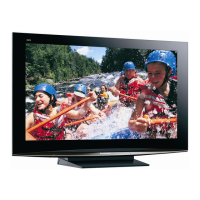
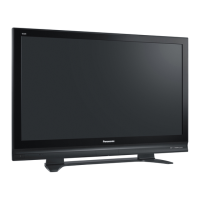
Panasonic Viera TH-50PE700U - User Manual

Panasonic Viera TH-50PE700U
60 pages
Print Icon
To Next Page IconTo Next Page
Loading...
HD3D Sound
ViV
A
Panasonic Consumer Electronics
Company,
Division of Panasonic Corporation
of North America
One Panasonic Way, Secaucus
New Jersey 07094 U.S.A.
Panasonic Puerto Rico, Inc.
Ave. 65 de Infanteria, Km. 9.5
San Gabriel Industrial Park
Carolina, Puerto Rico 00985
Panasonic Canada Inc.
5770 Ambler Drive
Mississauga, Ontario
L4W 2T3 CANADA
©
2007 Panasonic Corporation of North America. All Rights Reserved.
©
2007 Panasonic Corporation of North America. Todos los Derechos Reservados.
Printed in U.S.A.
Impreso en EE.UU.
Anotación del cliente
El modelo y el número de serie de este producto se encuentran en su panel posterior. Deberá anotarlos en el
espacio provisto a continuación y guardar este manual, más el recibo de su compra, como prueba permanente de
su adquisición, para que le sirva de ayuda al identificarlo en el caso de que le sea sustraído o lo pierda, y también
para disponer de los servicios que le ofrece la garantía.
Modelo Número de serie
Customers Record
The model number and serial number of this product can be found on its back cover. You should note this serial
number in the space provided below and retain this book, plus your purchase receipt, as a permanent record of
your purchase to aid in identification in the event of theft or loss, and for Warranty Service purposes.
Model Number Serial Number
Model No.
Número de modelo
Español
English
Please read these instructions before operating your set and retain them for future reference.
The images shown in this manual are for illustrative purposes only.
Lea estas instrucciones antes de utilizar su televisor y guárdelas para consultarlas en el futuro.
Las imágenes mostradas en este manual tienen solamente fines ilustrativos.
For assistance (U.S.A.), please call:
1-888-VIEW-PTV (843-9788)
or visit us at www.panasonic.com/contactinfo
For assistance (Puerto Rico), please call:
787-750-4300
or visit us at www.panasonic.com
For assistance (Canada), please call:
1-800-561-5505
or visit us at www.panasonic.ca
Para solicitar ayuda (EE.UU.), llame al:
1-888-VIEW-PTV (843-9788)
ó visítenos en www.panasonic.com/contactinfo
Para solicitar ayuda (Puerto Rico), llame al:
787-750-4300
ó visítenos en www.panasonic.com
Quick Start Guide
(See page 6)
Guía de inicio rápido
(vea la página 6)
TQB2AA0757
Operating Instructions
High Definition Plasma Television
Manual de instrucciones
Televisor de plasma de alta definición
TH-50PE700U
Question and Answer IconNeed help?

Do you have a question about the Panasonic Viera TH-50PE700U and is the answer not in the manual?

Summary

Safety Precautions

FCC Statement and Declaration

Details on FCC compliance for digital devices and potential interference.

Accessories;Optional Accessory

Installing the remotes batteries

Step-by-step guide for inserting batteries into the remote control.

To Prevent TV from Falling Over

Securing to a base

Instructions and diagrams to secure the TV to prevent tipping and falling.

Before Connection

Watching TV

Explains how to connect sources like antennas and cable boxes for TV viewing.

Recording;playing back with DVD recorder or VCR

Details connections for DVD recorders and VCRs for recording and playback.

Watching Satellite

Guide for connecting satellite receivers for high-definition programming.

Enjoying Home theater and DVD recorder with HDMI connection

How to connect home theater systems and DVD recorders using HDMI for better audio/video.

Basic Connection

To use HDMI terminals

Connect devices using HDMI for high-definition digital images and sound.

To use COMPONENT terminals

Connect devices using Component Video cables for enhanced picture quality.

To use COMPOSITE terminals

Connect devices using composite video cables for standard-definition signals.

To use S VIDEO terminals

Connect devices using S-Video cables for better picture quality than composite.

Identifying Controls

Remote Control Layout and Functions

Detailed breakdown of remote control buttons and their operations.

First Time Setup

Adjust the clock

Guide to setting the correct time and date on the TV.

Auto channel setup

Procedure for automatically scanning and tuning TV channels.

Watching TV

Audio Modes and Channel Banner

How to select audio modes and manage the channel display banner.

Viewing from SD Card

Insert and Select SD Card

Steps for inserting and selecting the SD card for viewing.

View and Adjust Images

How to view images, change views, and adjust picture settings.

Watching Videos and DVDs

Input Select and Operation

How to select input sources and operate connected equipment.

EZ Sync

Controlling Connected Equipment

Steps to select and operate compatible Panasonic devices via EZ Sync.

Displaying PC Screen on TV

Connecting and Selecting PC Input

How to connect a PC and select the PC input source.

How to Use Menu Functions

Picture Adjustments

Details on adjusting picture modes, color, brightness, and contrast.

Audio Adjustments

Guide to configuring audio settings like volume, balance, and sound modes.

EZ Sync HDAVI Control

HDAVI Control Features

Explains features like automatic input switching and power linking for integrated control.

Lock

Setting Channel and Program Locks

Guide to setting lock modes (Off, All, Custom) and selecting items to lock.

Editing and Setting Channels

Channel Setup and Editing

Procedures for automatic tuning, manual tuning, and editing channel lists.

Input Labels;Monitor Out;Closed Caption

Input Labeling and Monitor Output

Customizing input names and controlling signal output for external devices.

Closed Caption Setup

Configuration options for displaying closed captions on screen.

Using Timer

Setting Sleep and On;Off Timers

Instructions for setting the sleep timer and programmable on/off timers.

Operating Peripheral Equipment

Remote Control Operation of External Devices

Guide to programming and using the remote for other devices.

Recommended AV Connections

Connecting Various AV Equipment

Visual guides for connecting camcorders, DVD players, speakers, and computers.

Remote Control Operation;Code List

Remote Control Codes for External Devices

Tables of codes for controlling various brands of cable converters, VCRs, and DVDs.

Ratings List for Lock

Understanding Content Rating Systems

Details on MPAA, US TV, and Canadian ratings for parental control.

Maintenance

Cleaning the TV Components

Guides on proper cleaning methods for different parts of the TV.

Technical Information

Closed Caption and Aspect Ratio Details

Technical explanations for Closed Caption modes and aspect ratio adjustments.

FAQ

Troubleshooting Common Issues

Solutions for problems like distorted images, no sound, or remote control issues.

Specifications

TV Technical Specifications

Lists detailed technical data like screen size, resolution, power consumption, and terminals.

Limited Warranty (for U.S.A.)

Warranty Coverage and Exclusions

Explains what is covered, what is not covered, and the duration of the warranty.

Customer Services Directory (for U.S.A.)

Support and Contact Information

Provides websites, phone numbers, and email for customer assistance.

Limited Warranty (for Canada)

Canadian Warranty Details

Outlines the warranty terms specific to products purchased and serviced in Canada.

Summary

Safety Precautions

FCC Statement and Declaration

Details on FCC compliance for digital devices and potential interference.

Accessories;Optional Accessory

Installing the remotes batteries

Step-by-step guide for inserting batteries into the remote control.

To Prevent TV from Falling Over

Securing to a base

Instructions and diagrams to secure the TV to prevent tipping and falling.

Before Connection

Watching TV

Explains how to connect sources like antennas and cable boxes for TV viewing.

Recording;playing back with DVD recorder or VCR

Details connections for DVD recorders and VCRs for recording and playback.

Watching Satellite

Guide for connecting satellite receivers for high-definition programming.

Enjoying Home theater and DVD recorder with HDMI connection

How to connect home theater systems and DVD recorders using HDMI for better audio/video.

Basic Connection

To use HDMI terminals

Connect devices using HDMI for high-definition digital images and sound.

To use COMPONENT terminals

Connect devices using Component Video cables for enhanced picture quality.

To use COMPOSITE terminals

Connect devices using composite video cables for standard-definition signals.

To use S VIDEO terminals

Connect devices using S-Video cables for better picture quality than composite.

Identifying Controls

Remote Control Layout and Functions

Detailed breakdown of remote control buttons and their operations.

First Time Setup

Adjust the clock

Guide to setting the correct time and date on the TV.

Auto channel setup

Procedure for automatically scanning and tuning TV channels.

Watching TV

Audio Modes and Channel Banner

How to select audio modes and manage the channel display banner.

Viewing from SD Card

Insert and Select SD Card

Steps for inserting and selecting the SD card for viewing.

View and Adjust Images

How to view images, change views, and adjust picture settings.

Watching Videos and DVDs

Input Select and Operation

How to select input sources and operate connected equipment.

EZ Sync

Controlling Connected Equipment

Steps to select and operate compatible Panasonic devices via EZ Sync.

Displaying PC Screen on TV

Connecting and Selecting PC Input

How to connect a PC and select the PC input source.

How to Use Menu Functions

Picture Adjustments

Details on adjusting picture modes, color, brightness, and contrast.

Audio Adjustments

Guide to configuring audio settings like volume, balance, and sound modes.

EZ Sync HDAVI Control

HDAVI Control Features

Explains features like automatic input switching and power linking for integrated control.

Lock

Setting Channel and Program Locks

Guide to setting lock modes (Off, All, Custom) and selecting items to lock.

Editing and Setting Channels

Channel Setup and Editing

Procedures for automatic tuning, manual tuning, and editing channel lists.

Input Labels;Monitor Out;Closed Caption

Input Labeling and Monitor Output

Customizing input names and controlling signal output for external devices.

Closed Caption Setup

Configuration options for displaying closed captions on screen.

Using Timer

Setting Sleep and On;Off Timers

Instructions for setting the sleep timer and programmable on/off timers.

Operating Peripheral Equipment

Remote Control Operation of External Devices

Guide to programming and using the remote for other devices.

Recommended AV Connections

Connecting Various AV Equipment

Visual guides for connecting camcorders, DVD players, speakers, and computers.

Remote Control Operation;Code List

Remote Control Codes for External Devices

Tables of codes for controlling various brands of cable converters, VCRs, and DVDs.

Ratings List for Lock

Understanding Content Rating Systems

Details on MPAA, US TV, and Canadian ratings for parental control.

Maintenance

Cleaning the TV Components

Guides on proper cleaning methods for different parts of the TV.

Technical Information

Closed Caption and Aspect Ratio Details

Technical explanations for Closed Caption modes and aspect ratio adjustments.

FAQ

Troubleshooting Common Issues

Solutions for problems like distorted images, no sound, or remote control issues.

Specifications

TV Technical Specifications

Lists detailed technical data like screen size, resolution, power consumption, and terminals.

Limited Warranty (for U.S.A.)

Warranty Coverage and Exclusions

Explains what is covered, what is not covered, and the duration of the warranty.

Customer Services Directory (for U.S.A.)

Support and Contact Information

Provides websites, phone numbers, and email for customer assistance.

Limited Warranty (for Canada)

Canadian Warranty Details

Outlines the warranty terms specific to products purchased and serviced in Canada.

Panasonic Viera TH-50PE700U Specifications

General IconGeneral
Screen Size50 inches
Display TypePlasma
Resolution1366 x 768
Contrast Ratio10000:1
HDMI Inputs2
Component Video Inputs2
Weight75.5 lbs
Aspect Ratio16:9
Composite Video Input1
S-Video Input1
Viewing Angle160 degrees
InputsHDMI, Component, Composite, S-Video
Speakers2 x 10W

Related product manuals