EasyManua.ls Logo

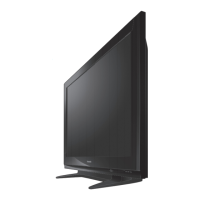
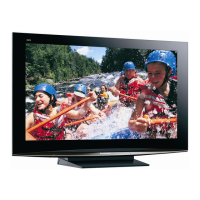
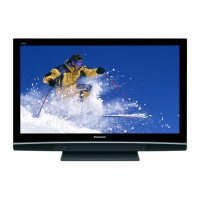
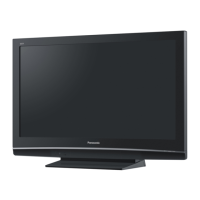
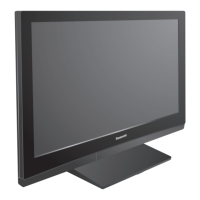
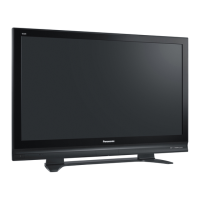
Panasonic Viera TH-50PX70BA - User Manual

Panasonic Viera TH-50PX70BA
52 pages
Print Icon
To Next Page IconTo Next Page
Loading...
OPTION
DIRECT TV REC
EXIT
RETURN
INPUT
TV
Operating Instructions
Plasma Television
English
Please read these instructions before operating your set and retain them for future reference.
The images shown in this manual are for illustrative purposes only.
U.K. Standard
Model No. TH-37PX70BA
TH-42PX70BA
TH-50PX70BA
Question and Answer IconNeed help?

Do you have a question about the Panasonic Viera TH-50PX70BA and is the answer not in the manual?

Summary

Quick Start Guide

Be Sure to Read

Safety Precautions, Notes, and Maintenance guidelines.

Accessories; Options

Lists standard and optional accessories for the TV.

Identifying Controls

Identifies the main controls on the TV and remote.

Basic Connection

Explains how to connect aerials, DVD recorders, and VCRs.

Auto Setup

Guides through automatic channel search and setup.

Watching TV

Other useful functions

Covers subtitles, programme status, information banner, and aspect ratio.

Using TV Guide

Explains how to navigate and use the Electronic Programme Guide (EPG).

Watching VCR, DVD and Satellites

Instructions for connecting and viewing external equipment.

How to Use Menu Functions

VIERA Link

Controls connected Panasonic equipment via VIERA Link.

Picture Menu

Adjusts picture settings like contrast, brightness, and colour.

Sound Menu

Adjusts sound settings like mode, bass, treble, and surround.

Setup Menu

Accesses system settings, tuning, and other advanced features.

DVB Settings (DVB mode)

Common Interface

Provides access to software on Common Interface (CI) Modules for Pay-TV.

Update TVs software system

Instructions for downloading and updating the TV's software.

Editing Channels

DVB Profile Edit

Creates and manages favourite channel lists (Profiles).

DVB Service List

Allows skipping of unwanted DVB services.

Child Lock

Locks specific channels to control audience access.

Tuning Channels

Edit Analogue channels

Manually edits analogue programme positions and names.

DVB Manual Tuning

Manually tunes DVB channels when Auto Setup is incomplete.

Analogue Manual Tuning

Manually tunes analogue channels after Auto Setup.

Add New DVB Services

Adds new DVB services found by the TV.

Restore Settings

Shipping Condition

Resets the TV to its original factory condition, erasing all data.

Owner ID

Input owner ID

Entry of security code (PIN) and personal information for ownership tracking.

Input Labels

User input

Allows naming of input terminals for easier identification.

Displaying PC Screen on TV

PC menu setting

Adjusts picture and setup settings for PC input.

Recording Controls (DVB mode)

Timer Programming from Menu

Allows programming of programmes for recording via the DVB system.

Q-Link Functions

Condition

Requirements for using Q-Link with VCR/DVD recorders.

Direct TV Recording

Records the current programme immediately to a VCR/DVD recorder.

HDMI Functions

Summary of Control functions

Overview of control functions via HDMI, VIERA Link, and Q-Link.

VIERA Link HDAVI Control

Enables interoperability with Panasonic products via HDMI.

External Equipment

Types of connectable equipment to each connector

Details which equipment connects to which TV terminal.

Technical Information

Aspect Ratio

Explains aspect ratio selection and control signals.

Updating the DVB software

Information on downloading and installing DVB software updates.

PC connection

Details on connecting a PC to the TV and supported signals.

FAQs

White spots or shadow images (noise)

Troubleshooting guide for screen noise issues.

Neither image nor sound is produced

Troubleshooting steps when no image or sound is displayed.

Direct TV record; Q-Link functions not recording

Troubleshooting tips for recording issues with Q-Link.

Contrast is reduced

Explanation for reduced contrast after periods of inactivity.

No image can be displayed

Troubleshooting steps for a blank screen.

No sound is produced

Troubleshooting steps for no audio output.

VIERA Link function does not work and an error message appears

Troubleshooting VIERA Link errors and messages.

On screen messages

All tuning data will be erased

Meaning of the message regarding erasure of tuning data.

Bad Signal

Meaning and action for a weak signal message.

New DVB Service Found!

Notification of a new DVB station found.

PIN incorrect!

Meaning of an incorrect PIN entry.

Timer overlap!

Meaning of overlapping timer programming events.

Specifications

Information on Disposal for Users of Waste Electrical & Electronic Equipment

For business users in the European Union

Information for business users on discarding electrical equipment.

Information on Disposal in other Countries outside the European Union

Disposal information valid only in the European Union.

Sales and Support Information

Customer Care Centre

Contact details for customer support and product information.

Direct Sales at Panasonic UK

Information on ordering accessories and consumables.

Licence

Trademark Credits

Lists trademarks and registered trademarks used in the manual.

Customers Record

Space to record model and serial numbers for warranty purposes.

Summary

Quick Start Guide

Be Sure to Read

Safety Precautions, Notes, and Maintenance guidelines.

Accessories; Options

Lists standard and optional accessories for the TV.

Identifying Controls

Identifies the main controls on the TV and remote.

Basic Connection

Explains how to connect aerials, DVD recorders, and VCRs.

Auto Setup

Guides through automatic channel search and setup.

Watching TV

Other useful functions

Covers subtitles, programme status, information banner, and aspect ratio.

Using TV Guide

Explains how to navigate and use the Electronic Programme Guide (EPG).

Watching VCR, DVD and Satellites

Instructions for connecting and viewing external equipment.

How to Use Menu Functions

VIERA Link

Controls connected Panasonic equipment via VIERA Link.

Picture Menu

Adjusts picture settings like contrast, brightness, and colour.

Sound Menu

Adjusts sound settings like mode, bass, treble, and surround.

Setup Menu

Accesses system settings, tuning, and other advanced features.

DVB Settings (DVB mode)

Common Interface

Provides access to software on Common Interface (CI) Modules for Pay-TV.

Update TVs software system

Instructions for downloading and updating the TV's software.

Editing Channels

DVB Profile Edit

Creates and manages favourite channel lists (Profiles).

DVB Service List

Allows skipping of unwanted DVB services.

Child Lock

Locks specific channels to control audience access.

Tuning Channels

Edit Analogue channels

Manually edits analogue programme positions and names.

DVB Manual Tuning

Manually tunes DVB channels when Auto Setup is incomplete.

Analogue Manual Tuning

Manually tunes analogue channels after Auto Setup.

Add New DVB Services

Adds new DVB services found by the TV.

Restore Settings

Shipping Condition

Resets the TV to its original factory condition, erasing all data.

Owner ID

Input owner ID

Entry of security code (PIN) and personal information for ownership tracking.

Input Labels

User input

Allows naming of input terminals for easier identification.

Displaying PC Screen on TV

PC menu setting

Adjusts picture and setup settings for PC input.

Recording Controls (DVB mode)

Timer Programming from Menu

Allows programming of programmes for recording via the DVB system.

Q-Link Functions

Condition

Requirements for using Q-Link with VCR/DVD recorders.

Direct TV Recording

Records the current programme immediately to a VCR/DVD recorder.

HDMI Functions

Summary of Control functions

Overview of control functions via HDMI, VIERA Link, and Q-Link.

VIERA Link HDAVI Control

Enables interoperability with Panasonic products via HDMI.

External Equipment

Types of connectable equipment to each connector

Details which equipment connects to which TV terminal.

Technical Information

Aspect Ratio

Explains aspect ratio selection and control signals.

Updating the DVB software

Information on downloading and installing DVB software updates.

PC connection

Details on connecting a PC to the TV and supported signals.

FAQs

White spots or shadow images (noise)

Troubleshooting guide for screen noise issues.

Neither image nor sound is produced

Troubleshooting steps when no image or sound is displayed.

Direct TV record; Q-Link functions not recording

Troubleshooting tips for recording issues with Q-Link.

Contrast is reduced

Explanation for reduced contrast after periods of inactivity.

No image can be displayed

Troubleshooting steps for a blank screen.

No sound is produced

Troubleshooting steps for no audio output.

VIERA Link function does not work and an error message appears

Troubleshooting VIERA Link errors and messages.

On screen messages

All tuning data will be erased

Meaning of the message regarding erasure of tuning data.

Bad Signal

Meaning and action for a weak signal message.

New DVB Service Found!

Notification of a new DVB station found.

PIN incorrect!

Meaning of an incorrect PIN entry.

Timer overlap!

Meaning of overlapping timer programming events.

Specifications

Information on Disposal for Users of Waste Electrical & Electronic Equipment

For business users in the European Union

Information for business users on discarding electrical equipment.

Information on Disposal in other Countries outside the European Union

Disposal information valid only in the European Union.

Sales and Support Information

Customer Care Centre

Contact details for customer support and product information.

Direct Sales at Panasonic UK

Information on ordering accessories and consumables.

Licence

Trademark Credits

Lists trademarks and registered trademarks used in the manual.

Customers Record

Space to record model and serial numbers for warranty purposes.

Panasonic Viera TH-50PX70BA Specifications

General IconGeneral
BrandPanasonic
ModelViera TH-50PX70BA
CategoryPlasma TV
LanguageEnglish

Related product manuals