EasyManua.ls Logo

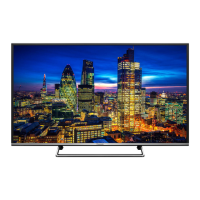
Panasonic TH-65PF50U - User Manual

Panasonic TH-65PF50U
69 pages
Print Icon
To Next Page IconTo Next Page
Loading...
TH-60PF50U
TH-65PF50U
Model No.
Operating Instructions
Display Operations
High De nition Plasma Display
English
Before connecting, operating or adjusting this product,
please read these instructions completely.
Please keep this manual for future reference.

Table of Contents

Questions and Answers

  • D
    Dustin SandersAug 9, 2025
    How to fix Panasonic TH-65PF50U TV if I cannot see 3D images?
    • C
      Carol PhamAug 9, 2025
      If you cannot see 3D images on your Panasonic TV, first ensure the 3D Eyewear is switched on. Then, verify that “3D FUNCTION” in “3D SETTINGS” is set to “ON”. Next, set “3D INPUT FORMAT” in “3D SETTINGS” to match the picture format. Also, check if the 3D IR TRANSMITTER is turned on and correctly positioned, and that there are no obstacles between it and the 3D Eyewear. If the 3D Eyewear stops receiving the infrared signal for about 5 minutes, it will turn off automatically. Check the available area for using the 3D Eyewear. Finally, ensure you have taken necessary steps to correct your eyesight before use, such as wearing glasses.
  • S
    Stacy WallaceAug 14, 2025
    Why does my Panasonic TH-65PF50U TV 3D eyewear turn off automatically?
    • M
      Monica ContrerasAug 15, 2025
      If the 3D Eyewear for your Panasonic TV is turning off automatically, this is likely because the eyewear has stopped receiving the infrared signal for about 5 minutes. To solve this, ensure that there are no obstacles between the 3D IR TRANSMITTER and the 3D Eyewear. Also, make sure the 3D Eyewear is placed within the coverage area.
  • L
    Loretta FitzpatrickAug 19, 2025
    Why won't the indicator light turn on when my Panasonic TH-65PF50U 3D glasses are on?
    • K
      katherine96Sep 12, 2025
      If the indicator lamp does not light when you turn on your Panasonic TV's 3D glasses, the battery may be low or completely drained. Try changing the battery or charging the 3D glasses.
  • J
    Jodi PrestonAug 25, 2025
    How to fix Panasonic Monitor when cannot see 3D images?
    • C
      Christine RasmussenAug 25, 2025
      If you cannot see 3D images on your Panasonic Monitor, here are a few things to check: * First, ensure that your 3D eyewear is switched on. * Next, verify that '3D FUNCTION' in '3D SETTINGS' is set to 'ON'. * Also, confirm that the '3D INPUT FORMAT' in '3D SETTINGS' matches the picture format. * Make sure the 3D IR TRANSMITTER is turned on and correctly positioned, with no obstructions between it and the 3D eyewear, and that the eyewear is within the available coverage area. * Finally, ensure your eyesight is corrected (e.g., by wearing glasses) before use.
  • K
    Kelly HoustonAug 29, 2025
    What to do if indicator lamp will not light when Panasonic Monitor's 3D glasses are turned ON?
    • E
      evansjessicaAug 30, 2025
      If the indicator lamp doesn't light up when you turn on your 3D glasses for your Panasonic Monitor, the battery may be low or completely drained. Try changing the battery or charging the 3D glasses to resolve this issue.
  • M
    Mr. James StaffordSep 3, 2025
    Why does Panasonic Monitor's 3D Eyewear turn off automatically?
    • L
      laura54Sep 3, 2025
      If the 3D eyewear for your Panasonic Monitor turns off automatically, make sure there are no obstacles between the 3D IR TRANSMITTER and the 3D Eyewear. Also, ensure that the 3D Eyewear is placed inside the coverage area.

Panasonic TH-65PF50U Specifications

General IconGeneral
Screen Size65 inches
Display TypePlasma
Aspect Ratio16:9
HDMI Ports3
USB Ports1
Weight62.8 kg
Resolution1920 x 1080
InputsHDMI, Component, Composite
Speakers20W

Related product manuals