EasyManua.ls Logo

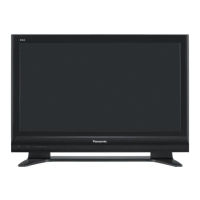
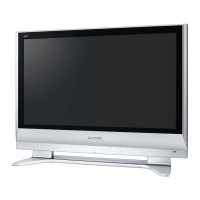
Panasonic TH-65XVS30UP - User Manual

Panasonic TH-65XVS30UP
72 pages
Print Icon
To Next Page IconTo Next Page
Loading...
English
Before connecting, operating or adjusting this product, please read these instructions completely.
Please keep this manual for future reference.
TV
MENU
R-TUNE
PIP MIN
REW
PIP MAX
FF
PLAY
PROG
EXIT
VCR DVD
DBS
RCVR
CBL
LIGHT
TV/VIDEO
A -ANTENNA - B
SAP
1 2 3
4 5 6
7 8
0
9
AUX
A
S
P
E
C
T
A
M
U
T
E
R
E
C
A
L
L
B
B
E
STOP
PAUSE
FREEZE
TV/VCR
PIP SPLIT MOVE
SWAP
SEARCH
OPEN/CLOSE
SPLIT CH
DVD/VCR CH
REC
CH
VOL
CH
VOL
OK
POWER
POWER
Operating Instructions
Digital High Definition Plasma TV
For assistance, please call : 1-888-VIEW-PTV(843-9788)
or send e-mail to : consumerproducts@panasonic.com
or visit us at www.panasonic.com (U.S.A.)
For assistance, please call : 787-750-4300
or visit us at www.panasonic.com (Puerto Rico)
For assistance, please call : 1-800-561-5505
or visit us at www.panasonic.ca (Canada)
System No. TH-65XVS30U
Model No.
TH-65XVS30: High Definition Plasma Display
TU-PT700U: Digital Media Receiver
TQBC0944

Other manuals for Panasonic TH-65XVS30UP

Questions and Answers

Summary

Important Safety Instructions

FCC STATEMENT

FCC CAUTION

Cautionary notes regarding product compliance and interference.

Safety Precautions

Set up

Guidelines for properly positioning the Plasma TV to ensure safe operation.

AC Power Supply Cord

Instructions for safe handling and use of the power cord.

If problems occur during use

Actions to take in case of malfunction, smoke, or damage.

Installation

Connection

Display connection

Instructions for connecting speakers and managing cables for display setup.

HDMI Connection

PC Connection

CableCARDTM Connection

Power ON; OFF

Location of Controls

Remote Control Buttons

Overview of the functions of various buttons on the remote control.

First Time Setup

Auto Scan

Scanning for and programming available channels automatically.

Watching TV programs

Remote Control Operation

Using the remote control to turn on the TV, select channels, and adjust volume.

Menu Navigation

Main Menu Structure

Overview of the main menu options like Picture, Audio, Channel, Setup, etc.

Picture Menu Settings

Pic Mode

Selecting pre-set picture modes for optimal viewing conditions.

Picture Adjustments

Adjusting individual picture parameters like color intensity, tint, brightness, and sharpness.

Audio Menu Settings

Bass; Treble; Balance; Normal

Adjusting audio settings such as bass, treble, balance, and resetting to normal.

Channel Menu Settings

Favorite Channels

Creating and managing a list of favorite channels for quick access.

Captions Menu Settings

Timer and Input Label Settings

Clock Set

Setting the current time for the TV's clock.

Timer Settings

Timer Operation

Setting the TV to turn on or off automatically at selected times and days.

Setup Menu

Program CH

Specifying antenna modes for cable, cable/antenna, or antenna-only reception.

Input Setup

Setting up the input source for channel scanning.

Channel Scanning

Auto Scan

Automatically scanning all available channels for programming.

Manual Program

Manually adding or deleting channels from the channel list.

Signal and Language Settings

Signal Meter

Displaying signal strength for ATSC digital channels to assess reception quality.

Closed Caption

CC Mode

Activating Closed Captioning display based on the MUTE button or program status.

Digital Closed Caption Settings

Digital Caption Configuration

Configuring digital caption display settings like service, font, size, and style.

Digital Caption Colors

Customizing the color of digital captions, including foreground, background, and outline.

Lock Settings

Password Management

Creating or entering a 4-digit password to access lock functions.

Photo Viewer

Photo Viewer Thumbnail Mode

Photo Viewer Setup Menu

Photo Viewer Troubleshooting

PIP (Picture in Picture) Operation

SPLIT Operation

Aspect Controls

PC MENU Settings

Operating Peripheral Equipment

Remote Control Programming

Programming the TV remote to operate other manufacturers' components.

Troubleshooting Chart

Panasonic TH-65XVS30UP Specifications

General IconGeneral
BrandPanasonic
ModelTH-65XVS30UP
CategoryPlasma TV
LanguageEnglish

Related product manuals