
 Need help?
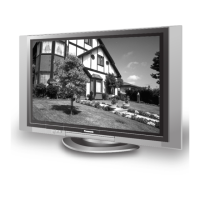
Do you have a question about the Panasonic TH37PA20 - 37" PLASMA TV and is the answer not in the manual?
Guides on where to place the TV for optimal viewing and ventilation.
Guide on connecting external antennas (VHF/UHF) and domestic antennas for reception.
Diagram and instructions for connecting a cable TV set-top box to the television.
How to connect DTV set-top boxes or DVD players using component video input.
Instructions for connecting digital devices via DIGITAL IN (DVI) for high-definition input.
Detailed guide for connecting a computer to the TV via PC input, including pin assignments.
Steps for connecting the AC power cord to the TV and a wall outlet.
How to select antenna input (ANT1 or ANT2) for signal reception.
How to select picture modes like Vivid, Standard, Auto, or Cinema.
Adjusting color intensity, skin tones, dark areas, bright areas, and detail quality.
Adjusting color temperature, natural color, noise reduction, and 3D Y/C filter.
How to add, delete, and manage up to 16 favorite TV channels.
Instructions for creating a four-digit secret code for parental controls.
Changing or managing the parental control lock code.
How to block specific channels, video inputs, or all content.
How to select and block up to four specific TV channels.
Blocking US TV programs based on their V-Chip ratings (TV-Y, TV-PG, etc.).
Blocking US movies based on their V-Chip ratings (G, PG, R, NC-17, X).
Blocking Canadian English TV programs based on age and content ratings.
Blocking Canadian French TV programs based on age and content ratings.
Using the V-Chip system to block programs based on MPAA and TV Parental Guidelines ratings.
How to display a secondary picture-in-picture (PIP) window on the screen.
How to split the screen to view two different channels simultaneously.
Explains how different aspect ratio modes (4:3, Normal, ACERC, COMP, JUSTO) affect the picture display.
Describes picture modes like Auto, Normal, Dynamic, and Cinema for optimal viewing.
How to program the universal remote using access codes for various devices.
How to program the remote by sequentially trying codes when the specific code is unknown.
Troubleshooting specific issues related to the plasma screen display.
 General
| Screen Size | 37 inches |
|---|---|
| Display Type | Plasma |
| Resolution | 852 x 480 |
| Aspect Ratio | 16:9 |
| Brightness | 1000 cd/m² |
| Contrast Ratio | 3000:1 |
| Component Video Inputs | 2 |
| Weight | 28 kg |
| Viewing Angle | 160 degrees |
| Speakers | 2 x 10W |
| Inputs | Composite, S-Video, Component |


 To Next Page