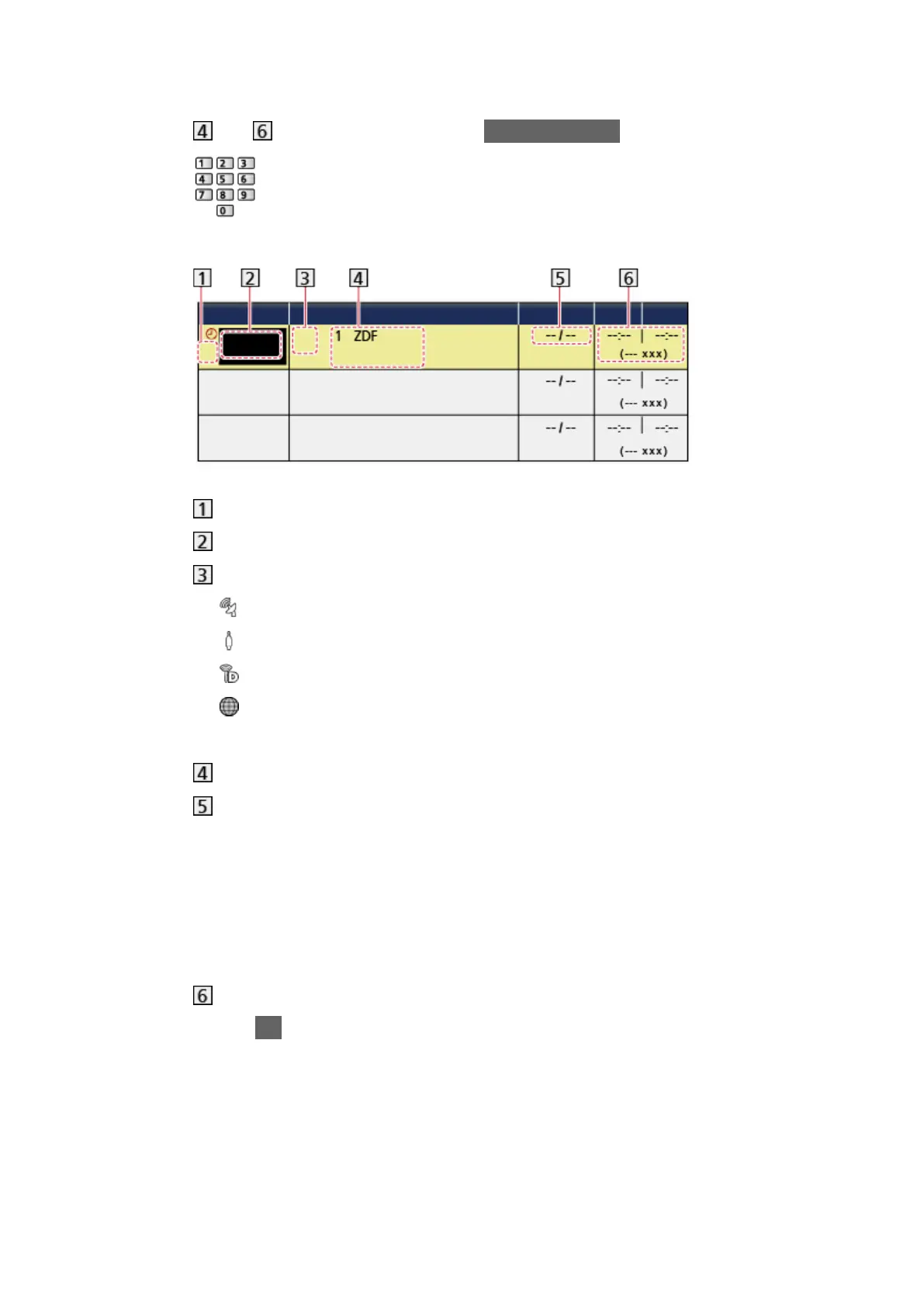
5. Select and set the item (channel, date, start time, end time).
●
and can also be entered with Numeric buttons.
(Example)
!: Overlapped timer events
Function (USB HDD Rec.)
TV mode
: DVB-S
: DVB-C
: DVB-T
: DVB-via-IP
– You cannot change the mode within the menu.
Channel position, channel name, etc.
Date
– Daily Sun-Sat: Sunday to Saturday
– Daily Mon-Sat: Monday to Saturday
– Daily Mon-Fri: Monday to Friday
– Weekly Sun / Mon / Tue / Wed / Thu / Fri / Sat: Same time on the
same day every week
Start time / End time / Duration (automatic display)
6. Store with OK.
- 113 -








 To Next Page