●
You cannot use two or more of the same kind of USB devices
simultaneously except USB Flash Memory or USB HDD.
●
Use USB 2 port for connecting the USB HDD.
●
Some USB devices or USB HUB may not be used with this TV.
●
You cannot connect any devices by using USB card reader.
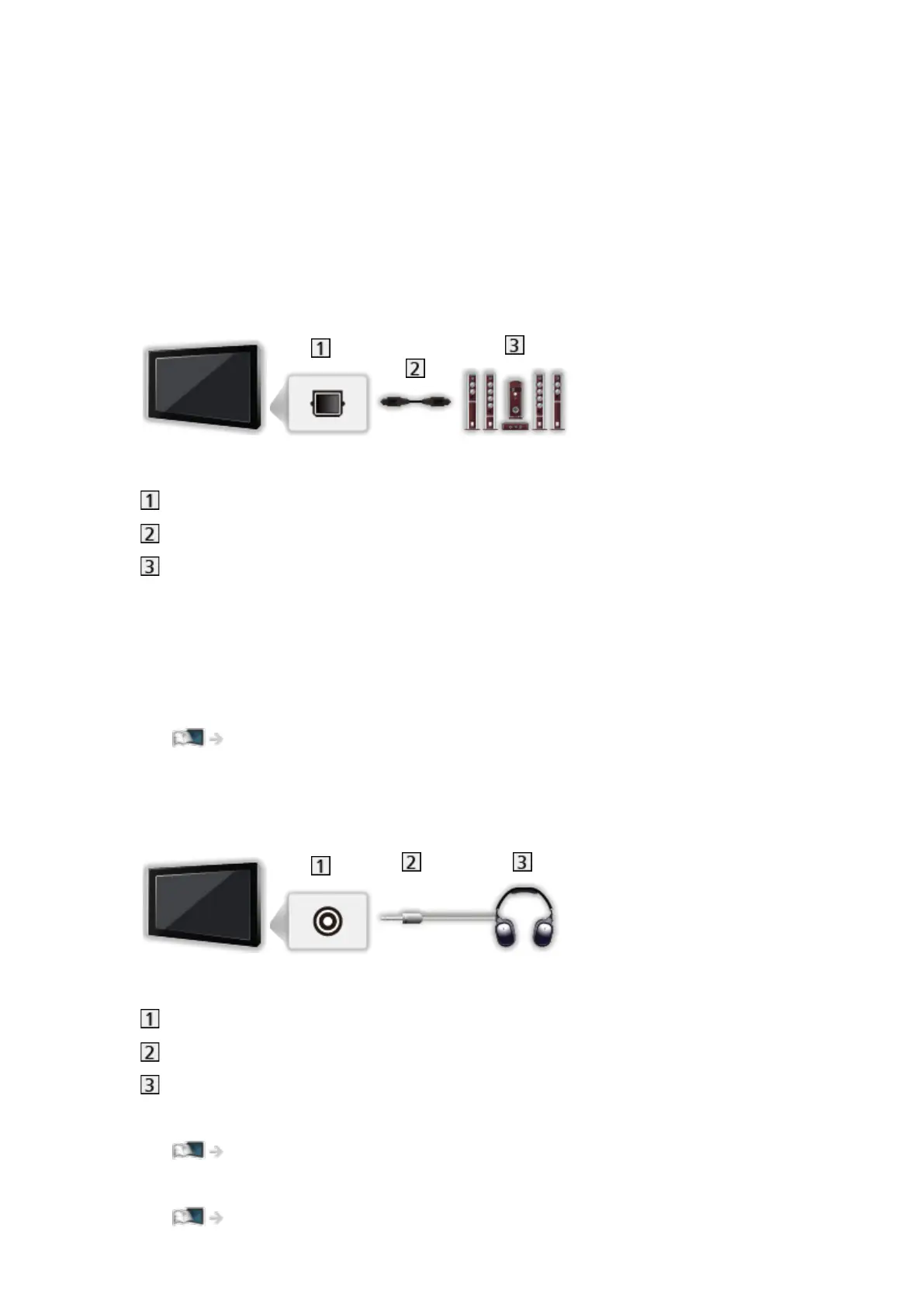
■ Listening with external speakers
DIGITAL AUDIO
Optical digital audio cable
Amplifier with speaker system
●
To enjoy multi-channel sound from external equipment (e.g. Dolby
Audio (Dolby Digital) 5.1ch), connect the equipment to the amplifier. For
information about the connections, read the manuals of the equipment and
amplifier.
●
To select the sound output to adjust volume, set TV Speaker Setting.
Watching > For best audio > Volume settings
■ Headphones
Headphone jack
3.5 mm stereo mini plug
Headphones
●
To adjust volume, set Headphone Volume.
Watching > For best audio > Volume settings
●
To select the sound output to adjust volume, set TV Speaker Setting.
Watching > For best audio > Volume settings
- 46 -








 To Next Page