EasyManua.ls Logo

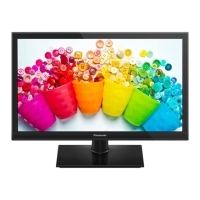
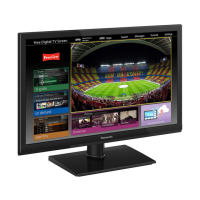
Panasonic TX-24GS350 - User Manual

Panasonic TX-24GS350
29 pages
Print Icon
To Next Page IconTo Next Page
Loading...
0
Service Manual
LCD Television
TX-24GS350 / TX-32GS350
TX-32GS352 / TX-39GS352
TX-43GS350 / TX-43GS351
TX-43GS352 / TX-49GS352
MB211 Chassis
© Panasonic Corporation 2015.
Unauthorized copying and
distribution is a violation of law.
ORDER No. MQM2019_MB211_V8
There are special components used in this equipment which are important for safety. These parts are marked in the
Schematic Diagrams, Circuit Board Diagrams, Explorer Views and Replacement Parts List. It is essential that these
critical parts should be replaced with manufacturer´s specified parts to prevent shock, fire or other hazards. Do not
modify the original design without permission of manufacturer.
IMPORTANT SAFETY NOTICE
This service information is designed for experienced repair technicians only and is not designed for use by the general public. It does not
contain warnings or cautions to advise non-technical individuals of potencial dangers in attempting to service a product. Products
powered by electricity should be serviced or repaired only by experienced professional technicians. Any attempt to service or repair the
product or products deal within this service information by anyone else could result in serious injury or death.
Warning
Question and Answer IconNeed help?

Do you have a question about the Panasonic TX-24GS350 and is the answer not in the manual?

Summary

Safety Precautions

General Guide Lines

Guidelines for safe servicing, including checking lead dress and protective devices.

Touch-Current Check

Procedure and limits for measuring touch currents to prevent shock hazards.

Prevention of Electrostatic Discharge (ESD) to Electrostatically Sensitive (ES) Devices

ESD Prevention Techniques

Techniques to reduce component damage from static electricity during handling.

About lead free solder (PbF)

About Lead Free Solder (PbF)

Information on lead-free solder composition, melting points, and usage guidelines.

Suggested Pb free solder

Details on types of lead-free solder suitable for the product.

Service Navigation Chassis Board Layout

TX-24 GS350 Chassis Layout

Diagram and list of components on the chassis board for TX-24GS350.

TX-32 GS350 & TX-32 GS352 Chassis Layout

Diagram and list of components on the chassis board for TX-32GS350/352.

TX-39 GS352 Chassis Layout

Diagram and list of components on the chassis board for TX-39GS352.

TX-43 GS350 & TX-43 GS351 & TX-43 GS352 Chassis Layout

Diagram and list of components for TX-43GS350/351/352.

TX-49 GS352 Chassis Layout

Diagram and list of components on the chassis board for TX-49GS352.

Service Menu Operations

Service Menu Overview and Access

How to enter, exit, and overview of the service menu functions.

Video Settings

Configuration options for RF AGC and Spread Spectrum in the service menu.

Diagnostic Tests

Various diagnostic tests available within the service menu.

Software Update

Main SW Update Procedure

Step-by-step guide for updating the main software via USB.

Hotel Mode

Hotel TV Features and Restrictions

Overview of features and restrictions available in Hotel Mode.

Entering and Setting Hotel Mode

Procedure for accessing and configuring Hotel Mode settings.

Startup Position and Channel Settings

Configuration of startup channel and source settings in Hotel Mode.

Volume Limit and Headphone Control

Settings for volume limitations and headphone direct volume control.

OSD and Teletext Settings

Options for disabling OSD menus and enabling/disabling Teletext.

Wakeup Timer and Volume Settings

Configuration for TV wakeup time and associated volume.

USB Operations for Hotel Mode

Using USB for copying welcome images and NVRAM data.

Multiple RC Support and Welcome Messages

Settings for remote control support and welcome message display.

Signal Loss and Internal Clock Settings

Handling of signal loss messages and internal clock functions.

Pin8, NIT, EPG, and Reset Options

Configuration for Pin8, NIT updates, EPG, and resetting to default values.

Troubleshooting

TV Working, No Picture Diagnosis

Checks for voltages and LVDS signals when the TV has no picture.

Backlight and Dimming Signal Checks

Measuring backlight on/off and dimming signals in the circuit.

TV Not Working, LED Blinking Diagnosis

Troubleshooting steps for a TV that is not working with a blinking LED.

CI Module Not Working Diagnosis

Checking CI supply voltage and port signals when CI module is inserted.

USB Not Working Diagnosis

Checking USB supply voltage and data port waveforms.

Parts Location

Component Identification and Location

Diagram showing the location of various external and internal components.

Lead Wiring Locations

TX-24 GS350 Lead Wiring

Diagram illustrating lead wiring connections for the TX-24GS350 model.

TX-32 GS350 & TX-32 GS352 Lead Wiring

Diagram illustrating lead wiring connections for TX-32GS350/352 models.

TX-39 GS352 B Lead Wiring

Diagram illustrating lead wiring connections for the TX-39GS352B model.

TX-43 GS350; TX-43 GS351; TX-43 GS352 Lead Wiring

Diagram showing lead wiring for TX-43GS350/351/352.

TX-49 GS352 Lead Wiring

Diagram illustrating lead wiring connections for the TX-49GS352 model.

Block Diagram

System Block Diagram

High-level overview of the main components and their interconnections.

Exploded Views

TX-24 GS350 Exploded View

Exploded view diagram showing parts for the TX-24GS350 model.

TX-32 GS350 & TX-32 GS352 Exploded View

Exploded view diagram for TX-32GS350/352 models.

TX-39 GS352 B Exploded View

Exploded view diagram showing parts for the TX-39GS352B model.

TX-43 GS350 & TX-43 GS351 & TX-43 GS352 Exploded View

Exploded view diagram for TX-43GS350/351/352 models.

TX-49 GS352 Exploded View

Exploded view diagram showing parts for the TX-49GS352 model.
Summary

Safety Precautions

General Guide Lines

Guidelines for safe servicing, including checking lead dress and protective devices.

Touch-Current Check

Procedure and limits for measuring touch currents to prevent shock hazards.

Prevention of Electrostatic Discharge (ESD) to Electrostatically Sensitive (ES) Devices

ESD Prevention Techniques

Techniques to reduce component damage from static electricity during handling.

About lead free solder (PbF)

About Lead Free Solder (PbF)

Information on lead-free solder composition, melting points, and usage guidelines.

Suggested Pb free solder

Details on types of lead-free solder suitable for the product.

Service Navigation Chassis Board Layout

TX-24 GS350 Chassis Layout

Diagram and list of components on the chassis board for TX-24GS350.

TX-32 GS350 & TX-32 GS352 Chassis Layout

Diagram and list of components on the chassis board for TX-32GS350/352.

TX-39 GS352 Chassis Layout

Diagram and list of components on the chassis board for TX-39GS352.

TX-43 GS350 & TX-43 GS351 & TX-43 GS352 Chassis Layout

Diagram and list of components for TX-43GS350/351/352.

TX-49 GS352 Chassis Layout

Diagram and list of components on the chassis board for TX-49GS352.

Service Menu Operations

Service Menu Overview and Access

How to enter, exit, and overview of the service menu functions.

Video Settings

Configuration options for RF AGC and Spread Spectrum in the service menu.

Diagnostic Tests

Various diagnostic tests available within the service menu.

Software Update

Main SW Update Procedure

Step-by-step guide for updating the main software via USB.

Hotel Mode

Hotel TV Features and Restrictions

Overview of features and restrictions available in Hotel Mode.

Entering and Setting Hotel Mode

Procedure for accessing and configuring Hotel Mode settings.

Startup Position and Channel Settings

Configuration of startup channel and source settings in Hotel Mode.

Volume Limit and Headphone Control

Settings for volume limitations and headphone direct volume control.

OSD and Teletext Settings

Options for disabling OSD menus and enabling/disabling Teletext.

Wakeup Timer and Volume Settings

Configuration for TV wakeup time and associated volume.

USB Operations for Hotel Mode

Using USB for copying welcome images and NVRAM data.

Multiple RC Support and Welcome Messages

Settings for remote control support and welcome message display.

Signal Loss and Internal Clock Settings

Handling of signal loss messages and internal clock functions.

Pin8, NIT, EPG, and Reset Options

Configuration for Pin8, NIT updates, EPG, and resetting to default values.

Troubleshooting

TV Working, No Picture Diagnosis

Checks for voltages and LVDS signals when the TV has no picture.

Backlight and Dimming Signal Checks

Measuring backlight on/off and dimming signals in the circuit.

TV Not Working, LED Blinking Diagnosis

Troubleshooting steps for a TV that is not working with a blinking LED.

CI Module Not Working Diagnosis

Checking CI supply voltage and port signals when CI module is inserted.

USB Not Working Diagnosis

Checking USB supply voltage and data port waveforms.

Parts Location

Component Identification and Location

Diagram showing the location of various external and internal components.

Lead Wiring Locations

TX-24 GS350 Lead Wiring

Diagram illustrating lead wiring connections for the TX-24GS350 model.

TX-32 GS350 & TX-32 GS352 Lead Wiring

Diagram illustrating lead wiring connections for TX-32GS350/352 models.

TX-39 GS352 B Lead Wiring

Diagram illustrating lead wiring connections for the TX-39GS352B model.

TX-43 GS350; TX-43 GS351; TX-43 GS352 Lead Wiring

Diagram showing lead wiring for TX-43GS350/351/352.

TX-49 GS352 Lead Wiring

Diagram illustrating lead wiring connections for the TX-49GS352 model.

Block Diagram

System Block Diagram

High-level overview of the main components and their interconnections.

Exploded Views

TX-24 GS350 Exploded View

Exploded view diagram showing parts for the TX-24GS350 model.

TX-32 GS350 & TX-32 GS352 Exploded View

Exploded view diagram for TX-32GS350/352 models.

TX-39 GS352 B Exploded View

Exploded view diagram showing parts for the TX-39GS352B model.

TX-43 GS350 & TX-43 GS351 & TX-43 GS352 Exploded View

Exploded view diagram for TX-43GS350/351/352 models.

TX-49 GS352 Exploded View

Exploded view diagram showing parts for the TX-49GS352 model.
Panasonic TX-24GS350 Specifications

General IconGeneral
BrandPanasonic
ModelTX-24GS350
CategoryLCD TV
LanguageEnglish

Related product manuals