~
.1
~9FG50A'M.2833_Efm Pago24 Tuo.day, Jon"", 11, 2005 5"3 PM
-t
~
Advanced Remote Control Transmitter Operation
.Remote control setting for VCR's and DVD's
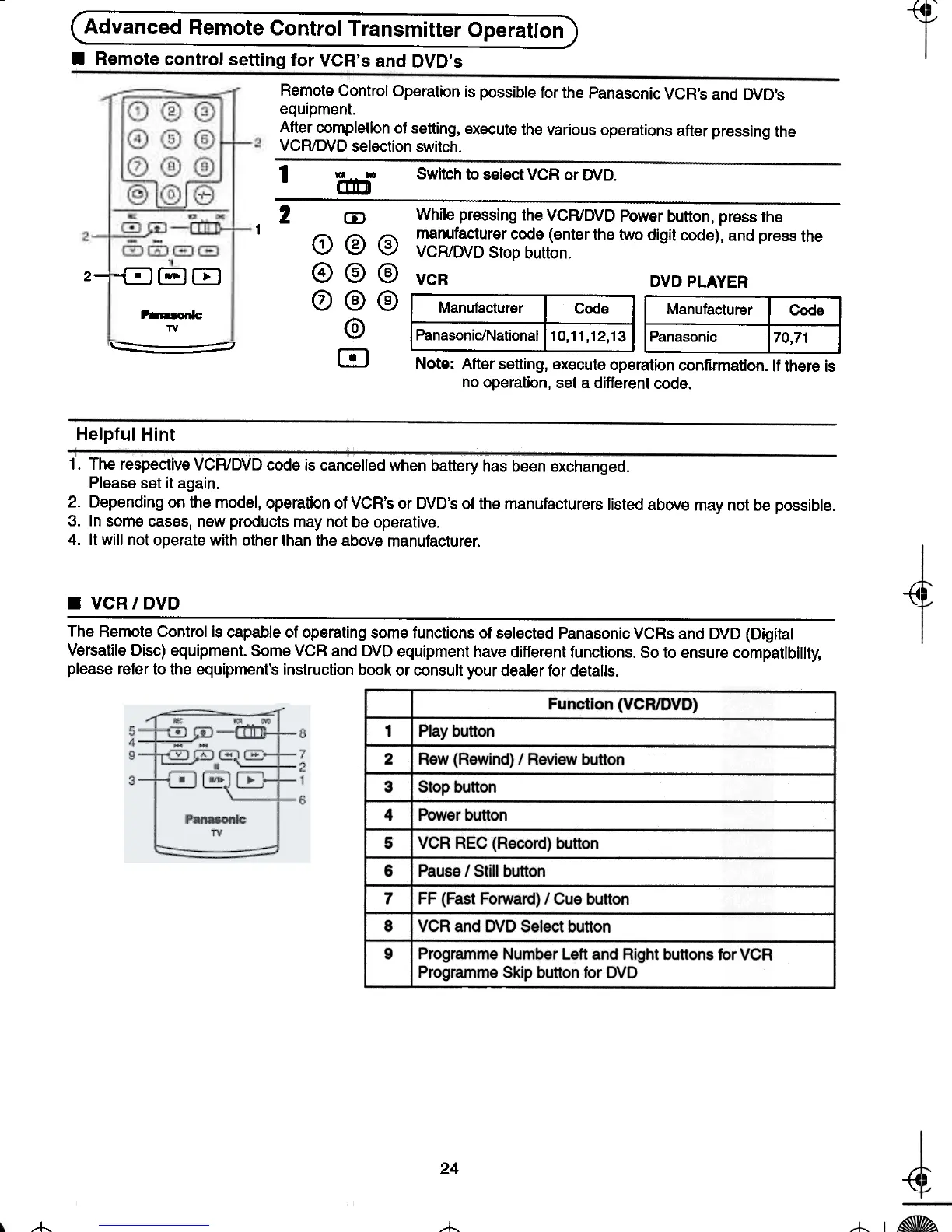
Remote Control Operation is possible for the Panasonic VCR's and DVD's
equipment.
After completion of setting, execute the various operations after pressing the
VCR/DVD selection switch.
1-o~CEJ
2-
1 'Cmj Switch to select VCR or DVD.
~
2 CD While pressing the VCR/DVD Power button, press the
(;\ ~ ~ manufacturer code (enter the two digit code), and press the
\2.1 \V \V VCR/DVD Stop button.
@ @ @ VCR DVD PLAYER
0 @ @ Manufacturer I Manufacturer I Code I
@ Panasonic/NationaJ I Panasonic 170,71 I
m Note: After setting, execute operation confirmation. If there is
no operation, set a different code.
Helpful Hirlt
1. The respective VCR/DVD code is cancelled when battery has been exchanged.
Please set it again.
2. Depending on the model, operation of VCR's or DVD's of the manufacturers listed above may not be possible.
3. In some cases, new products may not be operative.
4. It will not operate with other than the above manufacturer.
-(1
~
.VCR/DVD
The Remote Control is capable of operating some functions of selected Panasonic VCRs and DVD (Digital
Versatile Disc) equipment. Some VCR and DVD equipment have different functions. So to ensure compatibility,
please refer to the equipment's instruction book or consult your dealer for details.
24
~ ~
~ -t-
-
TV
=- -=






 To Next Page