--+
-$-m9FG50A,M-2833_Eofm Page 23 Tuesday. January 18, 2005 2:26 PM
--t
-E4
1
0 )-
MENU(O
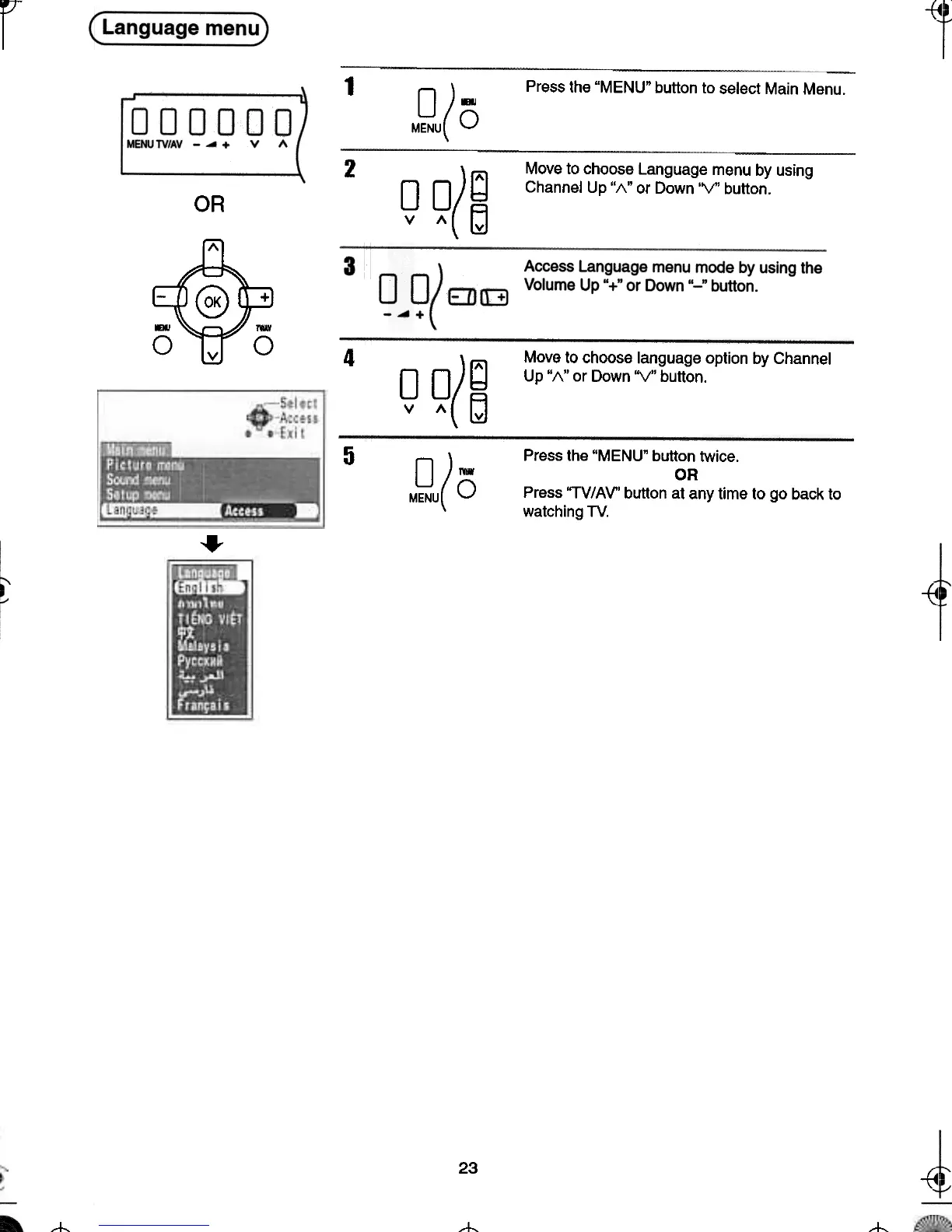
Press the "MENU' button to select Main Menu.
2
Move to choose Language menu by using
Channel Up "/\" or Down 'V' button.
OO)id
v I\(~
OR
~
-~ +
0 ,..
v 0
4
Move to choose language option by Channel
Up "1\" or Down "V" button.
0 o)~
v ,,(~
5
0 )-
MENU(O
Press the "MENU' button twice.
OR
Press "TV/AV" button at any time to go back to
watching TV.
..
~
~
23
-{4
t;
---t- -t







 To Next Page