4 SERVICE MODE FUNCTION
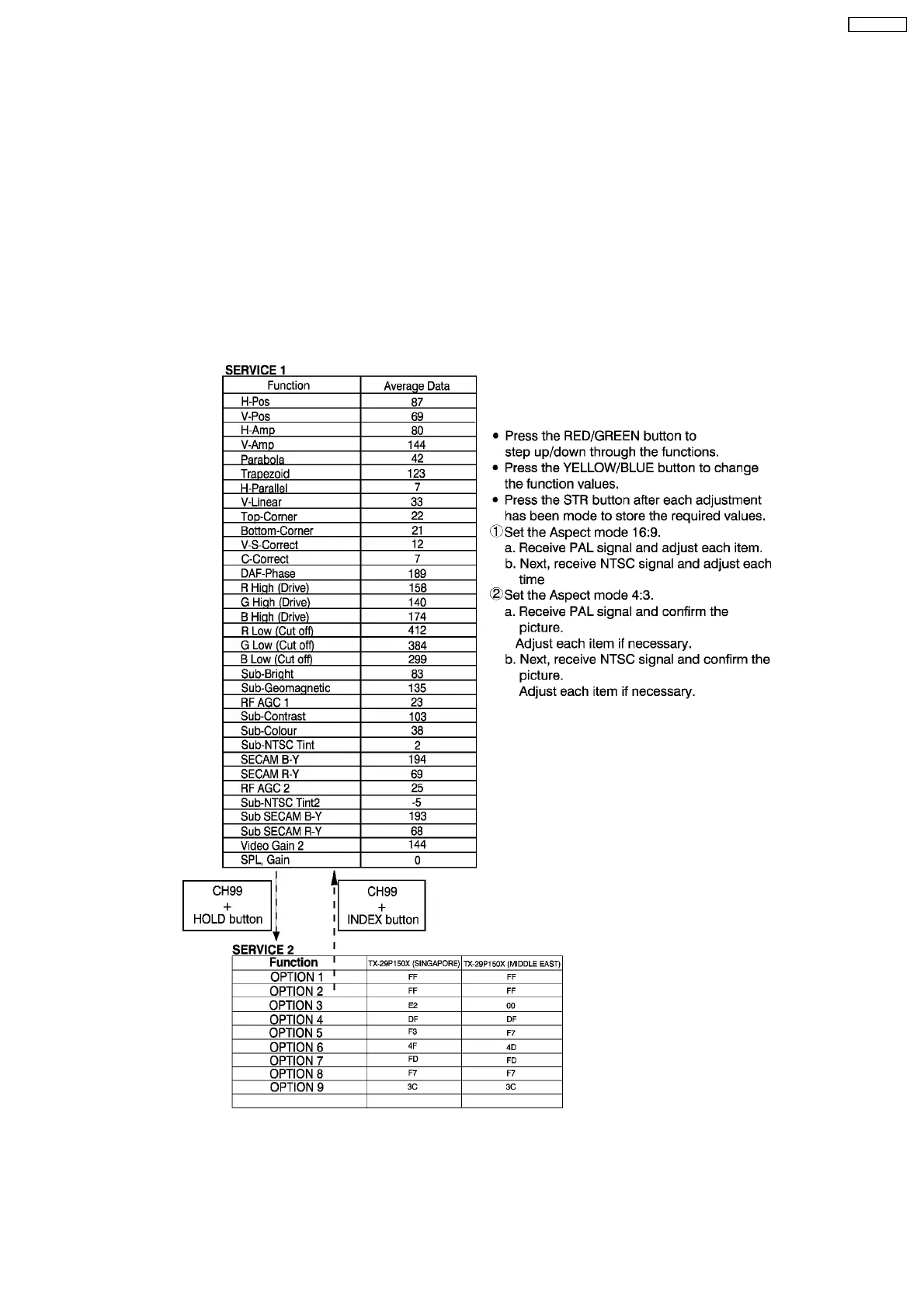
MPU controls the functions switching for each IIC through IIC bus in this chassis. The following setting and adjustment can be
adjusted by remote control in Service Mode.
4.1. HOW TO ENTER SERVICE 1
1. In sound menu, set BASS to MAX and set TREBLE to MINIMUM.
2. Simultaneously press INDEX button on remote control and VOLUME DOWN button [-] on the TV set.
4.2. HOW TO ENTER SERVICE 2
1. Set the channel to CH99.
2. Press HOLD button on remote control.
Note
:
To exit Service mode, press N or Power button on remote control.
7
TX-29P180X









 To Next Page