
 Need help?
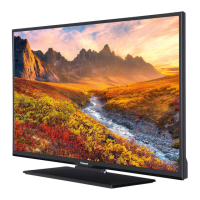
Do you have a question about the Panasonic TX-32CW304 and is the answer not in the manual?
Important safety advice for operating the TV safely.
Advice on reducing the TV's energy consumption.
Guide to using physical buttons and the remote for TV functions.
Instructions for properly installing batteries in the remote.
Steps to connect the TV to the mains power socket.
Overview of all available TV connectors and supported cables.
Guide for initial setup, language, and country selection.
Detailed options for adjusting picture quality like mode, contrast, and brightness.
Guide to searching for and installing TV firmware updates.
Solutions for common issues like no power, picture, sound, or remote operation.
Displays physical screen dimensions and power usage data.
 General
| Screen Size | 32 inches |
|---|---|
| Display Type | LCD |
| Smart TV | No |
| HDMI Ports | 2 |
| USB Ports | 1 |
| Backlight Technology | LED |
| Built-in Wi-Fi | No |
| Energy Efficiency Class | A |
| Resolution | 1366 x 768 |



 To Next Page
