English
(TV)
or
(Remote Control)
Mains power On / Off switch should be on.
(p. 16)
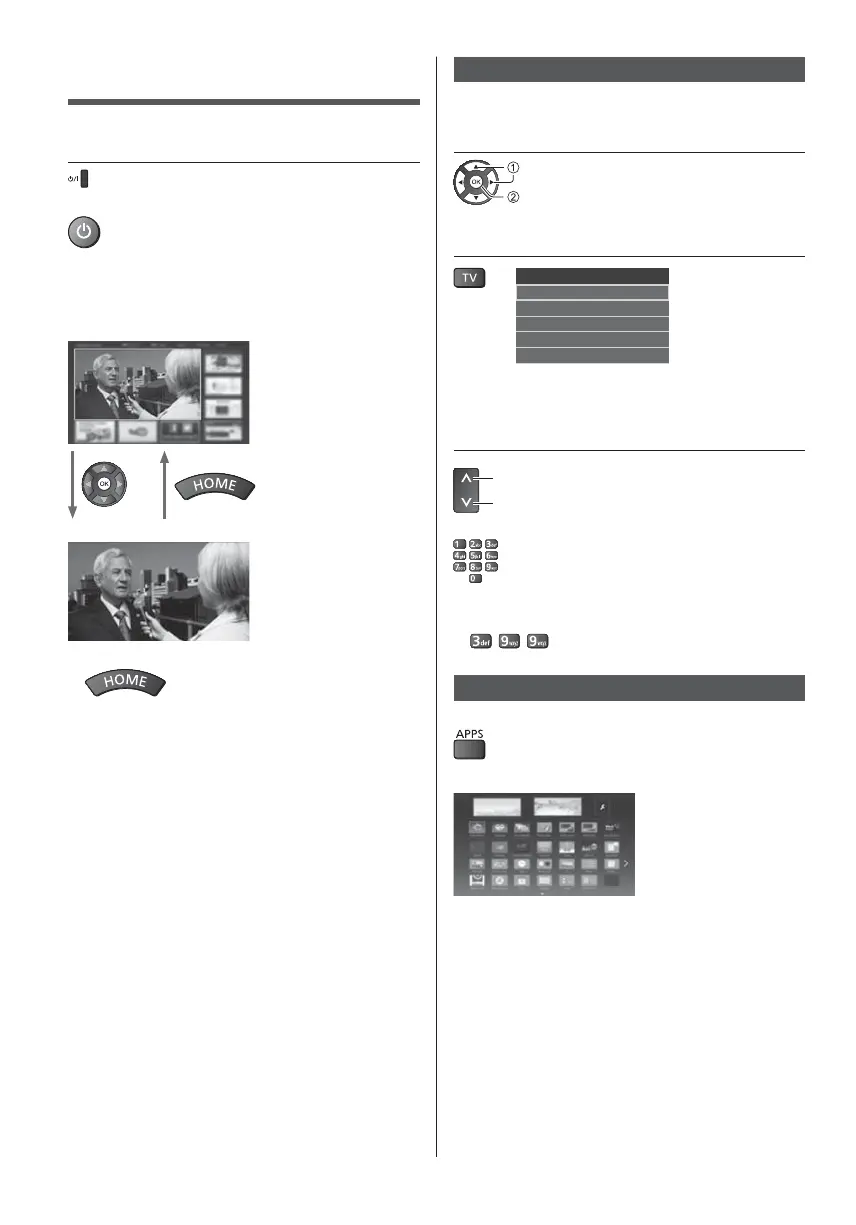
The last viewed [Home Screen] is displayed.
Example: [TV Home Screen]
Example: Selected content screen
To return to [Home Screen] at any time
The [Home Screen] can be set up to display desired
information, to access specific features easily, to
select the default [Home Screen], etc. For details,
follow the on-screen instructions or refer to [eHELP]
(Search by Purpose > Home Screen > my Home
Screen).
select
access
2
Selectable modes vary depending on the channels
stored.
3
up
down
or
To select a channel position with 2 or more-digit, e.g.
399
Example: [APPS List]
APPS is the applications (features) of the TV.
For operations of each feature and the setup of
[APPS List], follow the on-screen instructions or refer
to [eHELP] (Search by Purpose > Home Screen >
APPS List).











 To Next Page