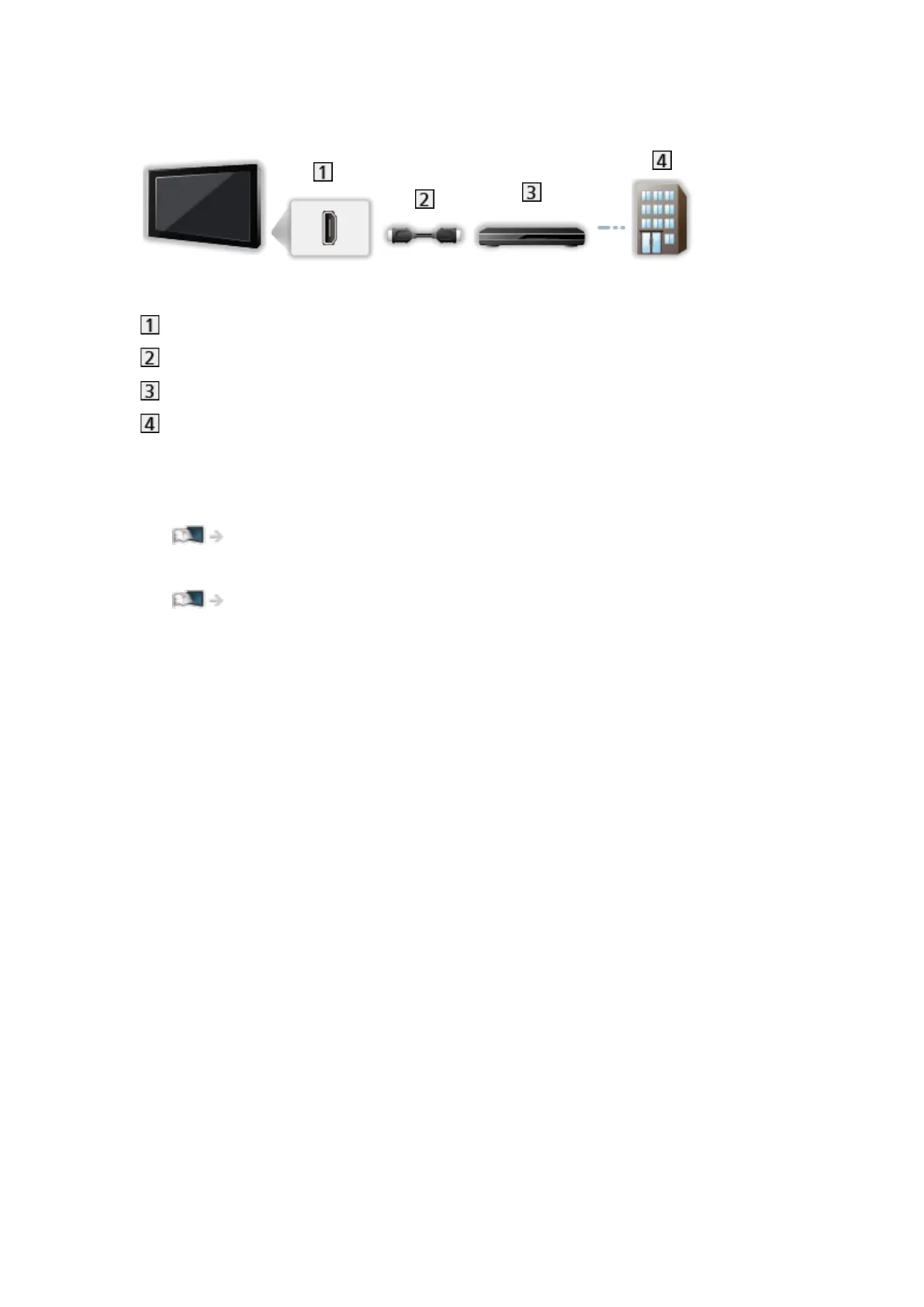
■ Set top box
HDMI terminal
HDMI cable
Set top box
Cable
= Note =
●
For details of DVB-via-IP connections
Functions > DVB-via-IP
●
For details of VIERA Link connections
Functions > VIERA Link “HDAVI Control™” > Summary of VIERA Link
●
Please also read the manual of the equipment being connected.
●
Keep the TV away from electronic equipment (video equipment, etc.) or
equipment with an infrared sensor, otherwise distortion of image / sound
may occur or operation of other equipment may be affected.
●
Use a fully wired HDMI compliant cable.
●
Check the terminal type and cable plugs are correct for connection.
- 33 -



 To Next Page