English
23
Watching TV
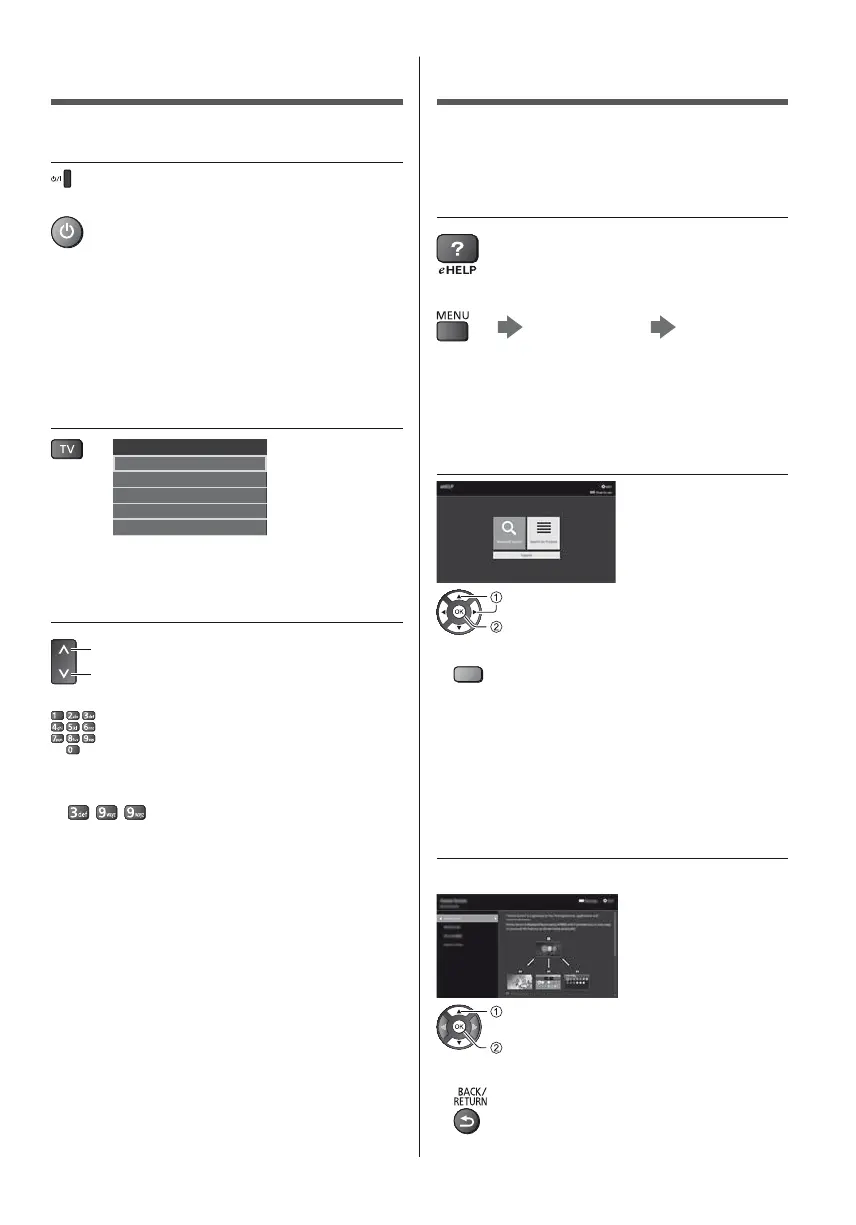
1 Turn power on
(TV)
or
(Remote Control)
Mains power On / Off switch should be on.
(p. 21)
Displays information bar on the edge of screen for
several seconds.
For information about the operation and settings,
refer to [eHELP]. (Search by Purpose > Read first >
Features)
2 Select the mode
TV Selection
DVB-S
DVB-C
DVB-T
DVB-via-IP
Analogue
Selectable modes vary depending on the channels
stored.
3 Select a channel
up
down
or
To select a channel position with 2 or more-digit, e.g.
399
How to Use eHELP
[eHELP] is the detailed operating instructions built into
the TV, and gives a more detailed explanation for a
better understanding of the operation of each feature.
1 Display [eHELP]
or
[Help] [eHELP]
If the [eHELP] has been accessed previously since
the TV was turned on, the confirmation screen is
displayed to select whether to go to the [First page] or
to the [Last viewed page].
2 Select the menu
select
access
To access [How to use]
(green)
[Keyword Search]:
Search the content of eHELP in the keyword.
[Search by Purpose]:
Search the content of eHELP for each item.
[Support]:
Access the support information (FAQs, etc.).
3 Select the item
Example:
select
access
To return to the previous screen / field








 To Next Page