EasyManua.ls Logo

Panasonic TX-L42DT50B - User Manual

Panasonic TX-L42DT50B
124 pages
Print Icon
To Next Page IconTo Next Page
Loading...
TQB0E2279
Operating Instructions
LCD Television
Model No.
TX-L42DT50B
TX-L47DT50B
TX-L55DT50B
Thank you for purchasing this Panasonic product.
Please read these instructions carefully before operating this product and
retain them for future reference.
The images shown in this manual are for illustrative purposes only.
English
UK and Ireland model
Question and Answer IconNeed help?

Do you have a question about the Panasonic TX-L42DT50B and is the answer not in the manual?

Summary

Safety Precautions

Mains plug and lead

Important safety instructions for handling the mains plug and lead.

Take care

General precautions for safe operation and handling of the TV.

Ventilation

Guidelines for ensuring adequate airflow around the TV to prevent overheating.

Identifying Controls

Remote Control

Detailed description of the remote control buttons and their functions.

Indicator; Control panel

Explanation of the TV's indicator lights and control panel buttons.

Basic Connection

Terminals

Description of all available TV connection terminals.

Connections

Diagrams and instructions for connecting external devices.

Auto Setup

Select your country

Setting the TV's country for region-specific channel tuning.

Setup the network connection

Steps for configuring wired or wireless network connections.

Watching TV

Select a channel

How to tune into specific TV channels.

How to Use Menu Functions

Picture

Settings related to picture quality adjustment.

Sound

Settings related to audio output and sound modes.

Network

Configuration options for network connectivity.

Setup

Various setup options including tuning, child lock, and system settings.

Tuning and Editing Channels

freesat uk only

Specific tuning and editing functions for freesat channels.

(DVB; Analogue)

Tuning and editing functions for DVB and Analogue channels.

Timer Programming

Timer Programming from Menu

Setting timers via the TV menu for recording or reminders.

Child Lock

Control channel audience [Child Lock]

Setting up parental controls and locking features.

Shipping Condition

Restore Settings [Shipping Condition]

Confirming the reset process and its consequences.

Updating the TV Software

Update TV’s software system [System Update]

Downloading and installing TV software updates.

Advanced Picture Settings

Advanced Picture Settings

Fine-tuning detailed picture parameters like White Balance and Gamma.

USB HDD Recording

Setting for USB HDD

Formatting and configuring the USB HDD for recording.

Using Media Player

Photo mode

Viewing and managing photo files.

Video mode

Viewing and managing video files.

Using Network Services (DLNA; VIERA Connect; freesat)

VIERA Connect

Accessing internet services and applications.

Link Functions (Q-Link; VIERA Link)

VIERA Link (HDMI connection)

Connecting and using VIERA Link features via HDMI.

External Equipment

External Equipment

Diagrams showing how to connect external devices.

Technical Information

Auto Aspect

How the TV automatically adjusts aspect ratios.

Supported file format in Media Player and media servers

List of supported media file formats.

FAQs

Cannot view 3 D images

Troubleshooting issues with viewing 3D content.

Specifications

Product fiche

Technical specifications of the TV models.

Other information

Additional technical details like dimensions and sound.
Summary

Safety Precautions

Mains plug and lead

Important safety instructions for handling the mains plug and lead.

Take care

General precautions for safe operation and handling of the TV.

Ventilation

Guidelines for ensuring adequate airflow around the TV to prevent overheating.

Identifying Controls

Remote Control

Detailed description of the remote control buttons and their functions.

Indicator; Control panel

Explanation of the TV's indicator lights and control panel buttons.

Basic Connection

Terminals

Description of all available TV connection terminals.

Connections

Diagrams and instructions for connecting external devices.

Auto Setup

Select your country

Setting the TV's country for region-specific channel tuning.

Setup the network connection

Steps for configuring wired or wireless network connections.

Watching TV

Select a channel

How to tune into specific TV channels.

How to Use Menu Functions

Picture

Settings related to picture quality adjustment.

Sound

Settings related to audio output and sound modes.

Network

Configuration options for network connectivity.

Setup

Various setup options including tuning, child lock, and system settings.

Tuning and Editing Channels

freesat uk only

Specific tuning and editing functions for freesat channels.

(DVB; Analogue)

Tuning and editing functions for DVB and Analogue channels.

Timer Programming

Timer Programming from Menu

Setting timers via the TV menu for recording or reminders.

Child Lock

Control channel audience [Child Lock]

Setting up parental controls and locking features.

Shipping Condition

Restore Settings [Shipping Condition]

Confirming the reset process and its consequences.

Updating the TV Software

Update TV’s software system [System Update]

Downloading and installing TV software updates.

Advanced Picture Settings

Advanced Picture Settings

Fine-tuning detailed picture parameters like White Balance and Gamma.

USB HDD Recording

Setting for USB HDD

Formatting and configuring the USB HDD for recording.

Using Media Player

Photo mode

Viewing and managing photo files.

Video mode

Viewing and managing video files.

Using Network Services (DLNA; VIERA Connect; freesat)

VIERA Connect

Accessing internet services and applications.

Link Functions (Q-Link; VIERA Link)

VIERA Link (HDMI connection)

Connecting and using VIERA Link features via HDMI.

External Equipment

External Equipment

Diagrams showing how to connect external devices.

Technical Information

Auto Aspect

How the TV automatically adjusts aspect ratios.

Supported file format in Media Player and media servers

List of supported media file formats.

FAQs

Cannot view 3 D images

Troubleshooting issues with viewing 3D content.

Specifications

Product fiche

Technical specifications of the TV models.

Other information

Additional technical details like dimensions and sound.
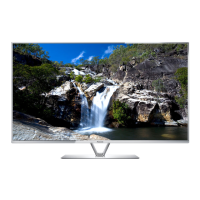
Panasonic TX-L42DT50B Specifications

General IconGeneral
BrandPanasonic
ModelTX-L42DT50B
CategoryLCD TV
LanguageEnglish

Related product manuals