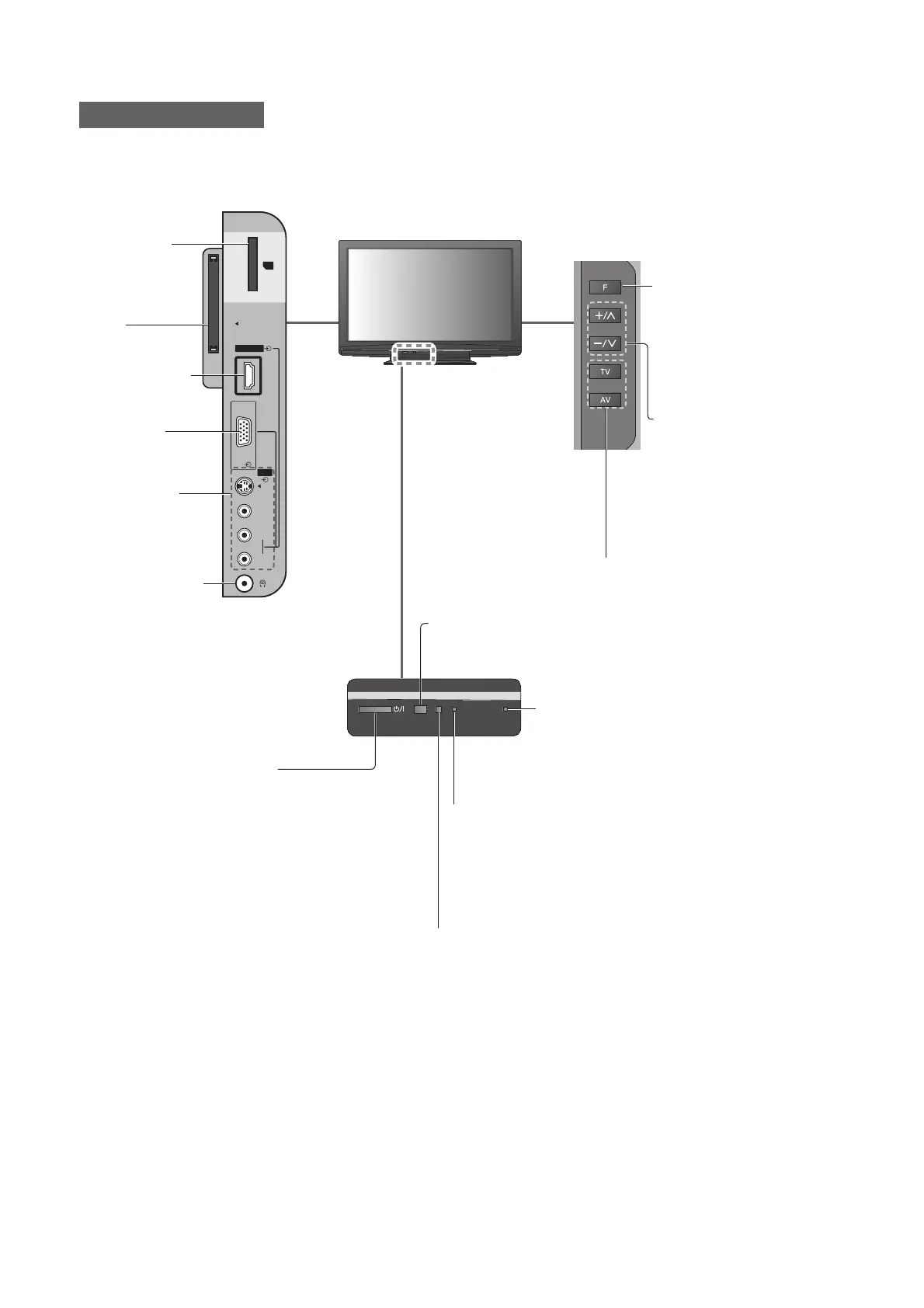
PC
AV3
HDMI3
SD CARD
Common
Interface
S-V
V
L
R
8
Identifying Controls
TV
SD Card slot
(p. 42)
CI slot
(p. 37)
HDMI3 terminal
(p. 55)
PC terminal
(p. 55)
AV3 terminals
(p. 55)
Headphones jack
(p. 55)
C.A.T.S. (Contrast Automatic Tracking System) sensor
Senses brightness to adjust picture quality when “Eco Mode” in ●
the Picture Menu is set to “On” (p. 26)
Changes the input mode
Function select
Volume / Contrast / Brightness / ●
Colour / Sharpness /
Tint (NTSC mode) / Bass /
Treble / Balance / Auto Setup
(p. 30 and p. 31)
Recording LED
Standby for Direct TV Recording: orange●
Remote control signal receiver
Do not place any objects between the TV remote control ●
signal receiver and remote control.
Increases or decreases the
channel position by one.
When a function is already
displayed, press to increase or
decrease the selected function.
When in Standby mode,
switches TV On.
Power LED
Standby: red●
On: green
When using the remote control, indicates the TV has
●
received a command.
Mains power On / Off switch
Switch On to turn on the TV or turn the TV ●
to standby mode by the remote control











 To Next Page