EasyManua.ls Logo

Panasonic TX-P65VT50Y - User Manual

Panasonic TX-P65VT50Y
56 pages
Print Icon
To Next Page IconTo Next Page
Loading...
TQB0E2266P2
Operating Instructions
Plasma Television
Thank you for purchasing this Panasonic product.
Please read these instructions carefully before operating this product and
retain them for future reference.
The images shown in this manual are for illustrative purposes only.
Please refer to Pan European Guarantee Card if you need to contact your
local Panasonic dealer for assistance.
Model No.
TX-P50VT50Y
TX-P55VT50Y
TX-P65VT50Y
English
Dansk
For more detailed instructions, refer to the
Operating Instructions on the CD-ROM.
To view the Operating Instructions on the CD-ROM,
you need a computer equipped with a CD-ROM
drive, and Adobe
®
Reader
®
(Version 8.0 or later is
recommended) installed on your computer.
Depending on the operating system or settings on your
computer, the Operating Instructions may not start
automatically.
In this case, open the PDF file under the “MANUAL”
folder manually to view the instructions.
Contents
Be Sure to Read
Safety Precautions ······································2
Quick Start Guide
Accessories ·················································4
Identifying Controls ······································8
Basic Connection······································· 11
Auto Setup ·················································14
Using “VIERA Connect” ·····························18
Viewing 3D images ····································19
How to Use VIERA TOOLS ·······················24
How to Use Menu Functions ·····················25
Maintenance ·············································· 26
Question and Answer IconNeed help?

Do you have a question about the Panasonic TX-P65VT50Y and is the answer not in the manual?

Summary

Safety Precautions

Mains Plug and Lead Safety

Guidelines for safe handling of the mains plug and lead to prevent electrical shock and fire hazards.

Radio Wave and General Cautions

Pedestal Assembly and Safety

Identifying Controls

Remote Control Identification

Identifies and explains the functions of each button on the remote control.

VIERA Touch Pad Controller

Touch Pad Controller Operation

Explains the functions and usage of the VIERA Touch Pad Controller.

Terminals and Connections

TV Terminal Identification

Identifies and describes all the input/output terminals on the TV.

Network Setup

Wired and Wireless Network Connections

Instructions for setting up wired and wireless network connections.

Auto Setup

Language and Country Selection

Steps for selecting language and country during the initial TV setup.

Tuning Mode and Channel Search

Guides on selecting tuning modes and starting the automatic channel search.

Channel Tuning Procedures

DVB-S, DVB-C, and DVB-T Tuning

Detailed steps for auto setup for satellite, cable, and terrestrial TV signals.

Network Connection Details

Wired Network Setup

Step-by-step guide for setting up a wired network connection.

Wireless Network Setup (Encryption)

Instructions for connecting to a wireless network using encryption keys.

Wireless Connection and Environment Setup

WPS Wireless Connection

Guide for connecting to a wireless network using the WPS push-button method.

Using VIERA Connect

Accessing VIERA Connect

Instructions on how to turn on the TV and access the VIERA Connect service.

Viewing 3 D Images

3 D Viewing Precautions

Important safety and comfort precautions for viewing 3D content.

3 D Eyewear Usage and Care

3 D Eyewear Safety Guidelines

Safety instructions for children and general use of 3D eyewear.

3 D Eyewear Functions

3 D Eyewear Registration and Battery

3 D Content Options

3 D Content Playback Methods

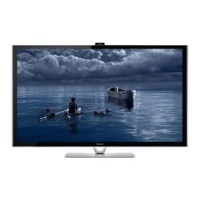
Describes ways to view 3D content from Blu-ray, broadcasts, and converted 2D images.
Manual 3 D Format Selection

How to Use VIERA TOOLS

Using Menu Functions

Maintenance

Panasonic TX-P65VT50Y Specifications

General IconGeneral
BrandPanasonic
ModelTX-P65VT50Y
CategoryPlasma TV
LanguageEnglish

Related product manuals