EasyManua.ls Logo

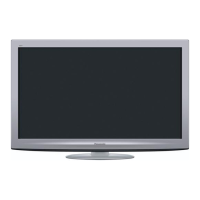
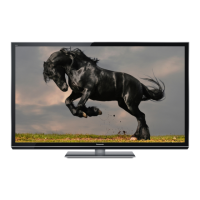
Panasonic TX-P42G20E - Service Manual

Panasonic TX-P42G20E
131 pages
Print Icon
To Next Page IconTo Next Page
Loading...
© Panasonic Corporation 2010.
Unauthorized copying and distribution is a violation
of law.
ORDER NO.PCZ1002005CE
Plasma Television
Model No. TX-P42G20E
TX-P42G20ES
TX-PF42G20S
TX-PR42G20
GPF13DE Chassis

Table of Contents

Question and Answer IconNeed help?

Do you have a question about the Panasonic TX-P42G20E and is the answer not in the manual?

Summary

Safety Precautions

General Guidelines and Touch-Current Check

General guidelines for servicing, safety, and leakage current checks.

Warnings and Component Handling

Electrostatic Discharge (ESD) Prevention

Techniques to reduce damage from electrostatic discharge to sensitive components.

Lead-Free Solder (PbF) Usage

Information and precautions regarding lead-free solder handling and melting points.

Service Navigation and Specifications

Service Hint and Applicable Signals

Hints for servicing, including rear cover removal and lists of applicable input signals.

Detailed Specifications

Specifications for power, display, sound, connections, and reception systems.

Technical Descriptions

KEY Specifications for Content Protection

Details on KEY specifications for CI Plus, DTCP-IP, and USB HDD.

USB HDD Recording

Information about recording TV programs using a USB HDD.

Service Mode Operations

Entering and Exiting Service Mode

Procedures to access and exit the service mode using remote control commands.

Adjustment Modes and Options

Contents of adjustment modes, options, and service tool functionality.

SD Card Data Copy

Procedure for copying board data or hotel settings using an SD card.

Troubleshooting Guide

IIC Bus Line Check

Method to access and check IIC bus lines for troubleshooting.

Power LED Blinking Timing Chart

Correlates power LED blinks to specific abnormalities and board failures.

No Power and No Picture Troubleshooting

Troubleshooting steps for no power and no picture issues.

Local Screen Failure Diagnosis

Identifying possible defective PCBs for local area failures on the plasma display.

Service Fixtures and Tools

SC Jig Usage

Purpose, part number, and usage instructions for the SC jig.

Disassembly and Assembly Instructions

Component Removal Procedures

Steps for removing external components like rear cover, AC inlet, and side covers.

Board Removal Procedures

Instructions for removing main boards like P-Board, A-Board, SM-Board, SC-Board.

Plasma Panel and Related Parts Removal

Procedures for removing the plasma panel, cabinet metals, and related components.

Measurements and Adjustments

Vsus Selection and Sub-Contrast Adjustment

Procedures for setting Vsus and adjusting sub-contrast for optimal picture quality.

THX White Balance Adjustment

Detailed steps for performing THX white balance adjustment using a color analyzer.

Block Diagrams

Main Block Diagram and Detailed Views

Overview of functional blocks and multi-part diagrams illustrating signal flow.

Wiring Connection Diagrams

Wiring Cautions and Diagrams

Cautions regarding flexible cables and diagrams illustrating connections.

Schematic Diagrams

Schematic Diagram Notes

Notes and remarks regarding schematic diagram conventions and precautions.

P-Board Schematics (1;4-4;4)

Schematic diagrams for the P-Board, covering power supply and control circuits.

A-Board Schematics (1;24-24;24)

Comprehensive schematic diagrams for the A-Board detailing sections and interfaces.

C1, C2, SC, SS, SS2 Board Schematics

Schematic diagrams for C1, C2, SC, SS, and SS2 boards, illustrating driver and control functions.

Printed Circuit Board Layouts

P-Board Layout

Foil and component side views of the P-Board with component locations.

K, SS2, A, C1, C2, SC, SS Board Layouts

Foil and component side views of various other boards for component identification.

Exploded Views and Parts Lists

Exploded Views and Mechanical Parts

Visual representation of the TV's mechanical components and their replacement parts.

Packing Instructions

Diagrams illustrating the packing procedure for the unit.

Electrical Replacement Parts List

Detailed list of electrical components with part numbers, descriptions, and quantities.

Summary

Safety Precautions

General Guidelines and Touch-Current Check

General guidelines for servicing, safety, and leakage current checks.

Warnings and Component Handling

Electrostatic Discharge (ESD) Prevention

Techniques to reduce damage from electrostatic discharge to sensitive components.

Lead-Free Solder (PbF) Usage

Information and precautions regarding lead-free solder handling and melting points.

Service Navigation and Specifications

Service Hint and Applicable Signals

Hints for servicing, including rear cover removal and lists of applicable input signals.

Detailed Specifications

Specifications for power, display, sound, connections, and reception systems.

Technical Descriptions

KEY Specifications for Content Protection

Details on KEY specifications for CI Plus, DTCP-IP, and USB HDD.

USB HDD Recording

Information about recording TV programs using a USB HDD.

Service Mode Operations

Entering and Exiting Service Mode

Procedures to access and exit the service mode using remote control commands.

Adjustment Modes and Options

Contents of adjustment modes, options, and service tool functionality.

SD Card Data Copy

Procedure for copying board data or hotel settings using an SD card.

Troubleshooting Guide

IIC Bus Line Check

Method to access and check IIC bus lines for troubleshooting.

Power LED Blinking Timing Chart

Correlates power LED blinks to specific abnormalities and board failures.

No Power and No Picture Troubleshooting

Troubleshooting steps for no power and no picture issues.

Local Screen Failure Diagnosis

Identifying possible defective PCBs for local area failures on the plasma display.

Service Fixtures and Tools

SC Jig Usage

Purpose, part number, and usage instructions for the SC jig.

Disassembly and Assembly Instructions

Component Removal Procedures

Steps for removing external components like rear cover, AC inlet, and side covers.

Board Removal Procedures

Instructions for removing main boards like P-Board, A-Board, SM-Board, SC-Board.

Plasma Panel and Related Parts Removal

Procedures for removing the plasma panel, cabinet metals, and related components.

Measurements and Adjustments

Vsus Selection and Sub-Contrast Adjustment

Procedures for setting Vsus and adjusting sub-contrast for optimal picture quality.

THX White Balance Adjustment

Detailed steps for performing THX white balance adjustment using a color analyzer.

Block Diagrams

Main Block Diagram and Detailed Views

Overview of functional blocks and multi-part diagrams illustrating signal flow.

Wiring Connection Diagrams

Wiring Cautions and Diagrams

Cautions regarding flexible cables and diagrams illustrating connections.

Schematic Diagrams

Schematic Diagram Notes

Notes and remarks regarding schematic diagram conventions and precautions.

P-Board Schematics (1;4-4;4)

Schematic diagrams for the P-Board, covering power supply and control circuits.

A-Board Schematics (1;24-24;24)

Comprehensive schematic diagrams for the A-Board detailing sections and interfaces.

C1, C2, SC, SS, SS2 Board Schematics

Schematic diagrams for C1, C2, SC, SS, and SS2 boards, illustrating driver and control functions.

Printed Circuit Board Layouts

P-Board Layout

Foil and component side views of the P-Board with component locations.

K, SS2, A, C1, C2, SC, SS Board Layouts

Foil and component side views of various other boards for component identification.

Exploded Views and Parts Lists

Exploded Views and Mechanical Parts

Visual representation of the TV's mechanical components and their replacement parts.

Packing Instructions

Diagrams illustrating the packing procedure for the unit.

Electrical Replacement Parts List

Detailed list of electrical components with part numbers, descriptions, and quantities.

Panasonic TX-P42G20E Specifications

General IconGeneral
Screen Size42 inches
Resolution1920 x 1080 pixels
Panel/Display TypePlasma
HDMI Ports4
USB Ports2
Refresh Rate600 Hz
Ethernet PortYes
SD Card SlotYes
Speakers2 x 10W
3D SupportNo
Response Time0.001 ms
TunerDVB-T/C
Contrast Ratio5, 000, 000:1 (Dynamic)

Related product manuals