EasyManua.ls Logo

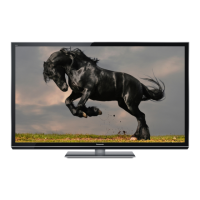
Panasonic TX-P42GT30E - Service Manual

Panasonic TX-P42GT30E
142 pages
Print Icon
To Next Page IconTo Next Page
Loading...
© Panasonic Corporation 2011.
Unauthorized copying and distribution is a violation
of law.
ORDER NO.PCZ1103022CE
Plasma Television
Model No. TX-P42GT30E
TX-P42GT30J
GPF14D-E Chassis

Table of Contents

Question and Answer IconNeed help?

Do you have a question about the Panasonic TX-P42GT30E and is the answer not in the manual?

Summary

1 Safety Precautions

1.2. Touch-Current Check

Procedure to measure potential across a network for touch currents.

2 Warning

2.1. Prevention of Electrostatic Discharge (ESD)

Techniques to reduce component damage from static electricity during handling.

4 Specifications

6 Service Mode

6.1. How to enter into Service Mode

Instructions on entering service mode, purpose, key commands, and exit procedure.

7 Troubleshooting Guide

7.1. Check of the IIC bus lines

Guide to using the self-check function to diagnose IIC bus line issues.

7.2. Power LED Blinking timing chart

Chart correlating power LED blink counts to specific abnormalities and check points.

7.3. No Power

States of no power indication by the power LED and initial checks.

7.4. No Picture

Flowchart and checks for diagnosing a "No Picture" symptom.

8 Disassembly and Assembly Instructions

8.17. Remove the Plasma panel section from the Cabinet assy

Steps to carefully detach the plasma panel from the main cabinet.

9 Measurements and Adjustments

11 Wiring Connection Diagram

Parts List

Summary

1 Safety Precautions

1.2. Touch-Current Check

Procedure to measure potential across a network for touch currents.

2 Warning

2.1. Prevention of Electrostatic Discharge (ESD)

Techniques to reduce component damage from static electricity during handling.

4 Specifications

6 Service Mode

6.1. How to enter into Service Mode

Instructions on entering service mode, purpose, key commands, and exit procedure.

7 Troubleshooting Guide

7.1. Check of the IIC bus lines

Guide to using the self-check function to diagnose IIC bus line issues.

7.2. Power LED Blinking timing chart

Chart correlating power LED blink counts to specific abnormalities and check points.

7.3. No Power

States of no power indication by the power LED and initial checks.

7.4. No Picture

Flowchart and checks for diagnosing a "No Picture" symptom.

8 Disassembly and Assembly Instructions

8.17. Remove the Plasma panel section from the Cabinet assy

Steps to carefully detach the plasma panel from the main cabinet.

9 Measurements and Adjustments

11 Wiring Connection Diagram

Parts List

Panasonic TX-P42GT30E Specifications

General IconGeneral
Screen Size42 inches
Resolution1920 x 1080 pixels
Display TechnologyPlasma
HDMI Ports4
USB Ports2
Refresh Rate600 Hz
Smart TVYes
3D CapabilityYes
Refresh Rate Sub-field Drive600Hz
Built-in Wi-FiYes
Contrast Ratio5, 000, 000:1

Related product manuals