English
14
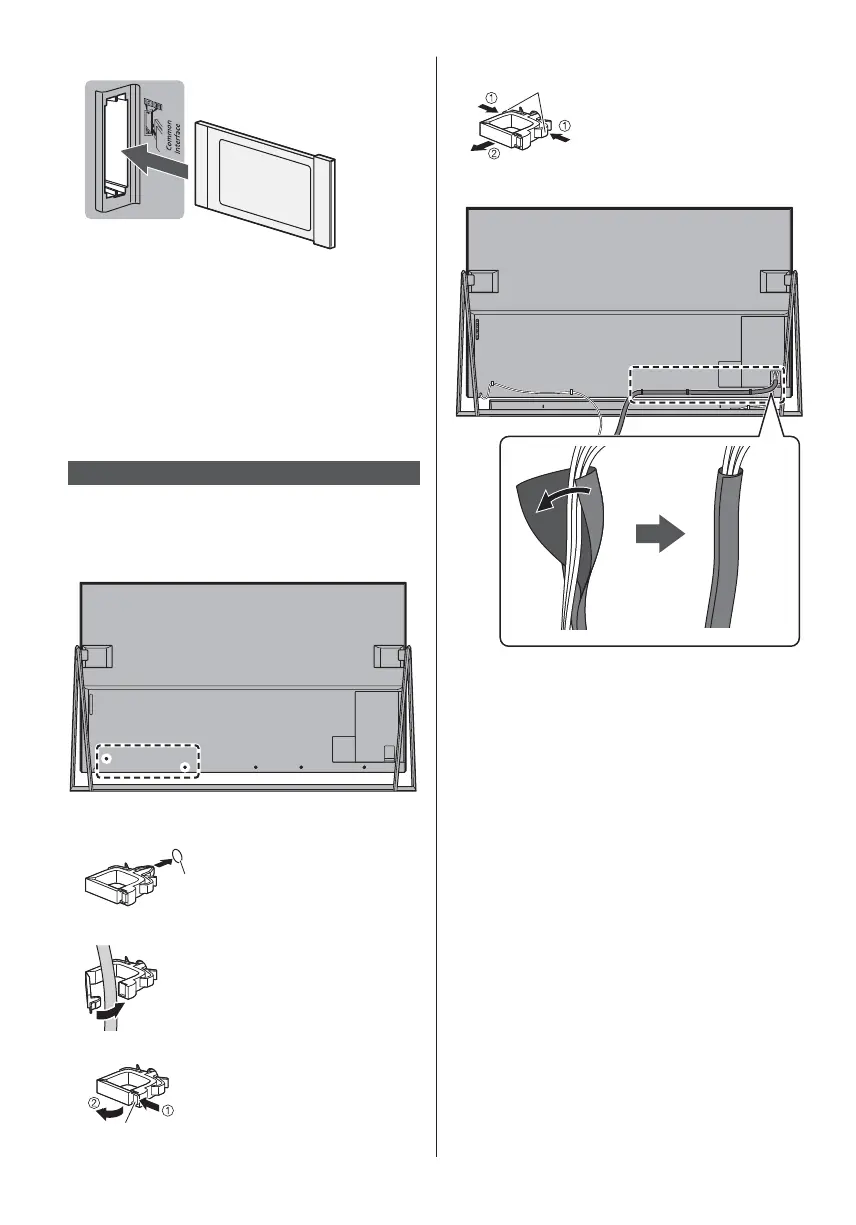
TV
CI module
USB HDD (for recording)
Use USB 1 port for connecting the USB HDD.
For details, refer to [eHELP] (Recording).
VIERA Link
Use HDMI1 - 4 for VIERA Link connection.
For details, refer to [eHELP] (Functions > VIERA Link
“HDAVI Control™”).
Cable arrangement
Fix the cables using the cable clamp, net tube and cable
tie, and then attach the cable cover / terminal cover to
the TV.
Fixing the mains lead using the cable clamp
Attach the cable clamp
Insert the cable clamp in a hole
hole
Bundle the cables
Set
To release:
Tab
Keep pushing the tab
To remove from the TV:
Keep pushing both side snaps
snaps
Fixing the cables using the net tube
Do not bundle the mains lead and other cables
together.








 To Next Page