3 - 5
3WAY SYSTEM
Outdoor Unit Maintenance Remote Controller
3
3. Ordinary Display Controls and Functions
Fig. 1
L
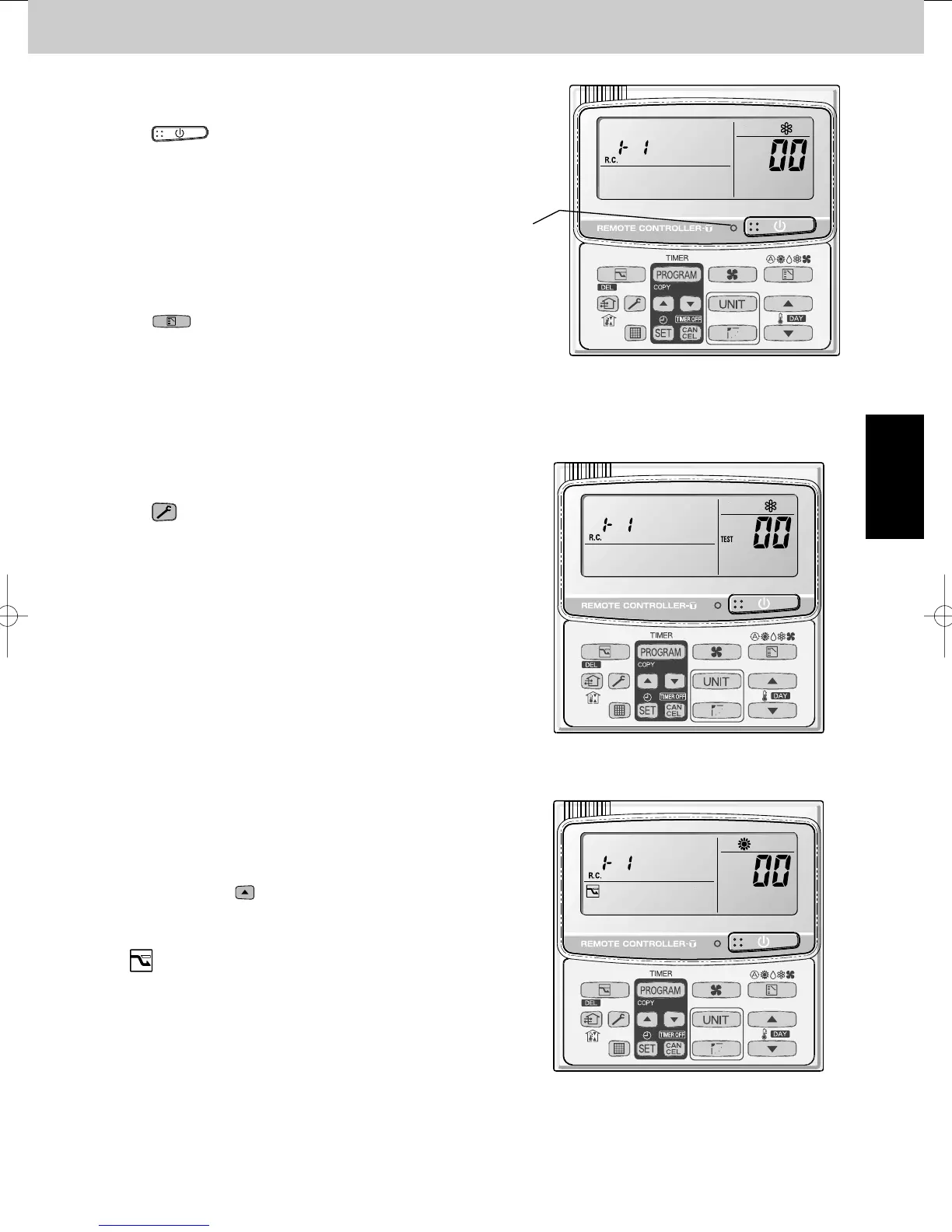
All units start/stop (Fig. 1)
<Operation>
The (ON/OFF operation) button can be used to
start and stop all the indoor units.
• The LED turns ON when 1 or more indoor units is
operating.
• The LED blinks when an alarm has occurred at 1 or
more indoor units during operation.
L
Switching between cooling/heating (Fig. 1)
<Operation>
The (MODE) button switches between heating and
cooling modes.
• The specifications are equivalent to the heating/cooling
inputs on the previous outdoor unit PCBs.
• The display shows the operating mode of the indoor unit
with the lowest unit No.
L
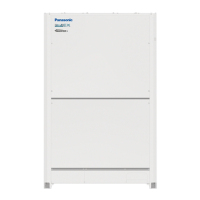
All units test run (Fig. 2)
<Operation>
The
(CHECK) button switches test run ON/OFF for
all indoor units.
• Press and hold for 4 seconds to turn ON.
“TEST” is displayed while the test run is in progress.
• The status of test runs that are started from the indoor
unit remote controller are not displayed on the outdoor
unit maintenance remote controller.
Fig. 2
L
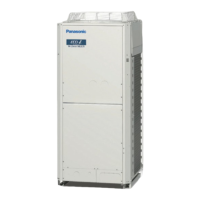
Double-speed
• Do not use for actual operation.
(Doing so may damage the devices.)
<Operation>
The timer button is used to switch between double-
speed and normal operation.
• During double-speed operation, the SLEEPING MODE
mark is displayed.
5/A9#;'%1K5;56'/A5



 To Next Page