EasyManua.ls Logo

Panasonic WJ-AVE7 - Page 7

Panasonic WJ-AVE7
36 pages
Print Icon
To Next Page IconTo Next Page
To Previous Page IconTo Previous Page
Loading...
@
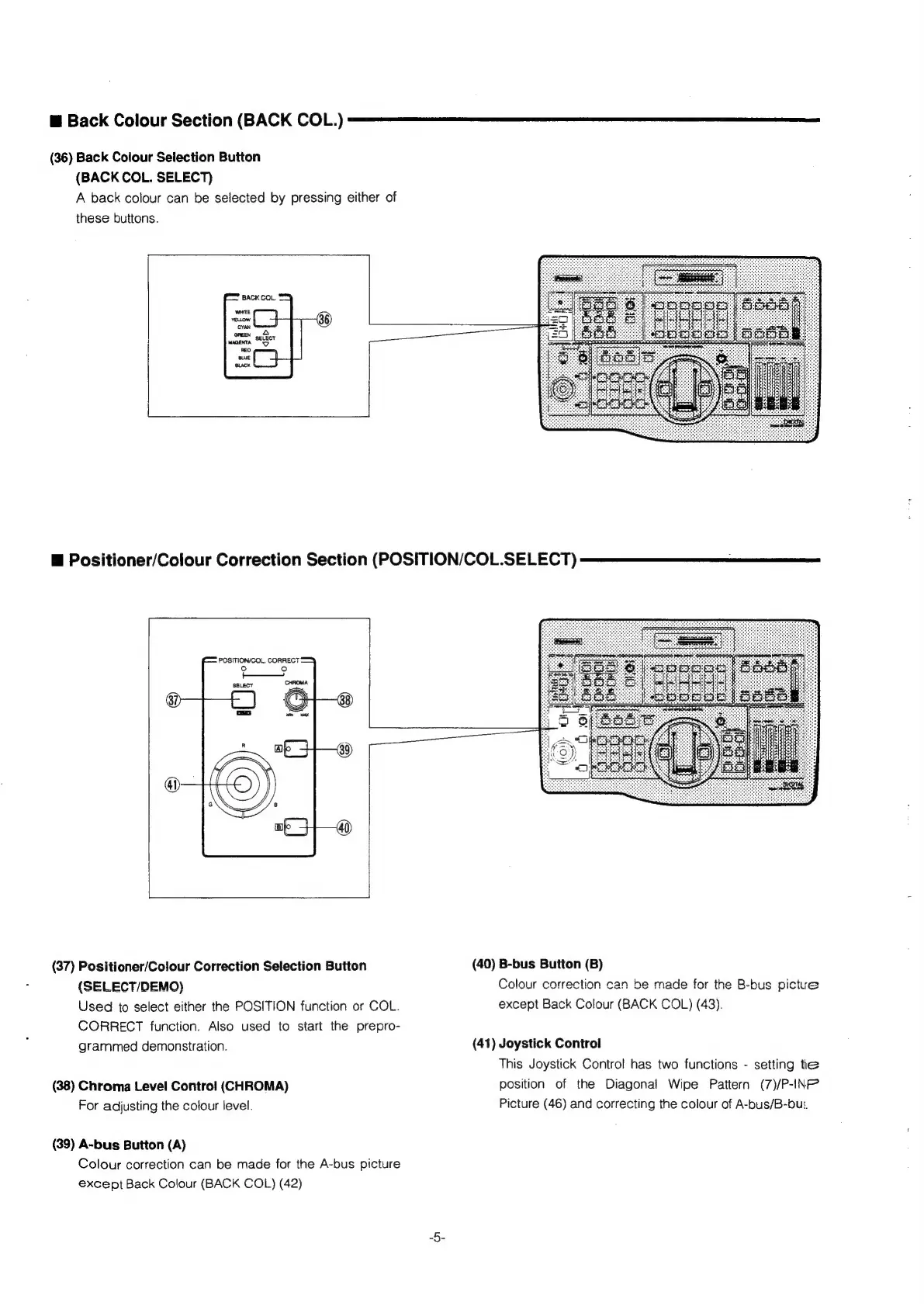
Back
Colour
Section
(BACK
COL.)
(36)
Back
Colour
Selection
Button
(BACK
COL.
SELECT)
A
back
colour
can
be
selected
by
pressing
either
of
these
buttons.
#
Positioner/Colour
Correction
Section
(POSITION/COL.SELECT)
POSITION/COL,
CORRECT
te)
‘SELECT
(37)
Positioner/Colour
Correction
Selection
Button
(40)
B-bus
Button
(B)
(SELECT/DEMO)
Colour
correction
can
be
made
for
the
B-bus
pictue
Used
to
select
either
the
POSITION
function
or
COL.
except
Back
Colour
(BACK
COL)
(43).
CORRECT
function.
Also
used
to
start
the
prepro-
grammed
demonstration.
(41)
Joystick
Control
This
Joystick
Control
has
two
functions
-
setting
tle
(38)
Chroma
Level
Control
(CHROMA)
position
of
the
Diagonal
Wipe
Pattern
(7)/P-INF’
For
adjusting
the
colour
level.
Picture
(46)
and
correcting
the
colour
of
A-bus/B-bu:
(39)
A-bus
Button
(A)
Colour
correction
can
be
made
for
the
A-bus
picture
except
Back
Colour
(BACK
COL)
(42)