18
1 Connect the ∅3.5 mm miniature plug (mono channel) to the adjustment monitor
output jack.
Important:
• This video output is intended for confirmation of view angle, etc. during installation or repair
service, and not for recording or monitoring.
Note:
• Video cannot be output through the video output cable after connecting the adjustment
monitor.
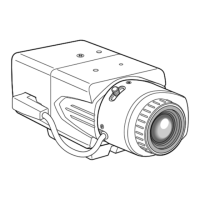
2 Pan, tilt and azimuth adjustment
Important:
• When adjusting pan, tilt or azimuth, do not hold the lens of the camera.
1 Adjustment of panning position
Loosen the panning table lock screw and
rotate the table to determine the panning
position (adjustable range: 350°).
• The panning position can be adjusted
between +180° (clockwise) and –170°
(counter-clockwise).
• After the panning position is determined, fix
the panning table with the panning table
lock screw.
(Recommended torque: 0.39 N·m)
2 Adjustment of tilting position
Turn the tilting table to adjust the tilting
position of the camera. (adjustable range:
±90 °)
• The view angle can be adjusted as the cam-
era uses vari-focal lens.
• Tighten the tilting lock screw after
adjustment.
(Recommended torque: 0.59 N·m)
Adjustment
Original position mark
Panning table
Panning table lock
screw[LOCK]
Clockwise: +180 º
Counter-
clockwise: -170 º
Adjustable range: ±90 º




 To Next Page