21
Important:
• When shooting in the following place or following subjects, press the [SET] button again to
close the “FOCUS ADJUSTMENT” screen, or adjust to the best focus position while viewing
the image.
• Frequently moving subject
• Subject with large illuminance change
• Subject with low illuminance
• Too bright or reflective subject
• Subject through a window
• Place where the lens easily becomes dirty
• Subject with less contrast such as white wall
• Subject with remarkable depth
• Subject with heavy flicker
• Subject with horizontally parallel lines such as a shutter
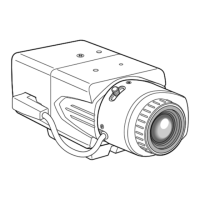
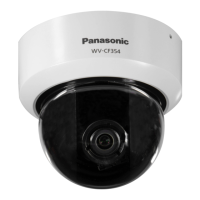
<Adjustment on WV-CF354E>
1 Loosen the zoom knob and adjust to the best view angle between TELE and WIDE.
Note:
• The focus may not be adjusted smoothly when the zoom adjustment ring is extremely close to
the end of W direction (T direction). At this time, slightly adjust the zoom adjustment ring
towards the T direction (W direction), and then adjust the focus.
2 Tighten the zoom knob.
3 Rotate the front of the lens, and adjust to the best view angle between NEAR and FAR.
4 Press the [AF] button on the side of the camera, which will automatically focus.
Note:
• The AF function is not available over the entire focus range. Be sure to perform approxmate
adjustment of the view angle before manual focusing, and then press the [AF] button to enable
the AF function.
• For the following subjects, select ELC control method, and then manually adjust the focus.
• Fast-moving subject
• Subject with significant illuminance change
• Subject with low illuminance (such as high beam light)
• Too bright or reflective subject
• Subject behind a window
• Less contrasty subject (such as white wall)
• Subject with remarkable depth
• Subject with flicker
• Subject with parallel lines (such as a shutter)
• Blurred or dirty spherical cover


 To Next Page
 Loading...