12
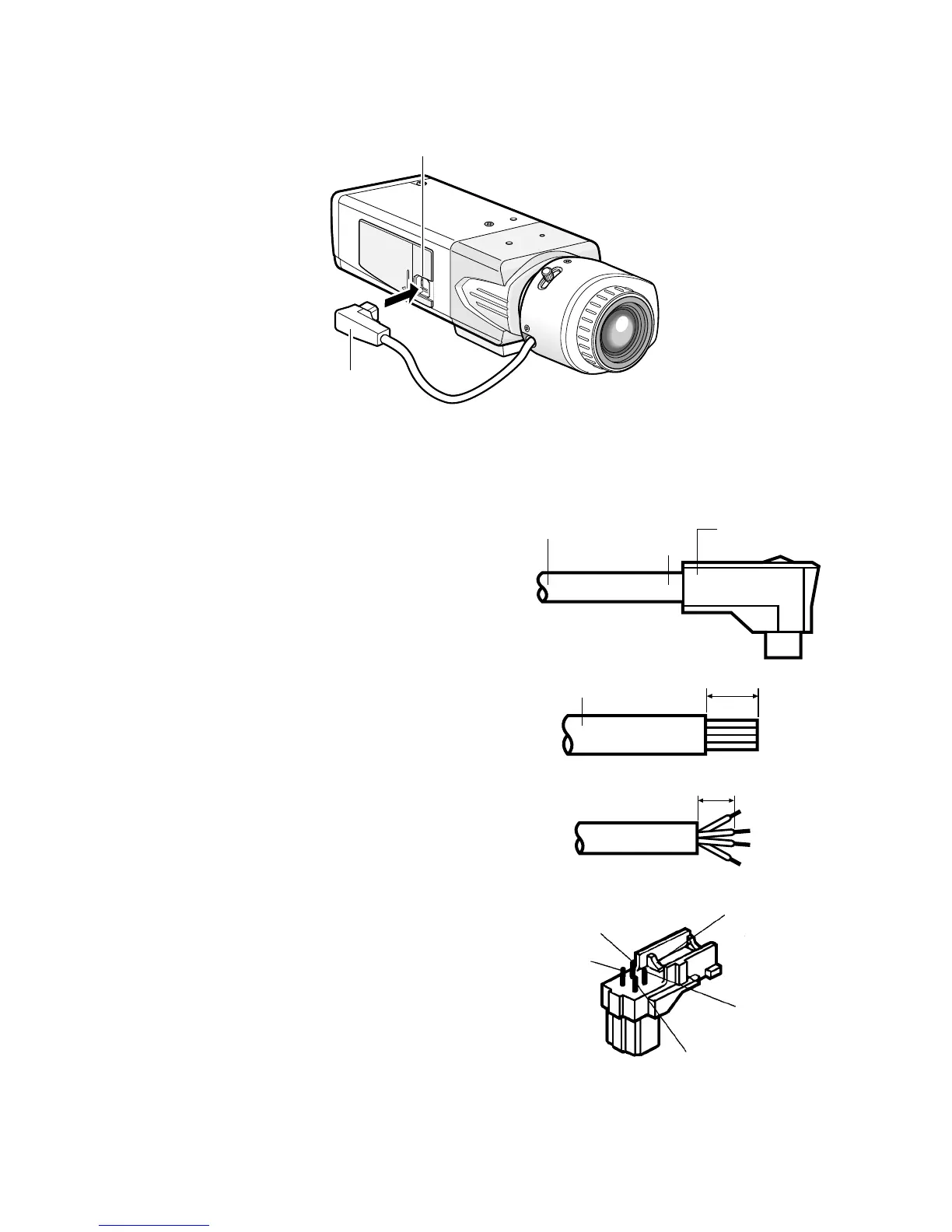
x Connect the ALC connector (accessory) of the lens to the ALC lens connector of
the camera.
If an auto iris lens with a different shaped connector is used, replace the connector with the
ALC connector (accessory).
q Cut off the lens cable from the connector.
w Strip the end 8 mm {5/16"} of the lens cable
outside cover, and then, remove each cover
of the core wires by 2 mm {1/16"}.
e Solder the core wires to the pins of the ALC
connector securely.
Pin 1: Red (Power)
Pin 2: Not used
Pin 3: White (Video)
Pin 4: Black (Shield)




 To Next Page