32
Adjustment of phase in power supply synchronization mode (LL)
The adjusting video signal of the camera and the criterial external synchronizing input signal
are connected to a 2-input oscilloscope and the phase is adjusted.
Note:
Movement of the camera or presence of a spike noise in the power line may cause vertical
phase change. In such a case, adjust the phase again.
Follow the procedure in the next page to adjust the phase.
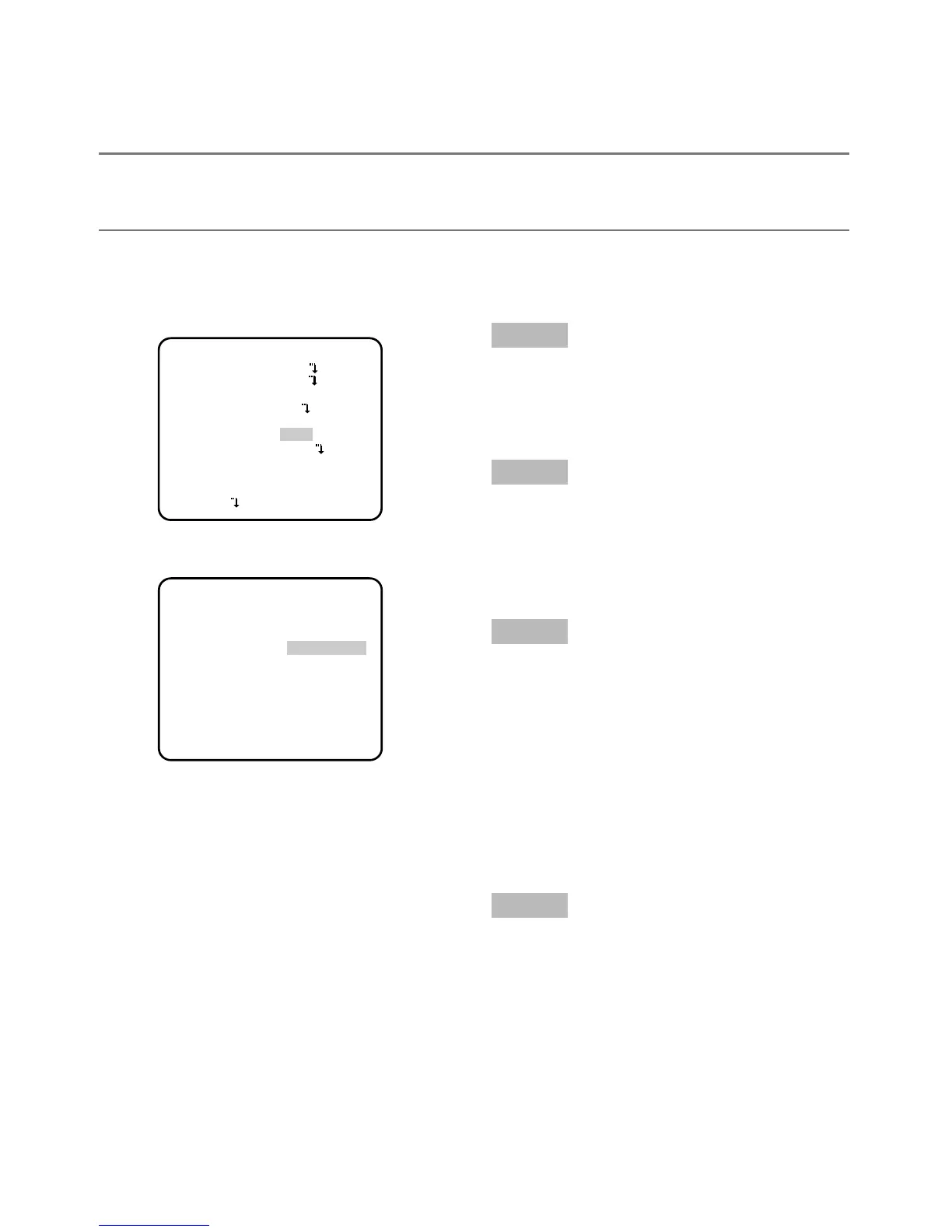
"CAMERA SETUP" screen
"SYNC" screen
Step 1
Set "SYNC" to "LL" and press the setting but-
ton.
→ The "SYNC" screen appears.
Step 2
Connect the video output signal and external
synchronizing input signal of the camera to a
2-input oscilloscope, and move the cursor to
"COARSE".
Step 3
Adjust the oscilloscope to the vertical rate,
and extend the vertical synchronizing part of
the oscilloscope.
Move the cursor horizontally to adjust the ver-
tical phase with use of the right or left button.
The phase can be adjusted in 16 steps by
22.5 degrees.
1 (1--16) : 0 °/2 (1--16) : 22.5 °/ ...../16 (1--16)
: 337.5 °
Step 4
Move the cursor to "FINE", and move the cur-
sor horizontally with use of the right or left
button to adjust both vertical phases.




 To Next Page