Basic Functions
Microwave + Grill
Use this function to cook lasagne, poultry, roast potatoes and toasted foods.
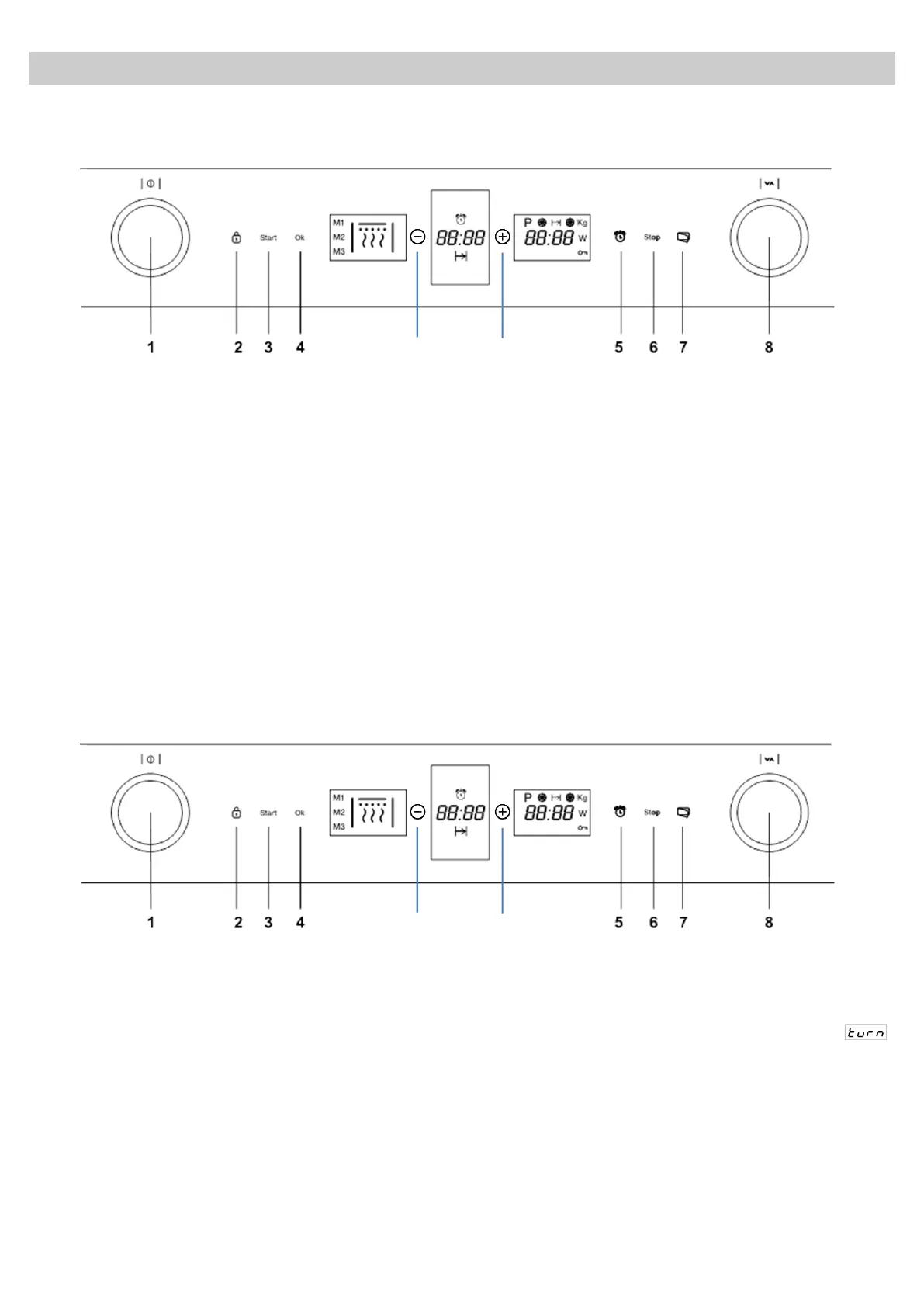
1. Turn the Function Selector knob (1) until the
Microwave + Grill function indicator flashes.
The Duration display shows 10:00 flashing.
2. Turn the Rotating knob (8) in either direction
to set the duration.
3. Press the OK key (4) to validate. The
microwaves power value flashes on the
Power display. The microwaves power
indicator starts to flash.
4. Turn the Rotating knob (8) in either direction
to set the microwaves power level. If you do
not turn this knob, the oven operates at
360 W power. The maximum power that can
be selected is 360 W.
5. Press the OK key (4) to validate.
6. Press the Start key (3). The oven will start to
operate.
NOTE:
The start button may be pressed at anytime
in the above sequence and the oven will
start the cooking process with the displayed
parameters.
Defrosting by time (manual)
Use this function to defrost any type of food quickly.
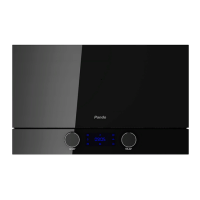
1. Turn the Function Selector knob (1) until the
Defrost by Time function indicator flashes.
The Duration display shows 10:00 flashing.
2. Turn the Rotating knob (8) in either direction
to set the duration.
3. Press the OK key (4) to validate.
4. Press the Start key (3). The oven will start to
operate.
5. Turn the food whenever the oven lets out a
beep and the display flashes the word.



 To Next Page