ARCADE GAME
(4)Insert coin mode: free play/ coin-based billing/time-based billing (support all game
time)
(5)Exit mode: In the arcade mode, user can select [A] long press the START button to
exit, [B] press the START button and throwing a coin to exit the game.
(6)Auto-exit mode: When the user does not operate for a long time, the system default
3 minutes automatically to exit the game and returns to the game list. It can also be set
to never exit automatically.
3.Background setting
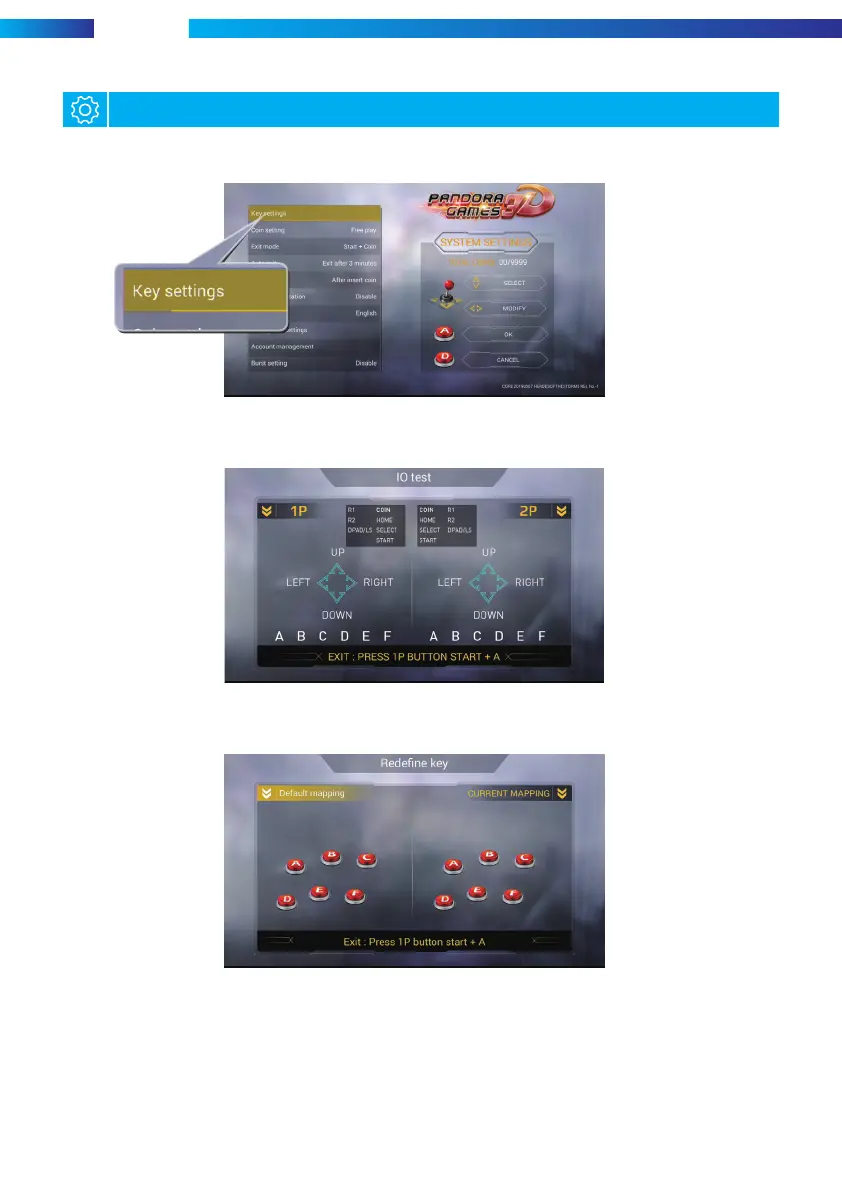
Please press the side setting button to enter the game settings page (as shown below)
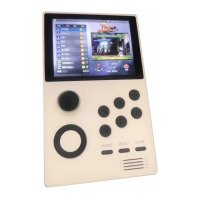
(1)Key mapping testing: this item is in order to test the using situation for joystick and
button. The button icon is initially white and is yellow when pressed.
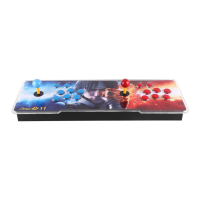
(2)Button customization: User can customize the editing button position according
to personal operating habits, as shown below:
5


 To Next Page