3
2
USER MANUALPANDORA PROFESSIONAL V3
Table of contents
General information 4
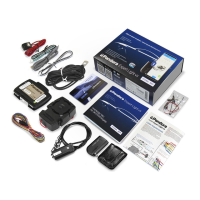
System set 5
Read before using 6
PIN-codes of the system 7
Owner’s personal card 7
External VALET button 8
System modules layout 8
Base unit 9
Information signals of the system 10
System functions and modes 12
Security mode 13
Controlled and security zones 14
Remote and automatic engine starts 14
Slave mode 16
Owner authorization devices and modes 16
Checking the number of paired devices 18
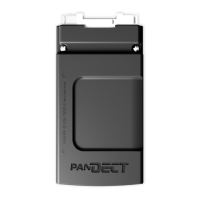
Immobiliser tag 19
Functions of the button 20
Indication of SEND LED 21
Installation/replacing a battery of a tag 21
Prompt entry/change of the main owner phone number 22
Updating firmware of the tag 22
Remote control 23
Switching on/off remote control 25
Displaying the connection status 25
Replacing the remote control battery 25
Diagnostic mode 26
Quick access functions 27
Icons of the remote control 28
Remote control menu 29
Control over the system by phone 35
Changing settings via a phone 39
Online service and mobile application 41
Registration 43
Login 43
Adding a system to your account 43
Writing a mobile device to the system memory 44
Control over the system 45
Arming 46
Disarming 47
Unlocking the trunk 48
Locking/unlocking doors when ignition is on 49
Delayed arming 50
Vehicle search function 50
PANIC mode 50
Remote engine start 51
Engine preheater 52
Ultra-low power consumption (Season storage) mode 54
Service mode 55
Control over the system in case of emergency 57
Emergency disarming/Beach mode 60
Emergency control of the code immobiliser 60
Additional devices 62
Warranty obligations 65
Installation certificate 67
Acceptance certificate 68
Warranty card 68



 To Next Page