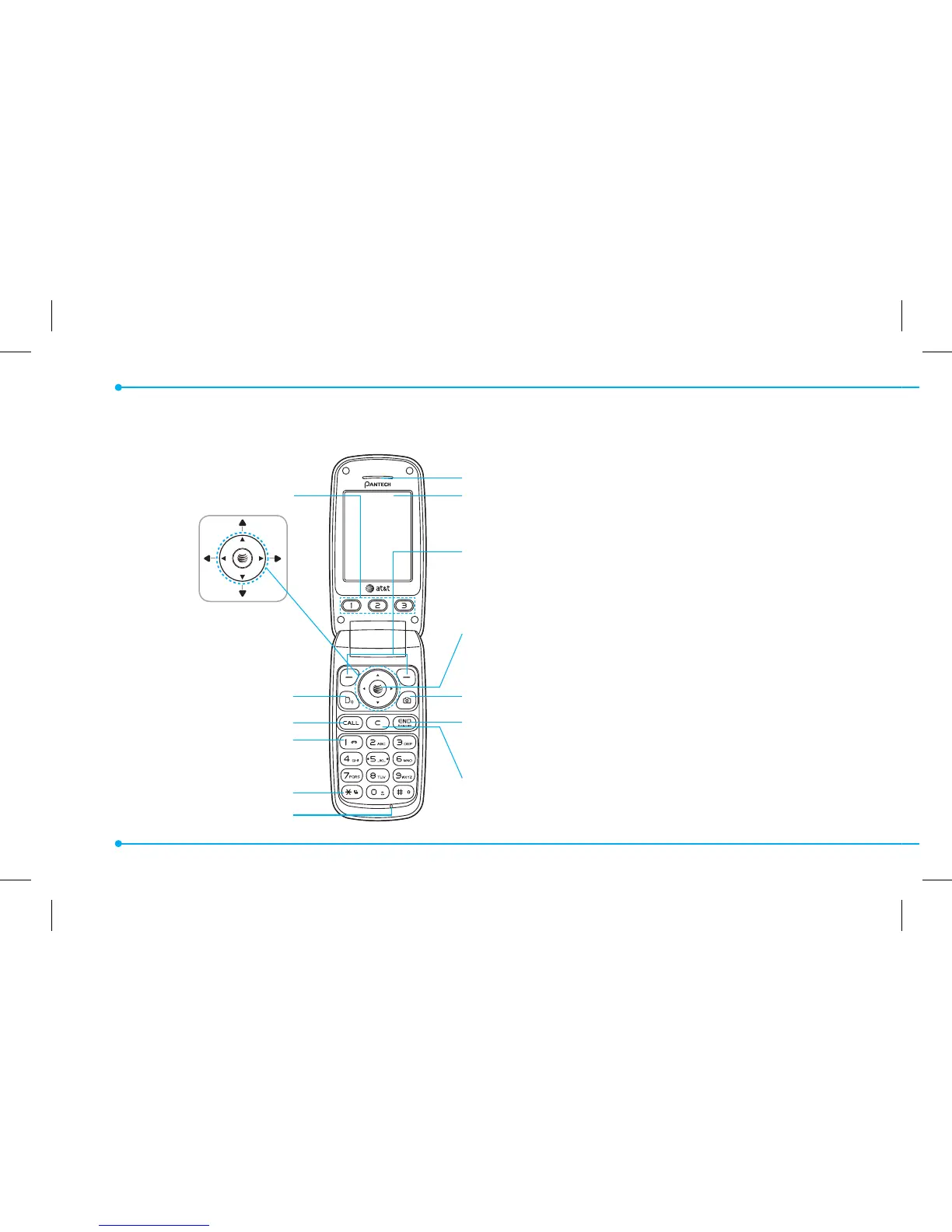
Earpiece
Internal display
Left/Right Soft key
Perform the functions shown at the bottom line of
the display
OK key or access Mobile Web
Press to enter menu system
Camera key
Power on & o / Menu exit / End key
Turns phone on / o , ends calls, exit menus
Clear key and Calendar
Returns to previous screen or deletes characters in
text mode. Access Calendar menu
EZ Quick Call Keys
Navigation key
Scroll through the menu
options
Voice Command
Send key
Voicemail
Vibrate mode
Microphone
8
Phone overview



 To Next Page