90
91
02
03
01
04
05
06
07
08
USING A microSD
TM
CARD
A microSD
TM
card stores sounds, videos, images, photos, music, and other files.
A 1GB microSD
TM
card is pre-installed in your phone.
INSTALLING A microSD
TM
CARD
To install your microSD
TM
card:
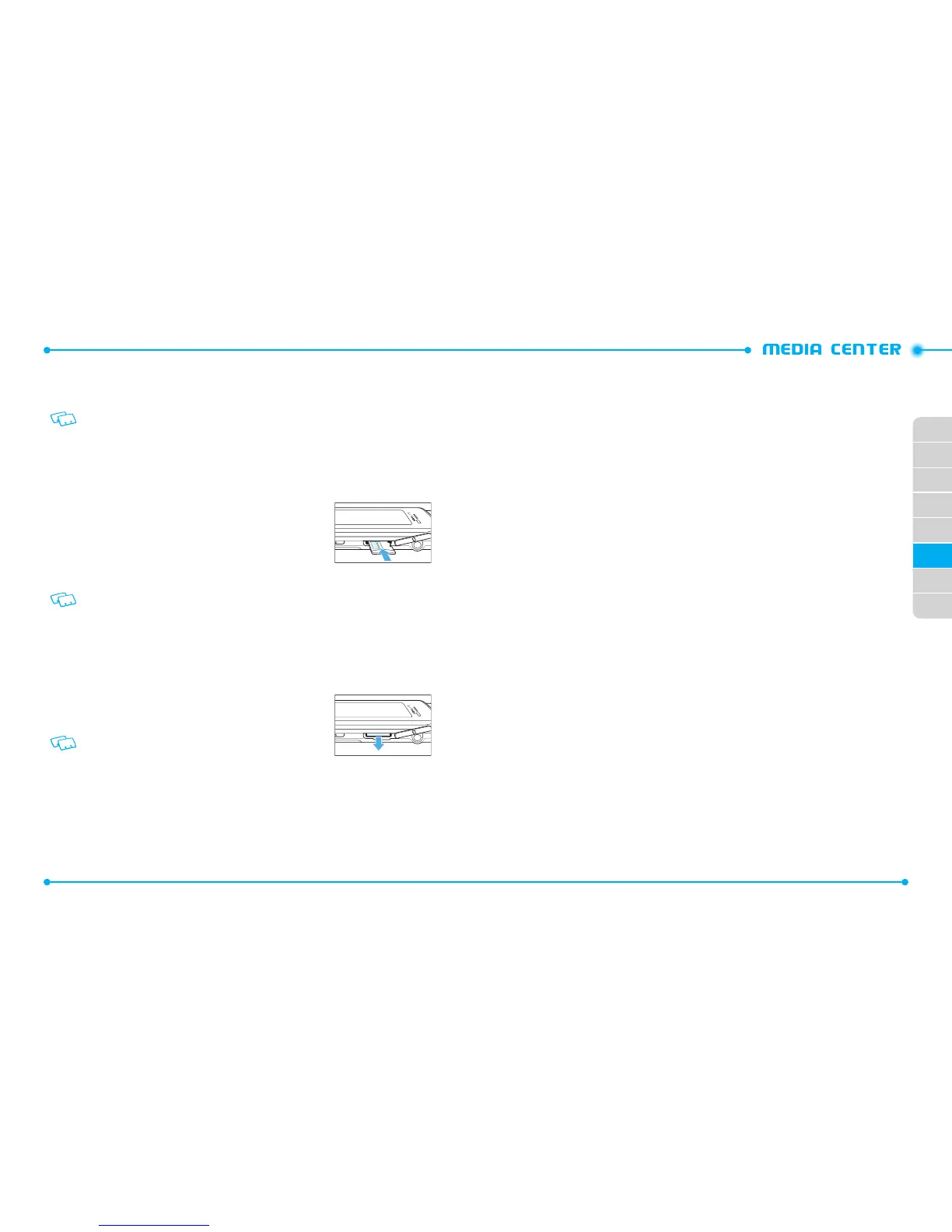
1. Open the microSD
TM
card cover, and insert the microSD
TM
card into the slot with
the gold contacts facing down.
2. Press the microSD
TM
card into the slot until you hear the
“click”, then close the microSD
TM
card cover.
3. Then, “
SET MEMORY CARD AS DEFAULT STORAGE
LOCATION?
” will appear on the display.
4. Tap
Yes
to confirm.
To prevent possible damages, please keep the microSD
TM
card slot closed at all times
regardless of whether a microSD
TM
card is inserted or not.
REMOVING A microSD
TM
CARD
To remove the microSD
TM
card:
1. Open the microSD
TM
card cover, and use your thumb to press and release the
microSD
TM
card. Press the memory card inward, gently, until it pops out.
2. Remove the microSD
TM
card and close the microSD
TM
card cover.
•
Do not remove the microSD
TM
card while reading or writing
files. Otherwise it could be damaged.
•
To ensure the proper function of removable memory, please use a microSD
TM
card.
SEARCH
With the BING search engine, you can search for information or pages on the BING
website. Accessing the web may incur additional charges.
1. Slide the phone up and tap
Search
.
2. Enter a keyword in the search field and find information.
MUSIC & TONES
Music & Tones allows you to manage ringtones, music and sounds files. It also allows
you to get new ringtones.
V CAST MUSIC / RHAPSODY®
V CAST Music with Rhapsody®
— V CAST Music with Rhapsody® is a digital music
service that lets you listen to millions of songs from thousands of artists. Discover
new and old favorites in an extensive music catalog. Download V CAST Music with
Rhapsody® to sync tracks, albums and playlists to your new compatible phone, while
managing your existing PC music library all in one place.
PURCHASE SONGS ON YOUR WIRELESS DEVICE *
When you purchase music from your wireless device, you also get a second
copy that can be downloaded to your PC from the V CAST with Rhapsody®
software.
*Per-song charges apply.
PURCHASE SONGS ON YOUR WIRELESS DEVICE *
• Pentium III 1.0 GHz or higher
• 128 MB RAM
• 380 MB available hard disk space (This is the minimum disk space required
to install the program. Additional disk space is necessary for downloading
music files.)
• Windows Media Player 10



 To Next Page