Need help?
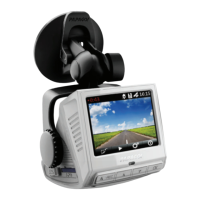
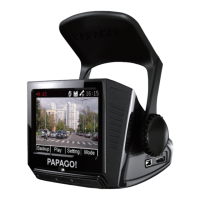
Do you have a question about the Papago GoSafe 260 and is the answer not in the manual?
Guidelines for basic operation and handling of the dashcam.
Instructions and warnings related to charging the device using a car charger.
Safety precautions and disposal guidelines for the device's battery.
Recommendations for using and formatting Micro SD cards with the device.
Lists the accessories included with the dashcam product.
Guidance on the optimal and safe placement of the dashcam in a vehicle.
Detailed instructions on how to physically attach the dashcam to the rearview mirror.
Describes methods for powering the dashcam on, both automatically and manually.
Explains how to power down the dashcam, including auto and manual methods.
Details the continuous recording feature, including clip length and overwriting.
Explains how the dashcam handles emergency recordings via manual or auto lock.
Identifies and explains the elements displayed on the dashcam's screen during operation.
Covers manual and automatic switching between different frame rate modes for recording.
Details available settings for recording resolution, clip length, EV values, motion detection, and audio.
Explains settings for photo capture such as resolution, burst mode, quality, sharpness, white balance, and color.
Procedures for deleting individual or all photos and videos, with warnings.
Steps to lock and unlock images/photos to prevent accidental deletion.
Instructions for viewing captured images in a slideshow format.
Guide to connecting the dashcam to a PC for data transfer or as a webcam.
Instructions for connecting the dashcam to a television via AV cable.
Details system settings like date/time, language, TV mode, light source, format, reset, and system release.
Configuration options for the device's screen saver function and screen resume.
Steps to resolve issues when the dashcam does not power on or start.
Solutions for storage card problems and playback failures, including locked files and display errors.
 General
| Field of View | 140 degrees |
|---|---|
| Loop Recording | Yes |
| G-Sensor | Yes |
| GPS | No |
| Parking Mode | Yes |
| Night Vision | Yes |
| Power Source | Car charger |
| Video Resolution | 1920x1080 |
| Display Size | 2.0 inch |
| Storage | MicroSD card, up to 32GB |
| Battery | Built-in rechargeable battery |

 To Next Page