6
Model 3610: Verifying the S1 Switch Settings
The Model 3610 DSU has a switch located under the front panel. To verify or change
the S1 switch settings, remove the front bezel:
" Procedure
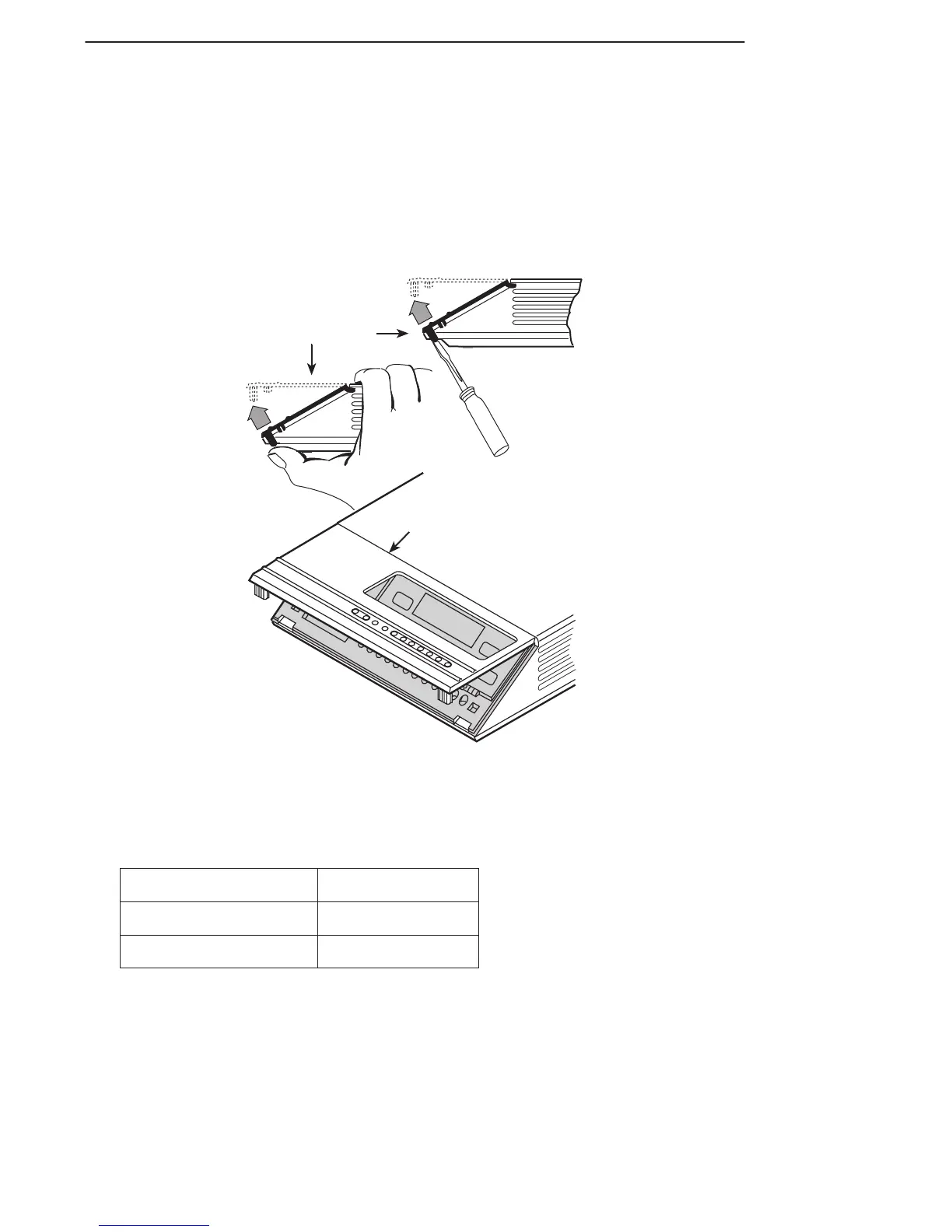
1. Place a small screwdriver or your thumbs under the two tabs on the outside edges
of the front bezel. Firmly press upward to separate the bezel from the tabs.
496-14701-01
Front Bezel
COMSPHERE 3610
Front Bezel
or
2. Swing the front bezel up and set aside.
3. Change the switch settings if necessary. Use a small instrument. Do not use a
pencil.
If the DSU has . . .
Then use . . .
Two switches Figure A.
Four switches Figure B.
4. Reinsert the front bezel’s hinge tabs into position at the top and swing the bezel
down. Snap the bezel back into place.



 To Next Page