EasyManua.ls Logo

Paradyne COMSPHERE 3610 - Model 3610 Installation Guide; Front Panel Operation and Management

Paradyne COMSPHERE 3610
32 pages
Print Icon
To Next Page IconTo Next Page
To Previous Page IconTo Previous Page
Loading...
8
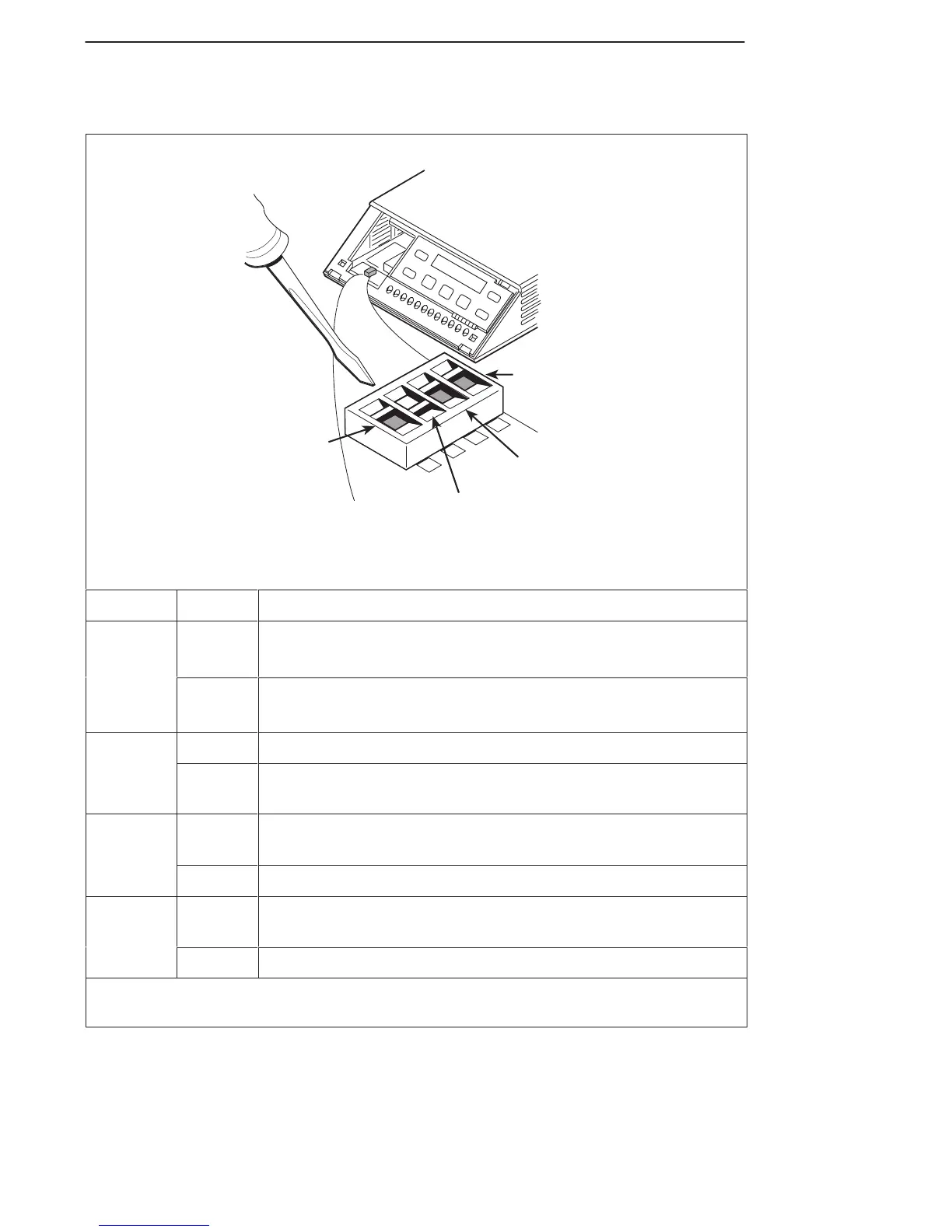
Figure B
496-14719-02
Switch 1
V.35
Test Mode
(S1-4)
EIA-232
Test Mode
(S1-3)
V.32
Analog
DBM
Interface
(S1-1)
Frame Ground/
Signal Ground
(S1-2)
S1
1
ON
2
3
4
1
2
3
4
Switch Setting Function
S1-1
V32
ON
(default)
Permissive transmit output level of –9 dBm
V.32
Analog
DBM only
OFF Programmable transmit output level between –12 dBm and
0 dBm
ON Frame ground (FG) connected to signal ground (SG)
S1-2
OFF
(default)
FG connected to SG through 100-ohm resistor
S1-3
ON
(default)
Enables EIA-232 Test mode; Pin 25 controlled by the DSU
S1-3
OFF Disables EIA-232 Test mode
S1-4
ON
(default)
Enables V.35 Test mode; V.35 lead NN controlled by the DSU
S1-4
OFF Disables V.35 Test mode
ON is to the left as you face the front of the DSU.
OFF is to the right.

Other manuals for Paradyne COMSPHERE 3610

Related product manuals