User Manual - Typhoon Open – 01/2018 edition
.
PARAMINA SA – Byway Evaggelistrias str. 19300 Aspropirgos, Greece, Tel: 0030 210 5575860-1
Fax: 0030 210 5575868, email: service@paramina.gr - website: www.paramina-compressors.com
24
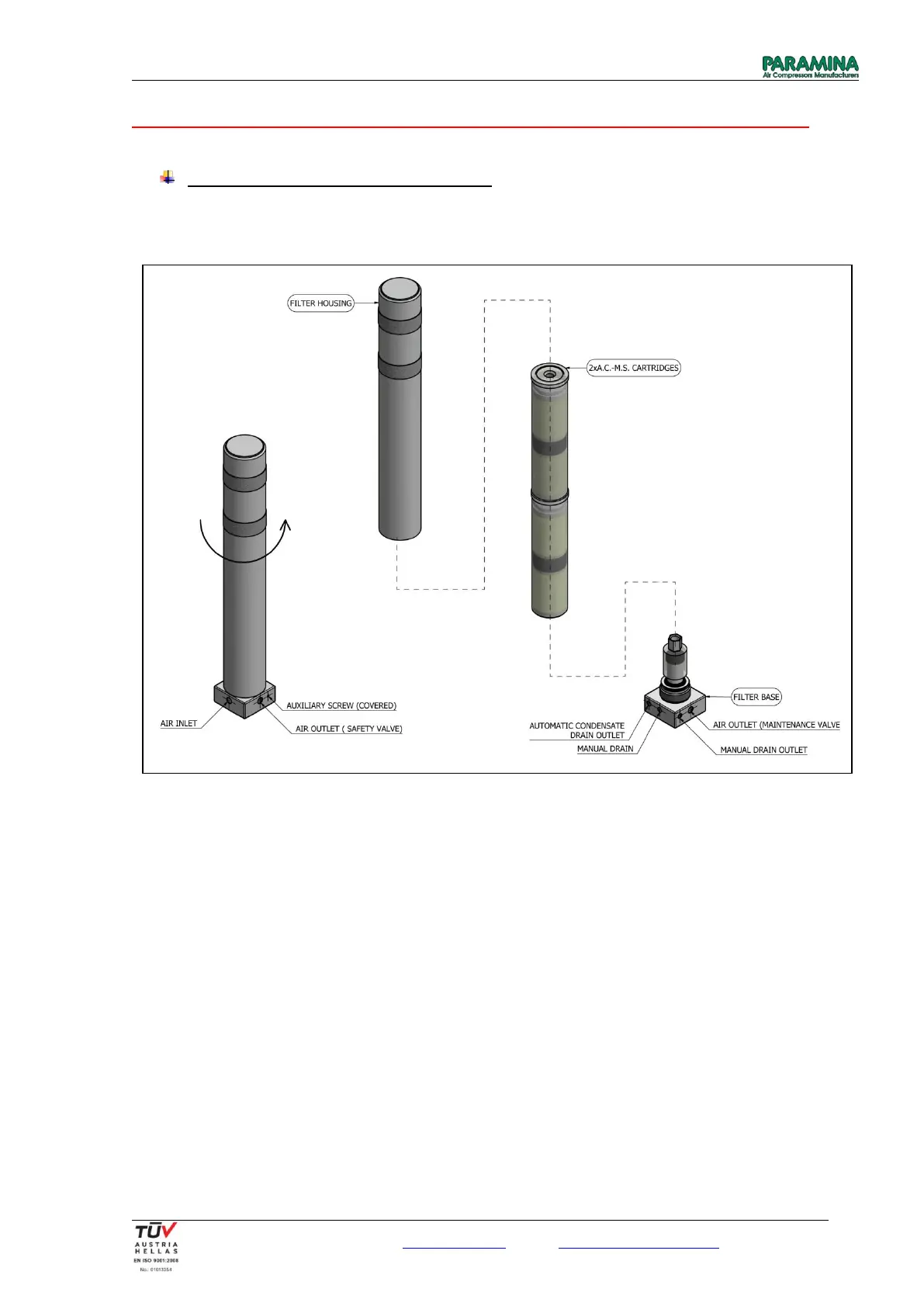
Option 1 concerns standard equipment of Typhoon 15 compressors – Ø80x535 BA Filter:
Ø80 x 535 (max. working pressure 350 bar)
Replacement of active carbon – molecular sieve cartridge
1. Unscrew the filter housing by hand and remove it from its base.
2. Unscrew the A.C.-M.S. cartridges from the cartridge connector. Place and hold a wrench on the cartridge
connector while unscrewing the cartridges.
3. Lay a small amount of silicone grease on the o-ring of the filter’s base. If there is a trace of damage on the
o-ring, replace.
4. Remove the new A.C.-M.S. cartridges from their protective cases. If the packaging is damaged or
punctured do not use it.
5. Lay a small amount of silicone grease on the o-rings of the new A.C.-M.S. cartridges.
6. Screw the two A.C.-M.S. cartridges together so as to create a solid body.
7. Screw the new cartridges on the cartridge connector.
8. Clean the inside of the filter housing with a clean cloth.
9. Screw the filter housing carefully until securely fastened onto the base.


 To Next Page