The angle of the back section base, the angle of the knee section base, the bed height and the
inclination angle of the entire bed can be smoothly adjusted with no increments by using the
handheld controller.
Pressing the button adjusts the bed, and releasing the button stops adjustment, allowing you to
adjust the bed to the desired position. Press the [↑] to raise the desired section and press [↓] button
to lower the desired section.
Do not allow the bed to be operated by a child aged 12 or under, or someone deemed incapable of
comprehending the operation of the bed. If a child aged 12 or under, or someone deemed incapable
of comprehending the operation (such as persons with dementia) operates the handheld controller
by themselves, there is a risk of unexpected injury such as the body getting caught in the bed by
accident. If such person can come into contact with the handheld controller, unplug the power
plug or rotate the switch on the Lock-out switch to the lock position in order to prevent accidents
caused by incorrect operation.
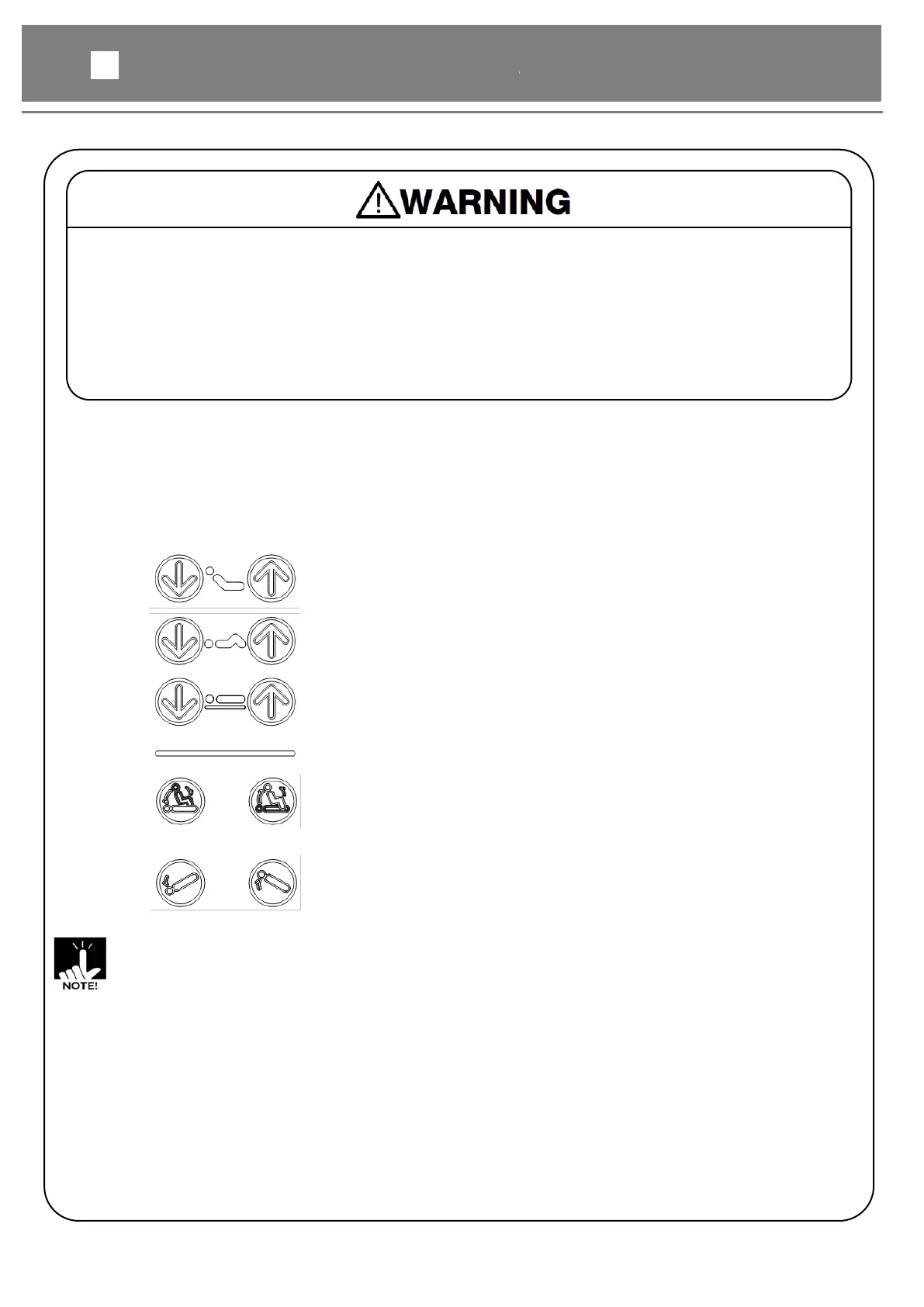
Back raise adjustment buttons
●The back section base angle can be adjusted.
Hi-lo adjustment buttons
●The bed height can be adjusted.
●Pressing two or more buttons simultaneously stops the adjustment. If you stop the adjustment by
pressing two or more buttons, remove your hands from all buttons and then perform the adjustment again.
●When the TR/RTR button is selected with the head end raised and the DOWN button is
pressed, the movement stops when the bed becomes flat. To incline the bed further,
continue to press the DOWN button for more than 2 seconds.
●When the TR/RTR button is selected with the head end lowered and the UP button is pressed, the
movement stops when the bed becomes flat. To incline the bed further, continue to press the UP button
for more than 2 seconds.
●If the bed is used continuously, the bed cannot be operated for protecting electrical parts from
overheating. In that case, disconnect the power cable and the battery cable, and leave the bed for
more 1 hour. After that, connect the power cable and the battery cable, and press the Hi-lo adjustment
UP[↑] and DOWN[↓] buttons simultaneously for more 5 seconds to reset the protect condition.
Chair position / Flat position buttons
●Chair position button : The back section base and the knee
section base can be raised simultaneously, and then the bed
position is moved into Chair position.



 To Next Page