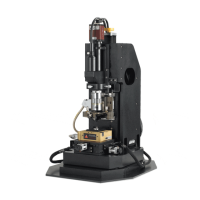
Shut down
CAUTION: ENSURE HEAD WILL NOT CONTACT MICROSCOPE!!
1) DO NOT hit “Lift Z” right away. The stage will hit the microscope on the way up and
damage one or both of them. Use Z-stage control to lift tip away from sample a small distance so
the tip is no longer touching the sample.
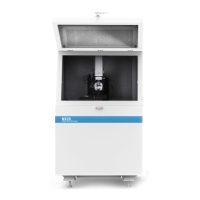
2) Open the acoustic enclosure
3) Raise microscope to full height
4) Hit ‘Lift Z’ button in Z-stage control
5) Refocus microscope on cantilever
6) Turn off laser switch, unplug head, and remove head.
6a) If the tip you used was good, leave it on the AFM. Otherwise, remove head and place tip in
the “Bad Probes” box
7) Remove sample from stage and replace head, plug head in.
8) Close XEP/XEI software
9) Turn off Light Bank
10) Leave the SPM Controller on
**Log tip usage, clean up after yourself, and disable in Badger**
Note: We recycle used sample pucks and also used tips. Please put used items in the proper
places. Do not throw them in the trash.
If you notice any problems while running the instrument, please make a comment on Badger and
email the lab managers at nano-spmstaff@lists.stanford.edu.


 To Next Page