PBH 800 A1
GB
│
IE
│
17■
Use
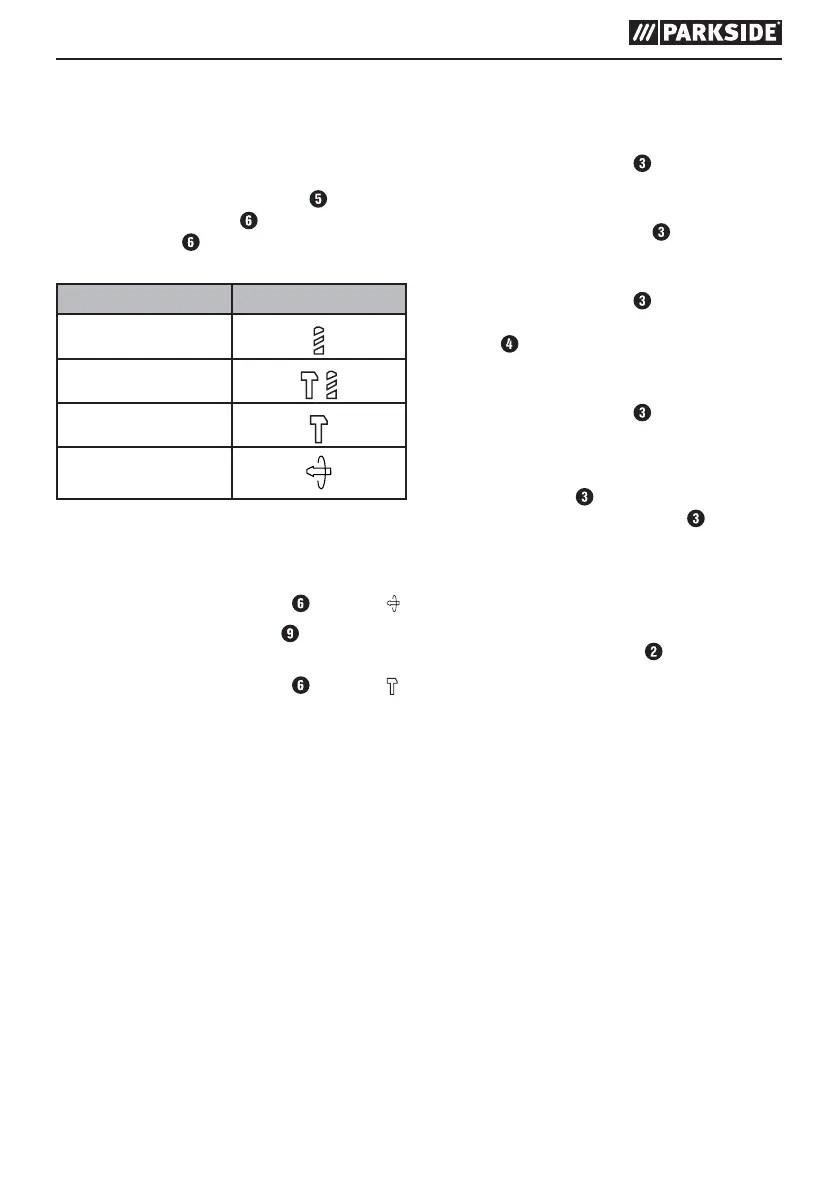
Select operating mode
Function selector:
♦ Press and hold the release button
on the
function selector switch
. Turn the function
selector switch so that the required symbol
engages at the arrow mark:
Function Symbol
Drilling/screwing
Hammer drilling
Chiselling
Chisel position adjust-
ment
Adjusting chisel position:
You can rotate the tool to the required position for
chiselling using this function.
♦ Turn the function selector switch
to position .
♦ Turn the tool in the tool holder
to the required
position.
♦ Turn the function selector switch
to position
for the chiselling function.
Switching on and off
Switching the appliance on:
♦ Press the ON/OFF switch
.
Switching the device off:
♦ Release the ON/OFF switch
.
Switching to continuous operation:
♦ Press the ON/OFF switch
. Lock it in the
pressed position with the ON/OFF switch lock
button .
Switching off continuous operation:
♦ Press the ON/OFF switch
and release it
again.
Adjusting the rotational speed
The ON/OFF switch has a variable speed
control. Pressing the ON/OFF switch lightly
yields a low speed. Increasing pressure increases
the speed.
Changing the direction of rotation
♦ Change the direction of rotation by pressing
the rotation direction switch towards the left
or right.













 To Next Page