33 GB/IE
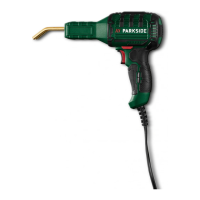
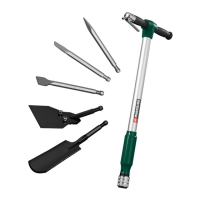
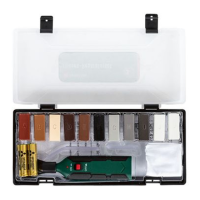
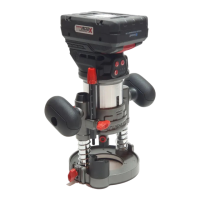
Accessories and accessory tools are available
through your authorised dealer. When buying
always consider the technical requirements of this
product (see “Technical data”).
If you are not certain, ask a qualified specialist
and get advice from your trusted dealer.
NOTE
u This instruction manual contains
information and suggestions for several
accessory tools and their uses. The
accessory tools depicted are not included
in the shipment (see “Scope of delivery”),
but are meant to indicate additional
possibilities for using this product.
m
WARNING!
u Do not use accessories not recommended
by Parkside. This may result in electric
shock or fire.
Suitable battery packs and chargers
Battery
pack:
Parkside 20 V battery pack
PAP 20 A1, PAP 20 A2, PAP 20 A3
Charger:
Parkside 20 V charger PLG 20 A1,
PLG 20 A2, PLG 20 B1, PLG 20 A3
Operation
Attaching/removing the
battery pack
¾ Removing the battery pack: Press the
battery pack release button
13
. Remove the
battery pack
3
(Fig. D).
¾ Attaching the battery pack: Align the
battery pack
3
to the handle and slide it
into it. Ensure it clicks noticeably in place.
The battery pack can only be inserted into
the product in one direction.
Checking the battery pack
charging level
(Fig. B)
¾ Check battery pack charge level: Press the
button
14
. The charging level LEDs
15
light up:
LED
15
Charging level
Red / orange / green Maximum
Red / orange Medium
Red Low
Charging the battery pack
(Fig. C)
NOTE
u The battery pack
3
may be charged at
any time without reducing the life.
u Interrupting the charging process does not
damage the battery pack
3
.
¾ Charge the battery pack
3
before
operation when it is at medium or low
charging level.
¾ The charging control LEDs (green
18
and
red
19
) indicate the status of the charger
16
and the battery pack
3
:
LED Status
Red LED lights up Battery pack
charges
Green LED lights up Battery pack fully
charged
Green and red LED
flashing
Battery pack
defective
Red LED flashing Battery pack too
cold or too warm
Green LED lights up
(without battery pack)
Charger ready
¾ Insert the battery pack
3
into the charger
16
.
¾ Connect the power cord with power plug
17
of the charger
16
to the socket.








 To Next Page