EasyManua.ls Logo

Parkside PLEM 50 B2 - User Manual

Parkside PLEM 50 B2
165 pages
Print Icon
To Next Page IconTo Next Page
Loading...
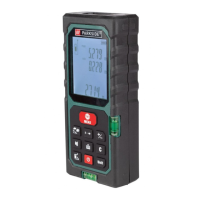
LASER DISTANCE MEASURE PLEM 50 B2
LASER-ENTFERNUNGSMESSER
PLEM 50 B2
Bedienungs- und Sicherheitshinweise
LASEROVÝ MERAČ
VZDIALENOSTI PLEM 50 B2
Pokyny pre obsluhu a bezpečnostné pokyny
LASERSKI MERILNIK RAZDALJE
PLEM 50 B2
Navodila za upravljanje in varnostna opozorila
LASEROVÝ MĚŘIČ
VZDÁLENOSTI PLEM 50 B2
Pokyny pro obsluhu a bezpečnostní pokyny
LASER DISTANCE MEASURE
PLEM 50 B2
Operation and safety notes
LÉZERES VOLSÁGMÉRŐ
PLEM 50 B2
Kezelési és biztonsági utalások
IAN 315778_1904

Table of Contents

Questions and Answers

  • K
    Kelsey LopezAug 3, 2025
    What to do if Parkside PLEM 50 B2 show error 220?
    • M
      Megan AliAug 3, 2025
      If your Parkside Measuring Instruments display error 220, it indicates a low battery. You should replace the batteries or charge them to resolve the issue.
  • K
    Krista HuffAug 7, 2025
    What to do if Parkside PLEM 50 B2 Measuring Instruments show error 255?
    • E
      Elizabeth RussoAug 7, 2025
      If your Parkside Measuring Instruments display error 255, it means the received signal is too weak or the measurement time is too long. To fix this, try to improve the reflective surface by using a target plate or white paper.
  • S
    Sarah NguyenAug 12, 2025
    What to do if Parkside PLEM 50 B2 Measuring Instruments show error 256?
    • W
      William PetersAug 13, 2025
      If your Parkside Measuring Instruments display error 256, it indicates that the received signal is too strong. To resolve this, improve the reflective surface by using a target plate, or avoid aiming at strong light sources.
  • P
    palmerkimberlyAug 18, 2025
    What to do if Parkside PLEM 50 B2 show error 500?
    • P
      Paul RichardsAug 18, 2025
      If your Parkside Measuring Instruments show error 500, this indicates a hardware error. Try switching the product off and on. If the symbol still appears after several attempts, contact your dealer.
  • K
    karensmithAug 23, 2025
    What to do if Parkside Measuring Instruments show error 261?
    • M
      Mrs. Stephanie RobbinsAug 23, 2025
      If your Parkside Measuring Instruments display error 261, it means that you are out of the measuring range. Ensure that you are measuring the distance within the specified measurement range.
  • S
    swhiteAug 27, 2025
    How to fix calculation error on Parkside PLEM 50 B2 (error 204)?
    • K
      Kevin HarrisonAug 28, 2025
      If you encounter a calculation error (error 204) on your Parkside Measuring Instruments, repeat the procedures as described in the user manual.

Summary

General safety instructions

Safety instructions for batteries;rechargeable batteries

Guidelines for safe handling and disposal of batteries.

Before using

Inserting;replacing the batteries

Instructions on how to install or change the device's batteries.

Start-up

Handling and Operation

Selection of the reference point

Setting the measurement starting point (front, rear, or end piece).

Measuring lengths

Single Measurement mode

Procedure for taking individual distance measurements.

Continuous Measurement mode

Procedure for taking sequential distance measurements.

Measurement value functions

Historical memory

Error, faults & troubleshooting

Maintenance and cleaning

Warranty

Warranty claim procedure

Steps to follow when making a warranty claim for the product.

Service

Parkside PLEM 50 B2 Specifications

General IconGeneral
TypeLaser Distance Meter
Accuracy± 2 mm
Power Supply2 x 1.5 V AAA batteries
DisplayLCD
Laser classClass 2
Measurement Unitsm, ft, in
Auto Power OffYes
Backlit DisplayYes
Measuring Range0.2 - 50 m
FunctionsArea, Volume, Pythagoras
Operating temperature0 – 40 °C
Weight100g (without batteries)

Related product manuals