EasyManua.ls Logo

Parkside PLEM 50 C4 - User Manual

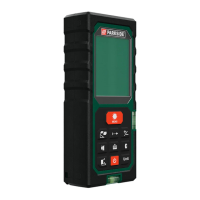
Parkside PLEM 50 C4
520 pages
Print Icon
To Next Page IconTo Next Page
Loading...
IAN 439550_2210
TÉLÉMÈTRE LASER
Mode d’emploi
LASER-ENTFERNUNGSMESSER
Bedienungsanleitung
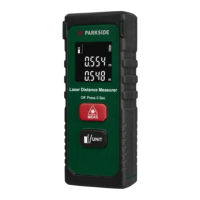
LASER DISTANCE MEASURER
Operating instructions
LASERAFSTANDSMETER
Gebruiksaanwijzing
LASEROVÝ MĚŘIČ
VZDÁLENOSTI
Návod k obsluze
DALMIERZ LASEROWY
Instrukcja obsługi
MISURATORE DI DISTANZA
LASER
Istruzioni per l’uso
LASEROVÝ MERAČ
VZDIALENOSTI
Návod na obsluhu
LÉZERES TÁVOLSÁGMÉRŐ
Használati utasítás
LASERAFSTANDSMÅLER
Betjeningsvejledning
MEDIDOR LÁSER DE
DISTANCIAS
Instrucciones de uso
LASERSKI MERILNIK RAZDALJE
Navodila za uporabo
ЛАЗЕРНО ИЗМЕРВАТЕЛНО
УСТРОЙСТВО ЗА РАЗСТОЯНИЕ
Ръководство за експлоатация
TELEMETRU CU LASER
Instrucţiuni de utilizare
ΜΕΤΡΗΤΗΣ ΑΠΟΣΤΑΣΕΩΝ
ΛΕΪΖΕΡ
Οδηүίες χρήσης
LASERSKI MJERAČ
UDALJENOSTI
Upute za upotrebu
LASER DISTANCE MEASURER /
LASER-ENTFERNUNGSMESSER /
TÉLÉMÈTRE LASER PLEM 50 C4

Table of Contents

Questions and Answers

  • C
    courtney01Aug 5, 2025
    What to do if Parkside Analytical Instruments show error code 220?
    • A
      Andrea NortonAug 5, 2025
      If your Parkside Analytical Instruments display error code 220, it means the batteries are low. You should replace the batteries to resolve this issue.
  • J
    Jessica OconnellAug 10, 2025
    What to do if Parkside Analytical Instruments show error code 500?
    • J
      Joseph ScottAug 10, 2025
      Error code 500 on your Parkside Analytical Instruments indicates a hardware fault. Try switching the device off and on again. If the error persists after multiple attempts, contact the service hotline.
  • C
    Chris JohnsonAug 15, 2025
    Why does my Parkside Analytical Instruments show error code 255?
    • J
      Julie ChavezAug 15, 2025
      Error code 255 on Parkside Analytical Instruments means the received signal is too weak or the measuring time is too long. To fix this, avoid non-reflective or poorly reflecting surfaces. Try to find a measurement point that is more reflective, for example, by using white paper.
  • P
    pamelanelsonAug 20, 2025
    What causes error code 256 on Parkside Analytical Instruments?
    • C
      Christopher CaldwellAug 21, 2025
      Error code 256 on your Parkside Analytical Instruments indicates the received signal is too strong. Avoid highly reflective or mirrored surfaces. Find a measurement point that is less reflective, and ensure you are not aiming at a bright light.
  • A
    Angela AllenAug 26, 2025
    What does error code 261 mean on Parkside Analytical Instruments?
    • B
      bautistalisaAug 26, 2025
      Error code 261 on Parkside Analytical Instruments indicates that you are outside the measuring range. Ensure you stay within the maximum measuring range of the device.
  • J
    Juan JonesAug 30, 2025
    How to fix error code 204 on Parkside Analytical Instruments?
    • M
      Mr. Terry RomeroAug 30, 2025
      Error code 204 on the Parkside Analytical Instruments indicates a calculation error. Repeat the procedure to resolve the issue.

Summary

Introduction to the Parkside Laser Distance Measurer

About These Operating Instructions

Details the purpose and usage of the operating instructions.

Proper Use Guidelines

Defines the intended applications and limitations of the device.

Safety Information

Warnings and Symbols Overview

Explains warning symbols and their meanings for safe operation.

Basic Safety Precautions

General safety guidelines for device operation and user protection.

Laser Radiation Safety

Specific instructions to prevent injury from laser beam exposure.

Battery Handling Safety

Guidelines for safe installation, use, and disposal of batteries.

Device Operation and Setup

Operating Elements Overview

Identifies and describes the device's buttons, display, and components.

Getting Started

Steps for checking package contents and installing batteries.

Basic Operations

Covers switching the device on/off, beeps, and screen modes.

Unit and Reference Point Settings

How to select units and set the measurement reference point.

Measurement Functions

Single Length Measurement

Procedure for taking a single distance measurement.

Continuous Measurement

Method for taking a series of measurements over time.

Calculated Measurements

Explains functions for area, volume, and Pythagoras calculations.

Addition and Subtraction

How to perform addition and subtraction of measured values.

Data Management and Accessories

Measured Value Memory

Details on storing, loading, and clearing measured values.

Belt Pouch Usage

Instructions for using the supplied belt pouch.

Troubleshooting and Care

Troubleshooting Error Codes

Lists common error codes and their remedies.

Cleaning and Storage

Instructions for cleaning and proper storage of the device.

Disposal Information

Device Disposal

Instructions for proper disposal of the laser distance measurer.

Packaging Disposal

Guidelines for recycling and disposing of product packaging materials.

Battery Disposal

Information on the safe and environmentally sound disposal of batteries.

Appendix

Technical Data

Key specifications including measuring range, accuracy, and laser class.

Warranty and Service Information

Details on product warranty coverage, claim procedures, and service contacts.

Parkside PLEM 50 C4 Specifications

General IconGeneral
BrandParkside
ModelPLEM 50 C4
CategoryAnalytical Instruments
LanguageEnglish

Related product manuals