EasyManua.ls Logo

Parkside PLEM 50 A1 - User Manual

Parkside PLEM 50 A1
182 pages
Print Icon
To Next Page IconTo Next Page
Loading...
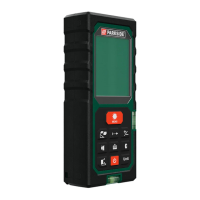
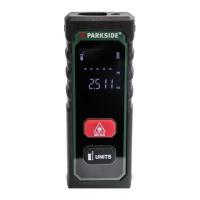
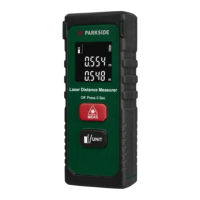
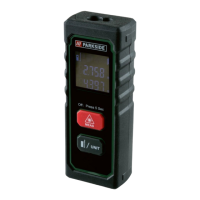
LASER DISTANCE MEASURER PLEM 50 A1
IAN 309823
LASER-ENTFERNUNGSMESSER
PLEM 50 A1
Bedienungs- und Sicherheitshinweise
ΜΕΤΡΗΤΗΣ ΑΠΟΣΤΑΣΕΩΝ
LASER PLEM 50 A1
Υποδείξεις χειρισμού και ασφαλείας
ЛАЗЕРЕН ДАЛЕКОМЕР
PLEM 50 A1
Инструкции за обслужване и безопасност
TELEMETRU CU LASER PLEM 50 A1
Instrucţiuni de utilizare şi de siguranţă
LASER DISTANCE MEASURER
PLEM 50 A1
Operation and safety notes
LASERSKI DALJINOMER
PLEM 50 A1
Uputstva o rukovanju i bezbednosti

Table of Contents

Other manuals for Parkside PLEM 50 A1

Questions and Answers

  • R
    Ryan ManningAug 1, 2025
    What to do if Parkside PLEM 50 A1 Analytical Instruments show error 220?
    • A
      Amber JordanAug 1, 2025
      If your Parkside Analytical Instruments display error 220, it indicates a low battery. You should replace the batteries or charge them.
  • H
    hamiltonhaydenAug 6, 2025
    What to do if Parkside PLEM 50 A1 show error 500?
    • M
      monicaburtonAug 6, 2025
      If your Parkside Analytical Instruments display error 500, which indicates a hardware error, try switching the device off and on. If the symbol persists after several attempts, please contact your dealer.
  • R
    Ruth WebbAug 11, 2025
    What to do if Parkside Analytical Instruments show error 255?
    • J
      Jessica SanchezAug 11, 2025
      If your Parkside Analytical Instruments display error 255, it means the received signal is too weak or the measurement time is too long. To resolve this, improve the reflective surface by using a target plate or white paper.
  • H
    Hannah SmithAug 16, 2025
    What to do if Parkside PLEM 50 A1 show error 256?
    • M
      Michael MurilloAug 16, 2025
      If your Parkside Analytical Instruments display error 256, it indicates that the received signal is too strong. To fix this, improve the reflective surface by using a target plate, or avoid aiming at strong light sources.
  • B
    brycepriceAug 21, 2025
    Why Parkside Analytical Instruments show error 261?
    • S
      Steven Greer DDSAug 21, 2025
      Error 261 on your Parkside Analytical Instruments means that you are out of the measuring range. Ensure you are measuring the distance within the specified measurement range.
  • R
    reyesalejandroAug 26, 2025
    How to fix error 204 on Parkside PLEM 50 A1 Analytical Instruments?
    • K
      kentmichaelAug 26, 2025
      Error 204 on Parkside Analytical Instruments indicates a calculation error. Refer to the user manual and repeat the procedures.

Summary

Pictogram Guide

Laser Radiation Warning

Warning symbol for laser radiation safety.

Laser Beam Warning

Warning against staring into the laser beam.

Product Components

Keypad Layout

Description of the device's keypad and its buttons.

General Safety Instructions

Battery Safety and Handling

Device Start-up Procedures

Power ON;OFF

Instructions for powering the device on and off.

Reference Point Settings

Selection of Reference Point

Setting the measurement origin (front, rear, or end piece).

Measuring Lengths

Single Measurement Mode

Procedure for taking a single distance measurement.

Continuous Measurement Mode

Error and Troubleshooting

Warranty Information

Warranty Claim Procedure

Steps to follow for making a warranty claim.

Parkside PLEM 50 A1 Specifications

General IconGeneral
TypeLaser Distance Meter
Measuring accuracy± 2 mm
Laser class2
Laser type635 nm, < 1 mW
Battery2 x 1.5V AAA
Dimensionsapprox. 11.5 x 5 x 3 cm
Weightapprox. 85 g (with batteries)
Accuracy± 2 mm
Measuring range0.05 - 50 m
Operating temperature0 - 40 °C
Measurement Range0.05 - 50 m
Auto Power OffLaser: 20 s / Device: 150 s
Automatic switch-offYes (after 150 s)

Related product manuals