EasyManua.ls Logo

Parkside PLEM 20 A1 - User Manual

Parkside PLEM 20 A1
84 pages
Print Icon
To Next Page IconTo Next Page
Loading...
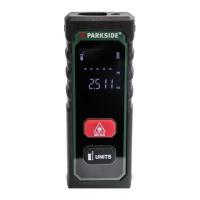
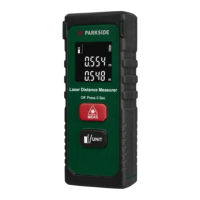
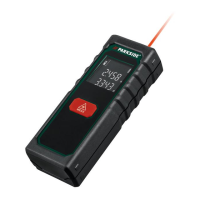
LASER DISTANCE MEASURER
20 M PLEM 20 A1
IAN 289679
LASER-ENTFERNUNGS-
MESSER 20 M PLEM 20 A1
Bedienungs- und Sicherheitshinweise
LASERETÄISYYSMITT ARI
20 M PLEM 20 A1
Käyttö- ja turvaohjeet
LASER DISTANCE MEASURER
20 M PLEM 20 A1
Operation and Safety Notes
LAZERINIS ATSTUMO
MATUOKLIS 20 M PLEM 20 A1
Nurodymai dėl valdymo ir saugumo
LASERAVSTÅNDSMÄ TARE
20 M PLEM 20 A1
Bruksanvisning och säkerhetsanvisningar
DALMIERZ LASEROWY
20 M PLEM 20 A1
Wskazówki dotyczące obsługi
i bezpieczeństwa

Table of Contents

Questions and Answers

  • B
    Brian MorganAug 2, 2025
    What to do if my Parkside Analytical Instruments show a hardware failure?
    • R
      Robert WilliamsAug 2, 2025
      If a hardware failure icon appears even after turning the Parkside Analytical Instruments off and on repeatedly, it is recommended to take the product to a specialist workshop.
  • L
    leedawnAug 7, 2025
    Why does my Parkside Analytical Instruments show a calculation error?
    • C
      Christine PrattAug 8, 2025
      If your Parkside Analytical Instruments display a calculation error, ensure that you are operating within the correct measuring range.
  • J
    Jennifer MccormickAug 12, 2025
    Why does my Parkside Analytical Instruments say operating temperature is too low or too high?
    • K
      Kyle ParkerAug 12, 2025
      If your Parkside Analytical Instruments indicate that the operating temperature is too low or too high, make sure that you are using the device within the correct operating temperature range of 0 °–40 °C.
  • D
    Daniel McclureAug 18, 2025
    Why is my Parkside Analytical Instruments showing an error related to operating temperature?
    • M
      Mr. Steven PetersAug 18, 2025
      If your Parkside Analytical Instruments device isn't working correctly, it might be due to the operating temperature being outside the acceptable range. Make sure the ambient temperature is within 0 °–40 °C.
  • C
    Catherine SkinnerAug 22, 2025
    What to do if my Parkside Analytical Instruments shows a calculation error?
    • S
      Samantha CruzAug 23, 2025
      If you are getting calculation errors on your Parkside Analytical Instruments, ensure that you are operating within the correct measuring range.
  • J
    Jeffrey BennettAug 28, 2025
    What to do if my Parkside Analytical Instruments is showing a hardware failure?
    • M
      Matthew EllisAug 28, 2025
      If your Parkside Analytical Instruments shows a hardware failure icon even after restarting it several times, take it to a specialist workshop.

Summary

List of pictograms used

Introduction

Intended use

Specifies the product's suitable applications for indoor distance, length, and height measurements, warning against misuse.

Parts description

Details the physical components of the laser distance measurer, including the display and its indicators.

Scope of delivery

Lists the items provided in the product package, such as the measurer, batteries, and instructions.

Technical data

Outlines key technical specifications including measurement range, accuracy, operating conditions, and power requirements.

General safety instructions

Safety instructions for batteries; rechargeable batteries

Provides critical warnings regarding battery handling, storage, and risks of explosion or leakage to prevent injury.

Risk of leakage of batteries;rechargeable batteries

Advises on preventing battery acid contact with skin and eyes, and proper cleanup procedures in case of leakage.

Risk of damage of the product

Guides on using correct battery types, ensuring polarity, and cleaning contacts to avoid damaging the device.

Before using

Inserting;replacing the batteries

Step-by-step instructions for safely opening the battery compartment and inserting/replacing batteries.

Start-up

Switching on;off

Explains how to power the laser distance measurer on and off using the MEAS button.

Selecting the unit of length

Measuring lengths

Error, faults & troubleshooting

Maintenance and Cleaning

Storage

Disposal

Warranty

Parkside PLEM 20 A1 Specifications

General IconGeneral
TypeLaser Distance Meter
Measuring range0.05 m to 20 m
Accuracy±3 mm
Laser classClass 2
Operating temperature0°C to 40°C
Battery2 x 1.5V AAA
Voltage3 V
WeightApprox. 100 g

Related product manuals